الاستبيان الصحي قبل الزيارة
يملؤه العملاء الجدد في المنزل، ويؤكد العملاء الحاليون أن شيئًا لم يتغير.
The health questionnaire collects medical history, medications, allergies and contraindications before the first appointment, so the practitioner starts the consultation already informed. Every submission is kept with its version, a senior practitioner can sign it off, and at later visits the client simply confirms whether anything has changed.
The questionnaire needs clinic mode. You can use the 20 default questions as they are, or edit them to match your clinic's intake.
الخطوات
Switch it on and decide when it is asked
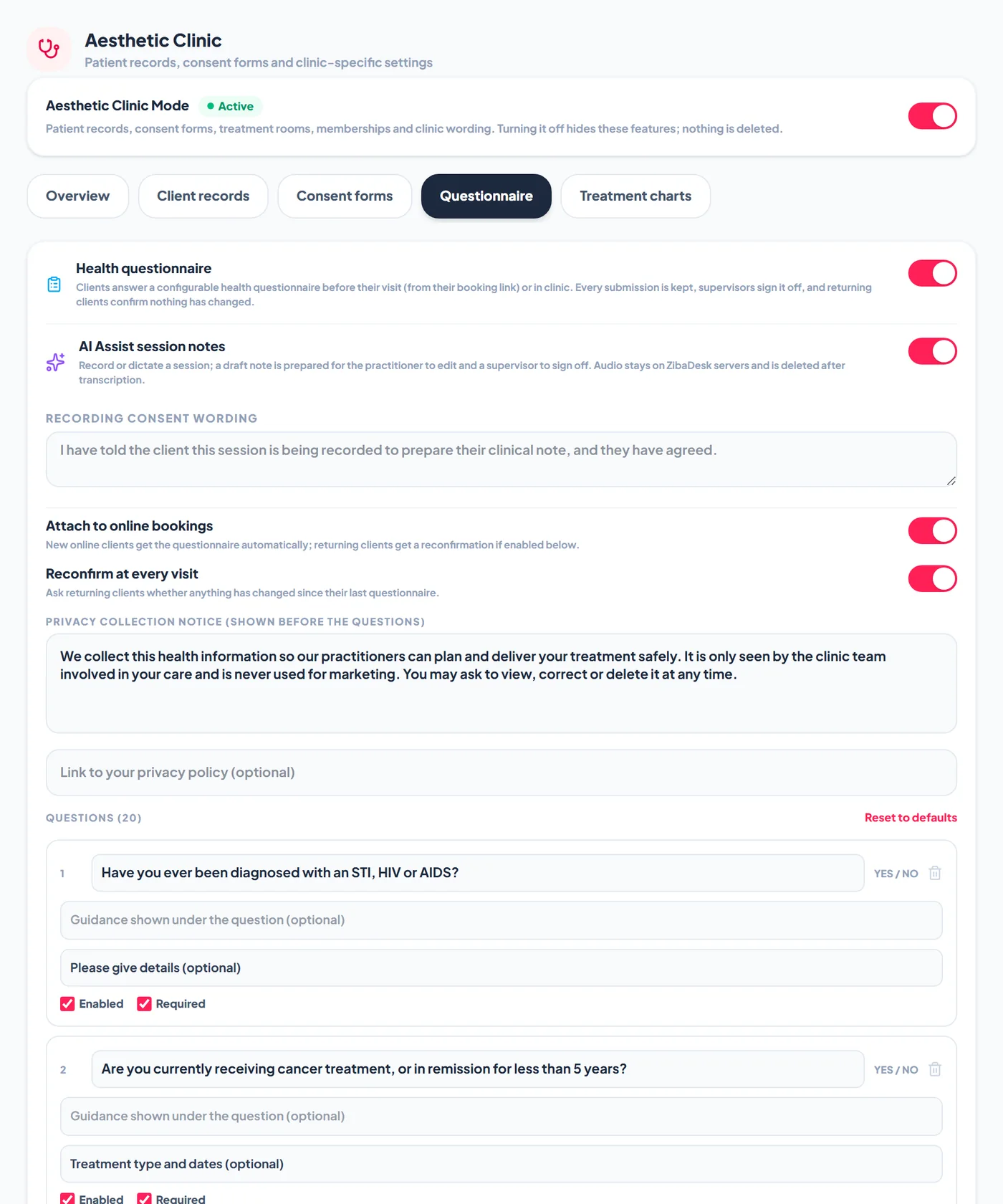
Go to Settings > Aesthetic Clinic > Questionnaire and turn on Health questionnaire. Switch on Attach to online bookings so new clients who book online get the questionnaire automatically, and Reconfirm at every visit so returning clients are asked whether anything has changed since their last one.
Write your privacy collection notice
The privacy collection notice is shown before the questions, and the client ticks that they have read it before they can answer. Explain why you collect health information and who sees it, and add a link to your privacy policy if you have one.
Tailor the questions
Each question has a label, optional guidance shown underneath, and a type: Yes / No, Short text, Long text, Single choice, Multiple choice or Number. Tick Enabled to show it and Required to make it compulsory. Yes / No questions can ask a follow-up when the answer is Yes, and text questions can have a maximum length. Add new questions at the bottom of the list, or use Reset to defaults to start again.
Ask a client to complete it
Online bookings ask automatically when Attach to online bookings is on. When staff book, the booking window has a box, ticked by default, labelled Ask the client to complete the health questionnaire before the visit. New clients get the full questionnaire, and clients who have already completed one get the short reconfirmation instead. A client is recognised by their phone or email together with their name, so two people sharing a phone number are kept apart.
What a new client sees
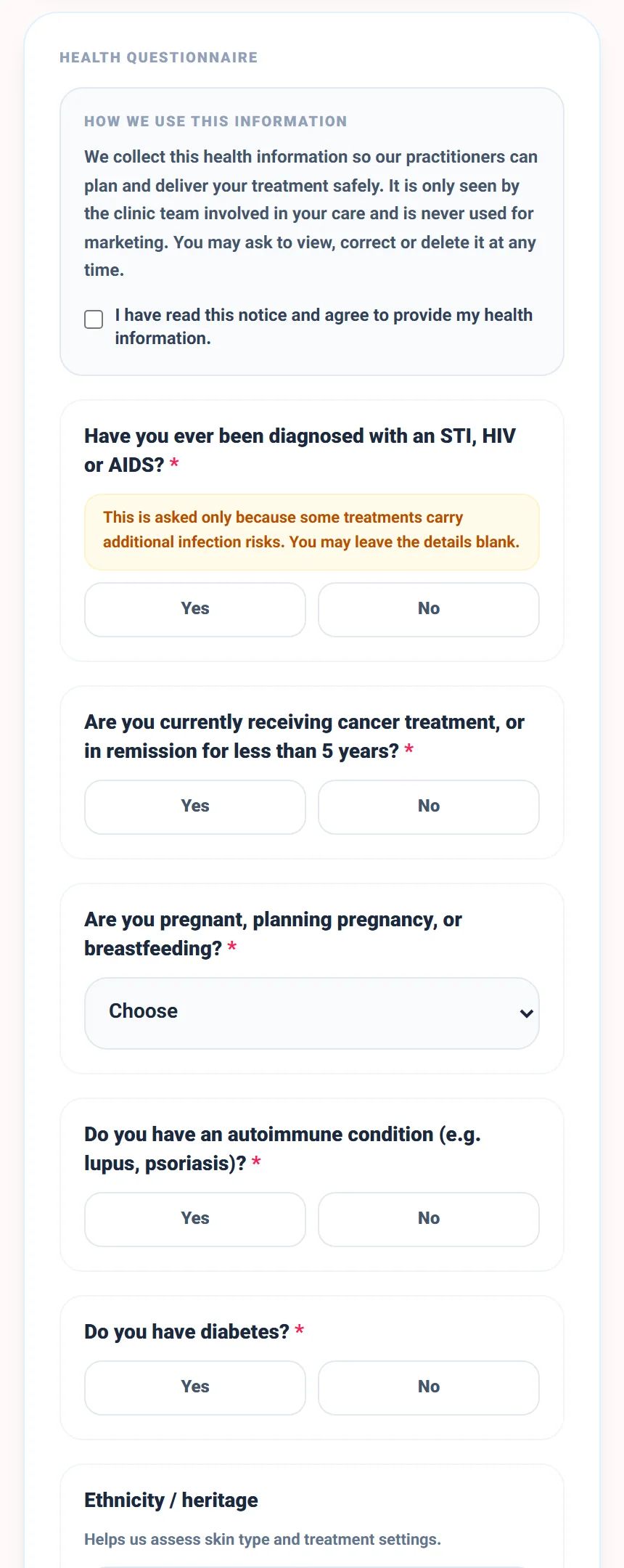
The client opens the link from their confirmation, reads the notice, and answers the questions on their phone. Required questions are marked, sensitive questions can carry an explanation, and the answers go straight onto their record.
What a returning client sees
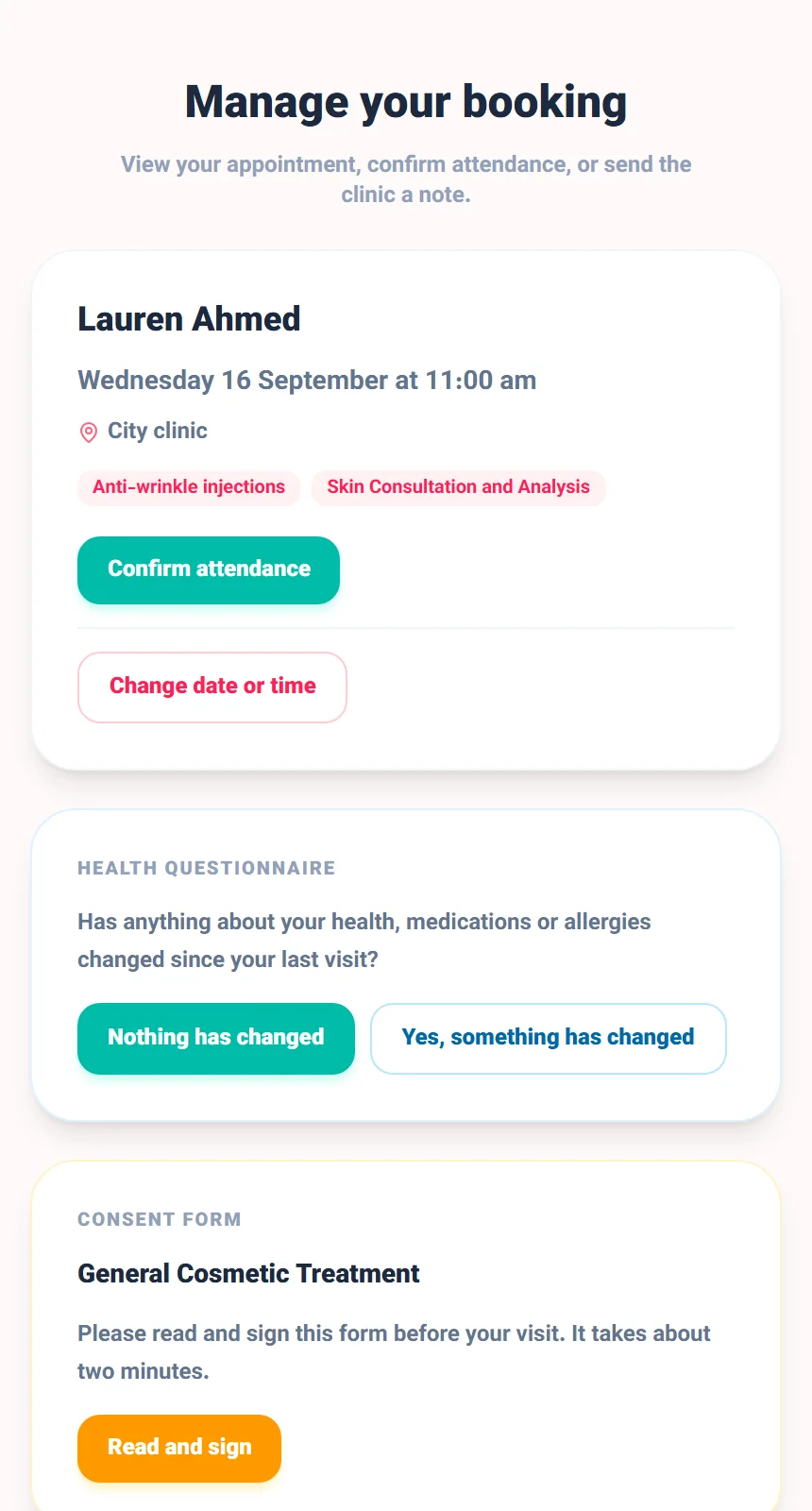
Returning clients are asked one question: has anything about their health, medications or allergies changed since the last visit. Nothing has changed records a confirmation for this visit. Yes, something has changed opens their previous answers to update.
Review and sign off in the clinic
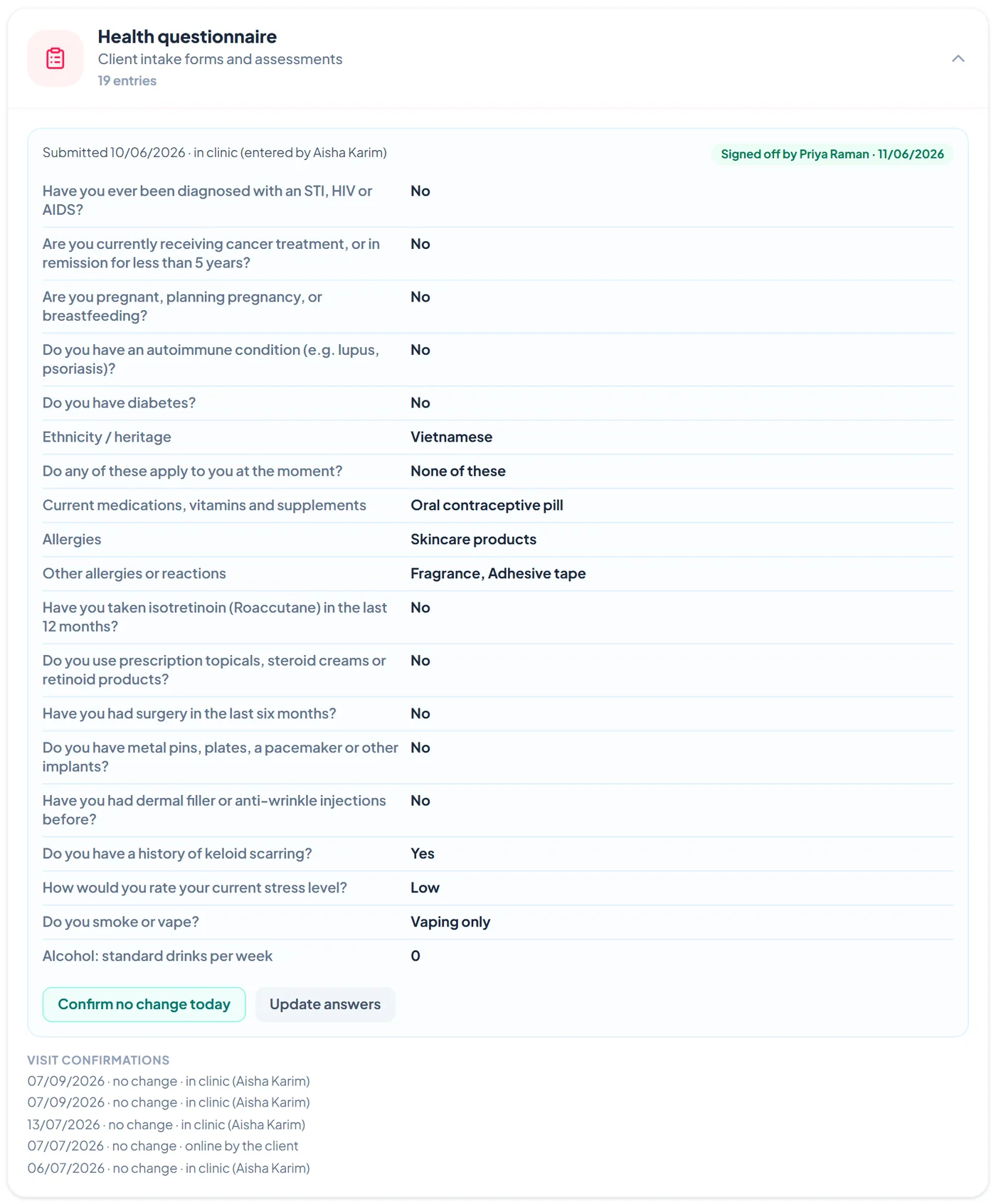
Open the client, go to the Clinical tab and open Health questionnaire. You see who submitted it and when, every answer, and the visit confirmations. Admin and Manager logins can tap Review and sign off. Confirm no change today records a confirmation at the desk, and Update answers lets staff enter changes in the clinic. Earlier submissions are kept on file.
الأسئلة الشائعة
Can a client fill it in at the clinic instead?
Yes. Staff can enter or update the answers on the client record, and the submission is marked as entered in clinic by that staff member.
What happens to old answers when a client updates them?
The new answers become current and the earlier submission is kept on file, so you always have the history.
Who can sign off a questionnaire?
Admin and Manager logins. The sign-off records their name and the time.