同意书与电子签名
内置模板或自有 PDF,到店前发送并归档至档案。
ZibaDesk handles consent from start to finish. Choose the forms your clinic uses, decide which ones each treatment needs, send them to the client before the visit, and collect initials and signatures on screen. Every signed form is stored encrypted on the client record, and there are no per-signature fees.
Consent forms need clinic mode with the Consent forms feature switched on. Set them up once in Settings, and every booking can then request the right forms automatically.
Step-by-step
Choose built-in templates or your own forms
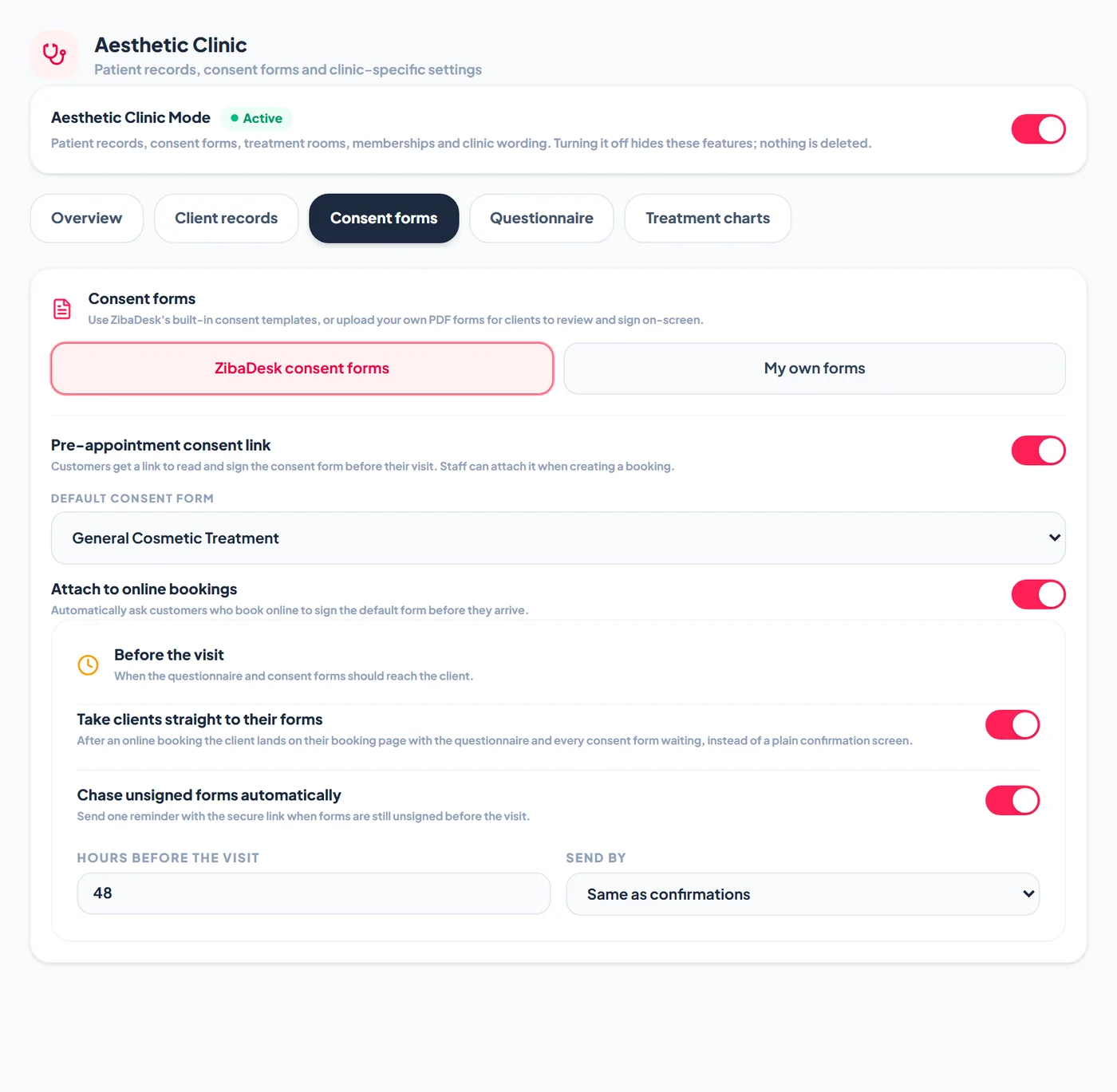
Go to Settings > Aesthetic Clinic > Consent forms. ZibaDesk consent forms gives you ready-made templates for common treatments, from anti-wrinkle injections and dermal fillers to laser, peels and plasma pen. My own forms lets you upload the PDF your insurer or association requires and place tags such as {Patient-Name}, {Patient-DOB}, {Date}, {Patient-Signature}, {Practitioner-Name} and {Practitioner-Signature} where each detail or signature belongs. ZibaDesk fills them in and stamps the signatures onto your PDF.
Set the default form and the pre-visit link
Switch on Pre-appointment consent link, then pick the Default consent form every client should sign. Switch on Attach to online bookings if online bookings should request that form automatically. Staff can still add or remove forms on any booking they make.
Add the forms each treatment requires
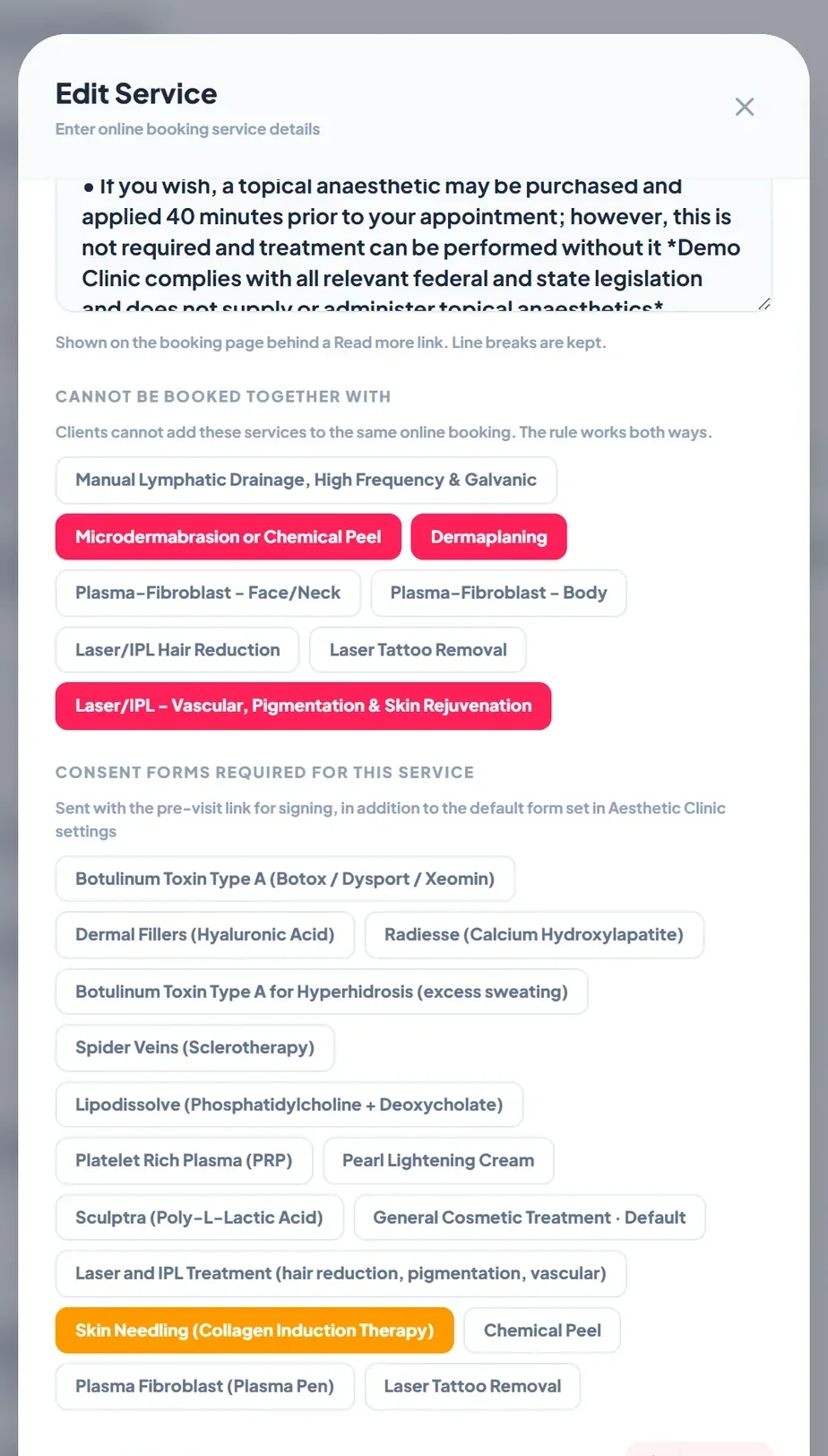
Go to Settings > Booking & Reservations, edit a service, and under Consent forms required for this service tap each form the treatment needs. These replace the default form for that service, so a microneedling booking asks for the skin needling consent while services with no form of their own ask for your general form.
The client signs on their phone before the visit
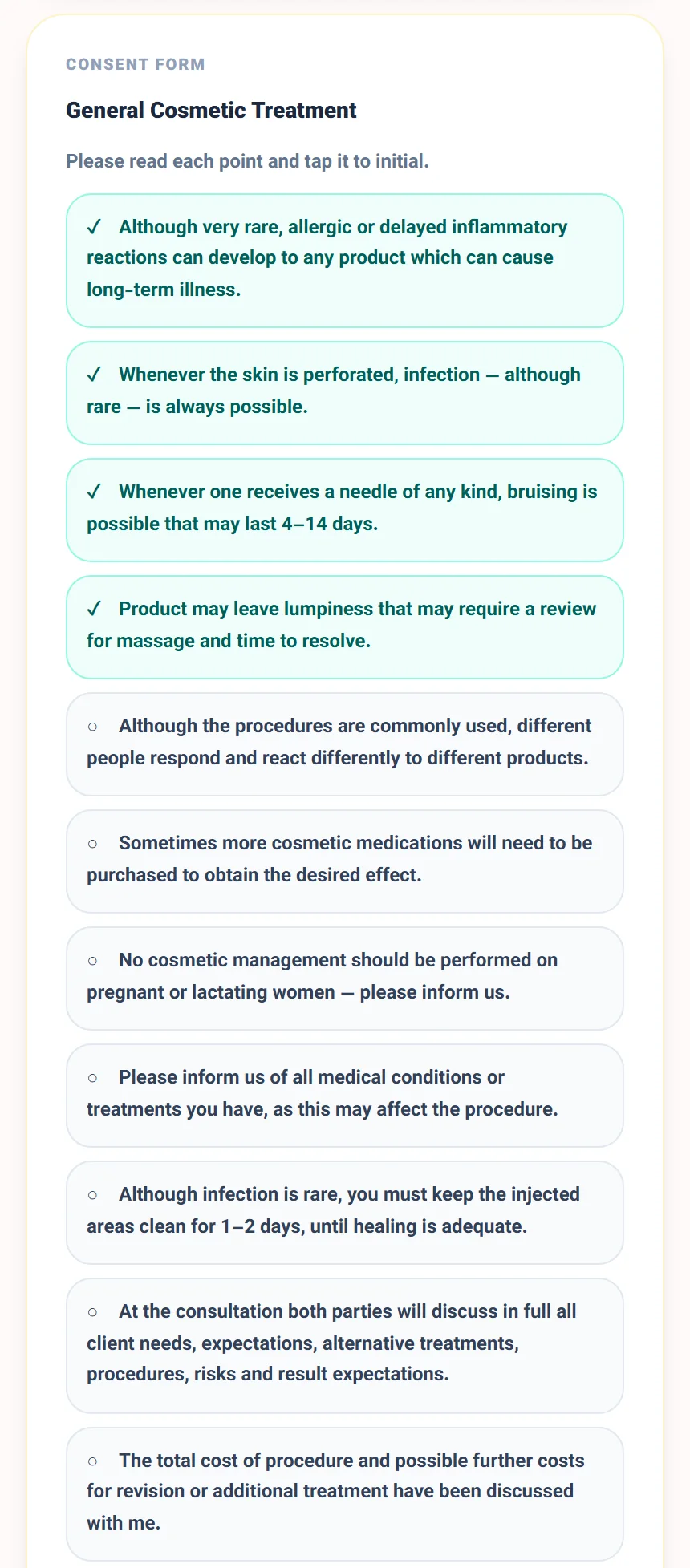
The booking confirmation by SMS, WhatsApp and email includes a secure link to the client's booking page. Each requested form appears as its own card. The client reads every point, taps it to initial, and signs at the end. Signed forms land on the client record straight away.
Record a consent in the clinic
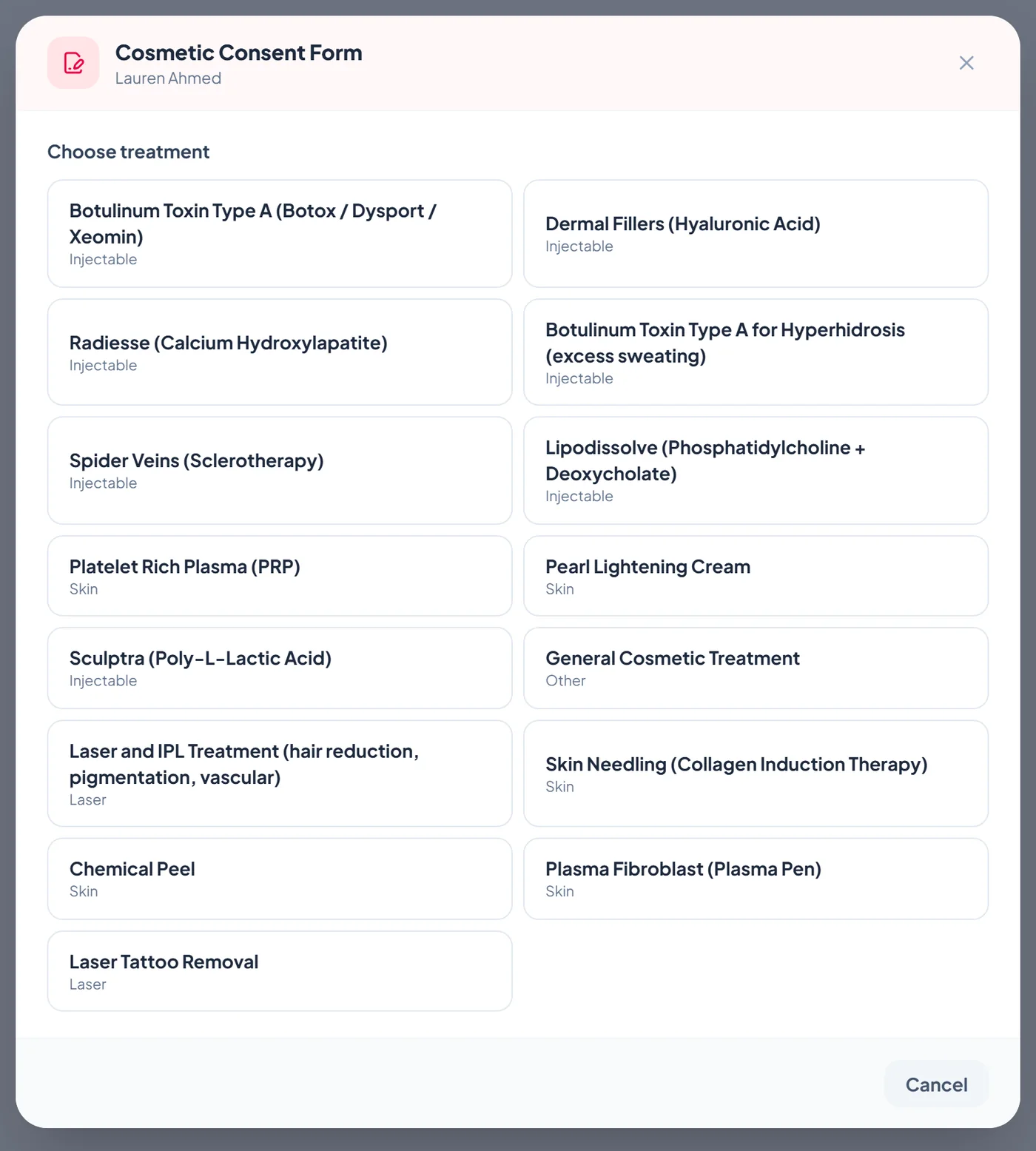
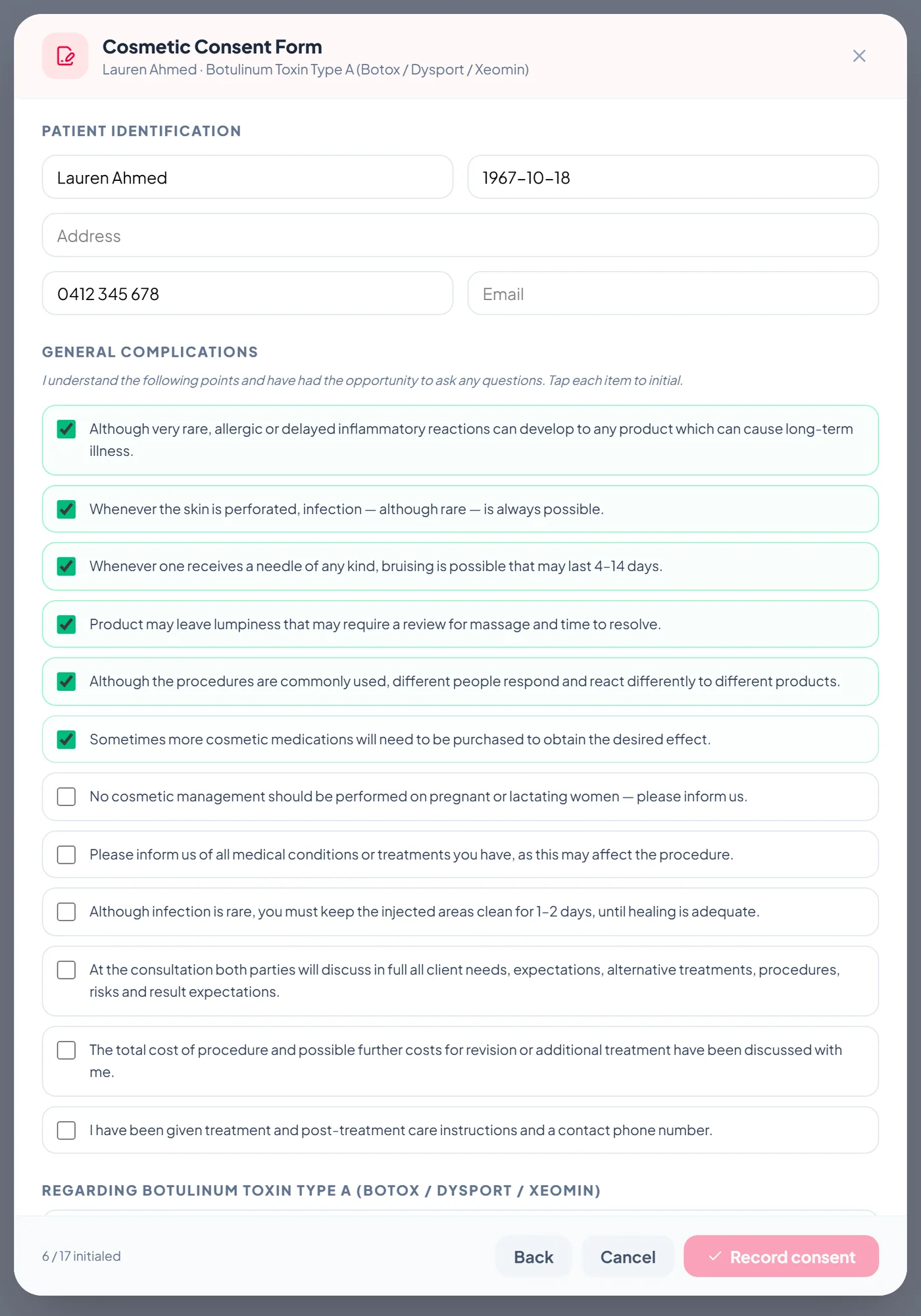
If a client signs at the clinic, open their record, go to the Clinical tab and tap Record New Consent under Forms and documents. Choose the treatment the consent is for.
Initial each point and collect signatures
Confirm the patient details, then tap each point to initial it. The counter at the bottom shows how many points are done. When every point is initialled, collect the patient signature and the practitioner signature, add an optional witness, and record the client's choice on photo and video consent. Tap Record consent to save.
See what is signed and what is still waiting
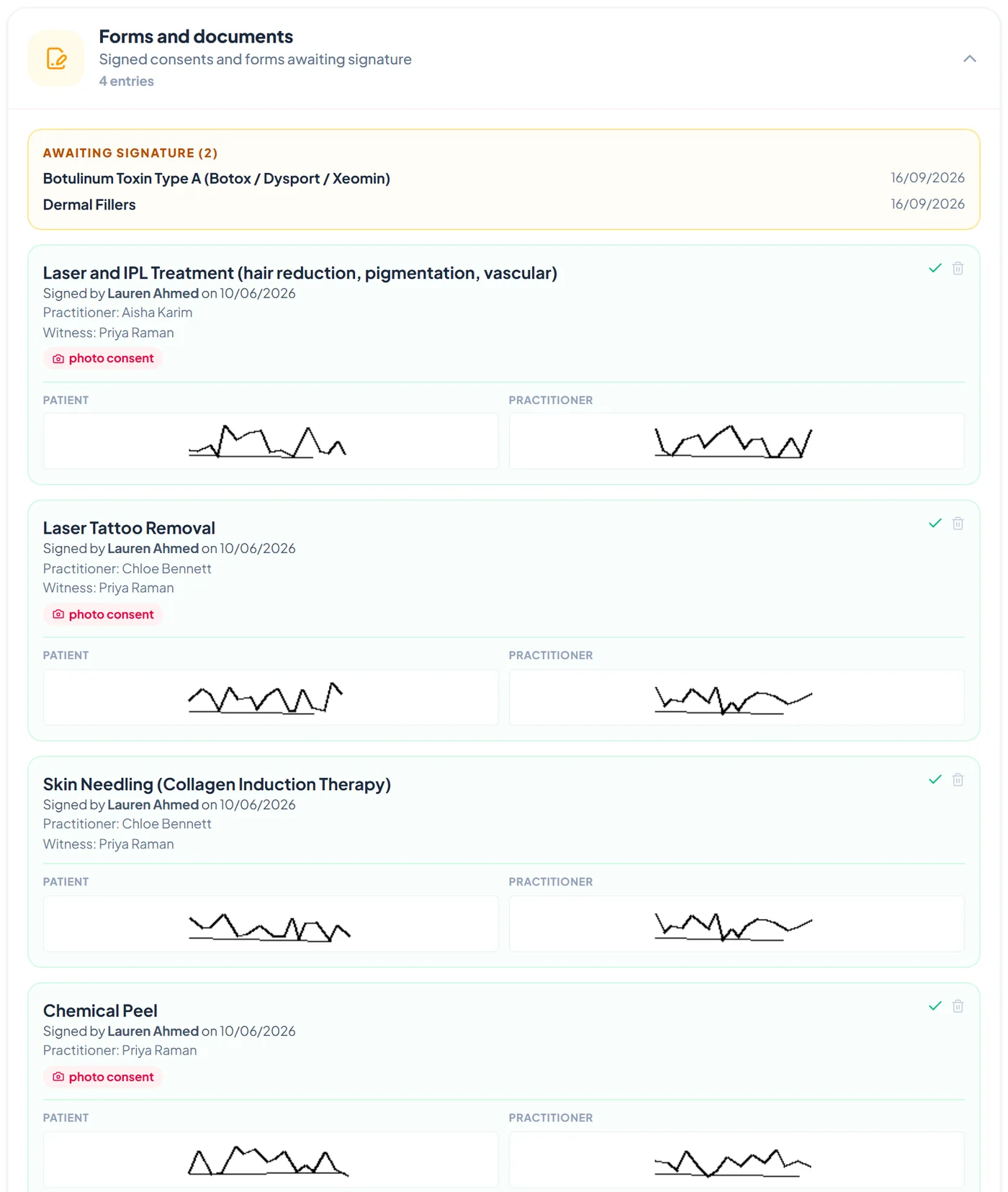
Forms and documents on the Clinical tab shows forms awaiting signature from upcoming bookings above every signed consent, with who signed, when, the practitioner and witness, the photo consent choice, and both signatures. Only Admin and Manager logins can open signed forms.
Chase a form that has not been signed
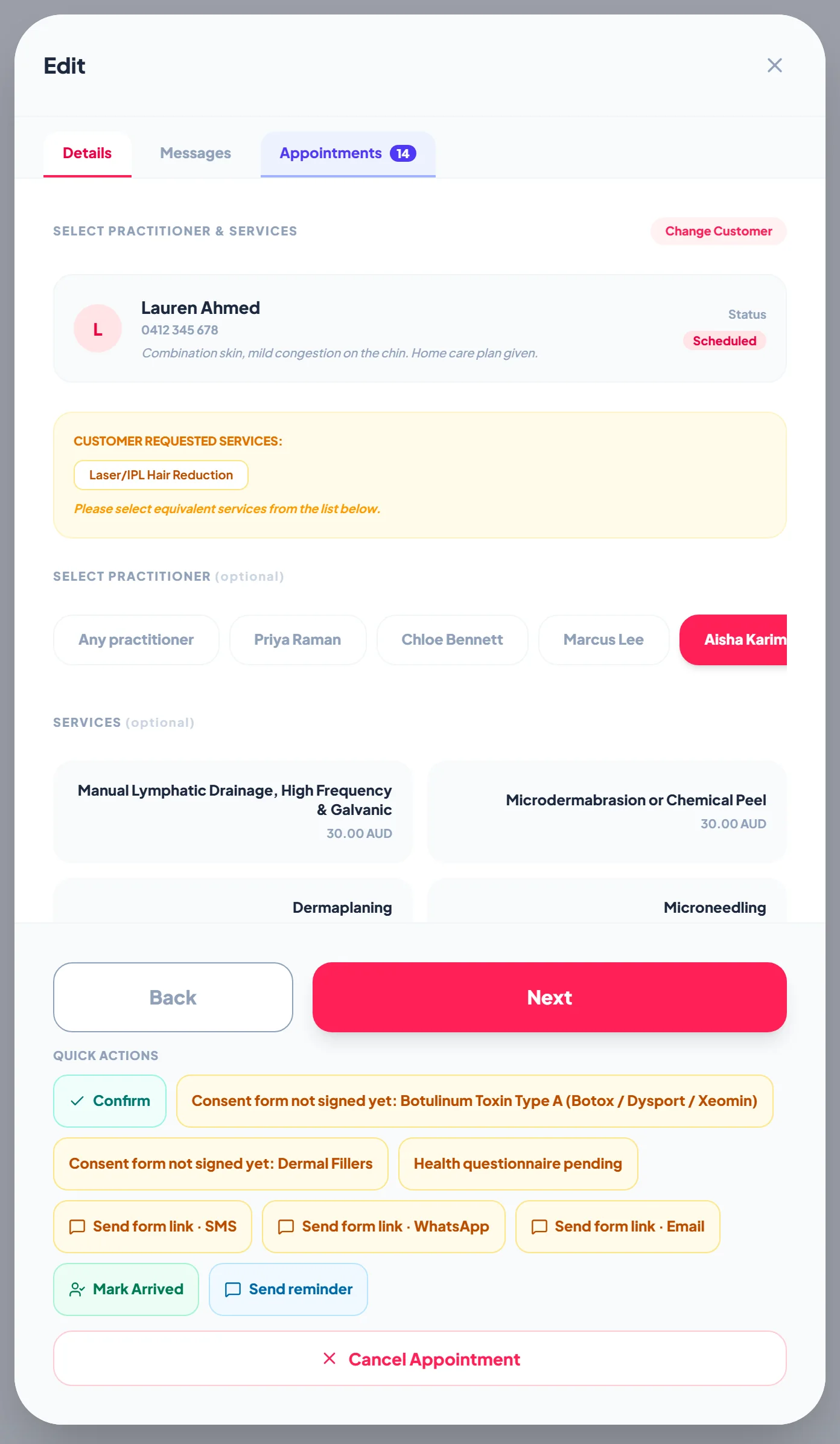
Open the booking. The quick actions list every form not signed yet, and Send form link by SMS, WhatsApp or Email sends the booking link again. The badges clear by themselves once the client signs.
Frequently asked
Are there per-signature or per-envelope fees?
No. Consent forms and e-signatures are included in the plan, however many forms you collect.
Can one booking ask for several forms?
Yes. A booking requests the forms each of its treatments requires, or the default form for a treatment with none, and the client signs each one separately.
Can we add a form to a booking that already exists?
Yes. Open the booking and tick the extra form. Forms already requested stay in place with their signed or pending status.
Where are signed forms stored?
In the client's private clinical store, encrypted, and only Admin and Manager logins can open them.