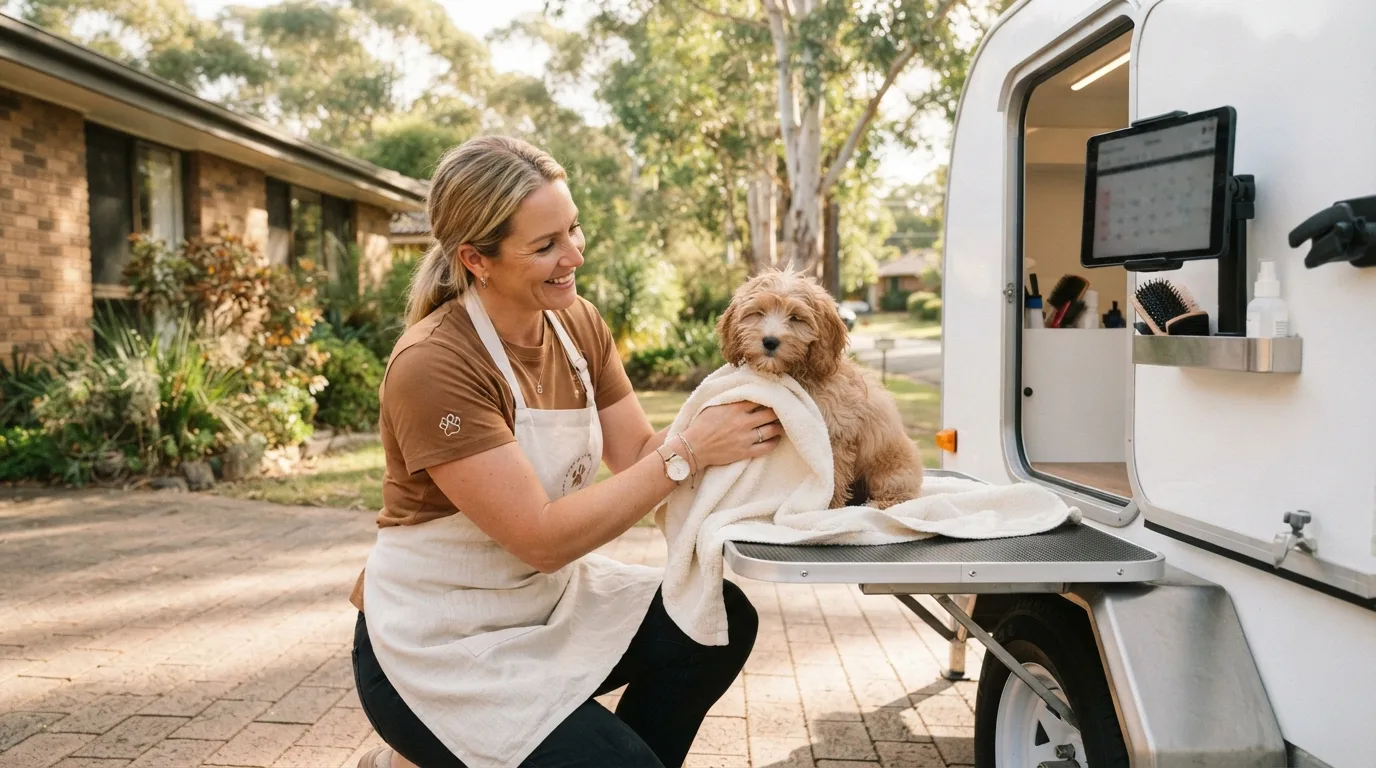
Meet Tess. She is a solo groomer in the hinterland behind the Gold Coast, and she runs two businesses in one: on weekdays dogs come to her home studio, and on weekends she tows a grooming trailer to her clients' driveways. She had a list of things her old booking app could not do. This is the story of that list, and how each item looks in ZibaDesk, screen by screen.
Bramble & Bark Mobile Dog Grooming is fictional, but every requirement below came from a real Australian groomer we built for this year. If you recognise your own business in Tess's list, the rest of the article shows you exactly what the setup looks like.
Tess's list
- Two ways to be booked: "come to me" on weekdays and "I come to you" on weekends, each with its own hours.
- Prices by the size of the dog, not one flat price per groom.
- A travel fee for mobile visits that works itself out from the client's address, and a limit on how far she will drive.
- A $20 deposit on every online booking, paid into her Stripe account, with a clear cancellation policy.
- A booking website in the cream and brown of her logo, not the software's pink.
- A puppy introduction package: three visits paid up front, booked one at a time, ticked off as they happen.
- The pet on the record, not just the owner: name, breed, size, and before-and-after photos.
- The app should open on the screen she actually uses.
1. A home studio and a trailer are two locations, not one
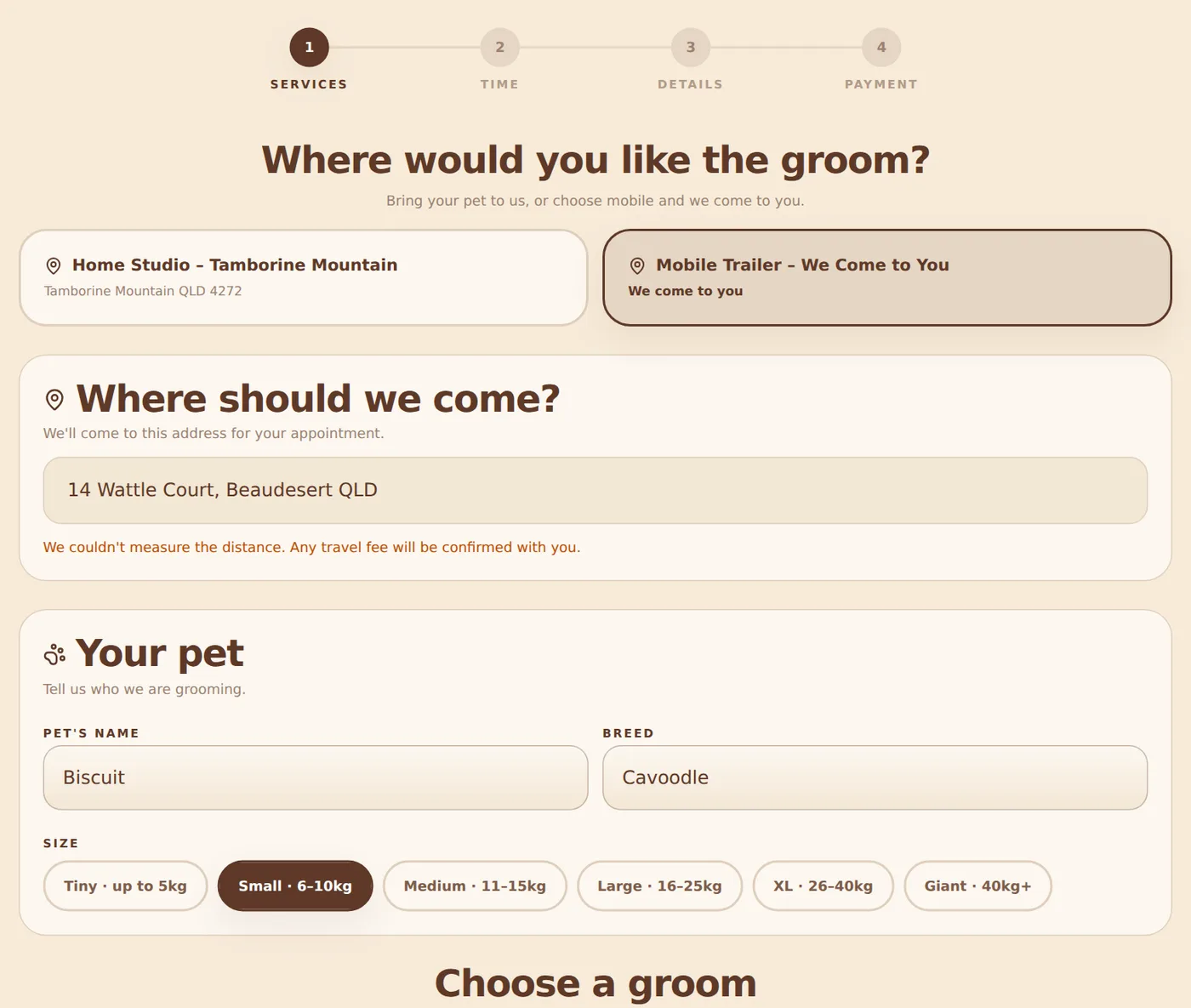
The first thing Tess did was set up two locations in ZibaDesk. Home Studio is a normal address with weekday afternoon hours. Mobile Trailer is flagged as a mobile location: it has no address of its own, it works on Saturdays and Sundays, and it carries a travel fee. Each location can have its own services and its own prices, so a bath in the trailer can cost a little more than a bath in the studio without any workaround.
On her booking page the client's very first question is where. Choose the studio and the calendar only offers weekdays; choose the trailer and it only offers weekends and asks for an address.
2. Pricing by the size of the dog
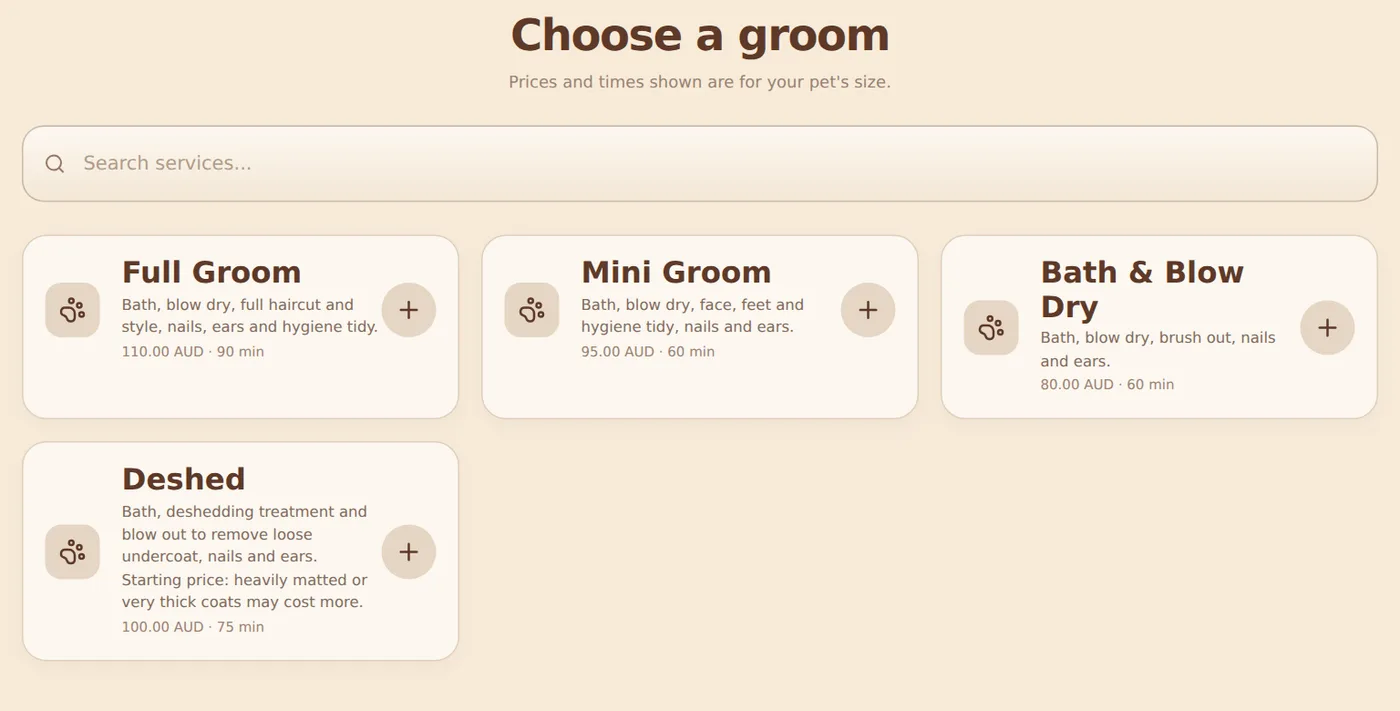
Every groomer prices by size, and most booking software makes you fake it with six copies of every service. ZibaDesk's pet grooming mode does it the other way round. Tess's services are her grooms — Full Groom, Mini Groom, Bath & Blow Dry, Deshed — and each groom has a price and a duration for each size, from Tiny (up to 5 kg) to Giant (40 kg+).
The client tells the page how big their dog is once, on the "Your pet" step, and from then on every groom shows the price and time for that size. A Bath & Blow Dry reads $80 and 60 minutes for a small cavoodle and $115 and 90 minutes for a labrador. No scrolling past four sizes that don't apply, and no phone call to confirm the price.
3. The travel fee calculates itself
Tess's rule for the trailer is simple: free within 10 km of home, $15 up to 25 km, $30 up to 40 km, and she does not go further than that. She typed those three tiers into the mobile location's settings and that was the end of it.
When a client types their address, ZibaDesk measures the driving distance from her base and shows the fee before they choose a time. Someone 45 km away is told, politely, that the trailer does not travel that far, before they have picked a slot or entered a card. The fee is added as its own line on the booking, or folded into the service price if that is how she prefers to show it.
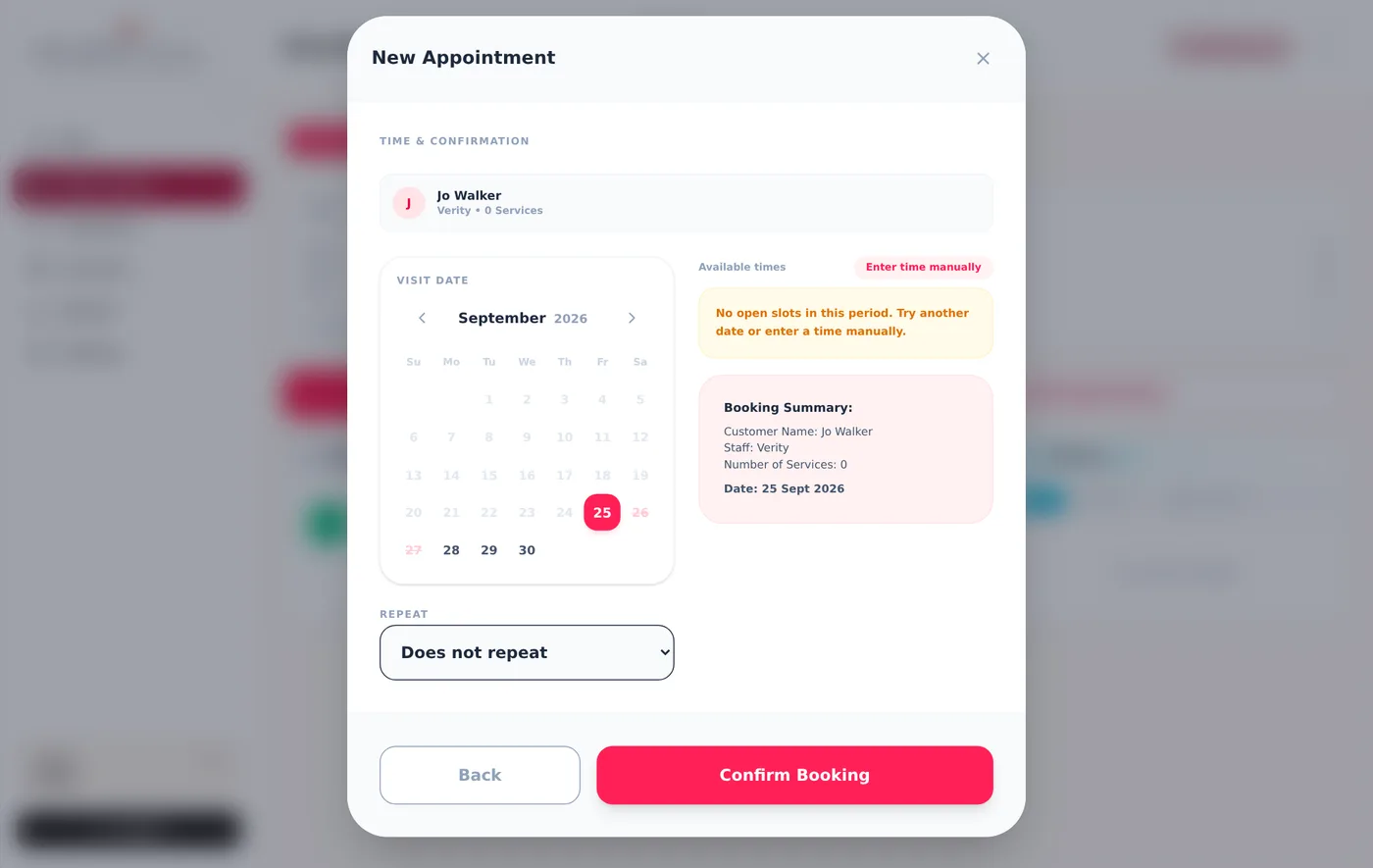
The same calculation runs inside the app. When Tess adds an appointment herself for a trailer visit, the form asks for the client's address (pre-filled if she has it), suggests the travel fee from the distance, and lets her change it if she has agreed something different on the phone.
4. Deposits into her own Stripe account
No-shows are the mobile groomer's tax: an hour of driving and a wasted slot. Tess takes a $20 deposit on every online booking and it comes off the bill on the day. She connected her own Stripe account from Settings in a few minutes — ZibaDesk uses Stripe Connect, so the money lands in her account, not ours, and her Stripe dashboard shows every payment.
Her cancellation policy sits right above the confirm button, with the actual cut-off date and time filled in for that booking ("changes before Friday 6:00 pm"). Clients tick that they have read it. If she prefers, she can switch from deposits to full payment, or to saving a card on file and only charging a fee if someone does not show.
Confirmations go out by SMS or email with a manage link, so the client can confirm, reschedule within the allowed window, or message her without another phone call.
5. A booking website in her colours
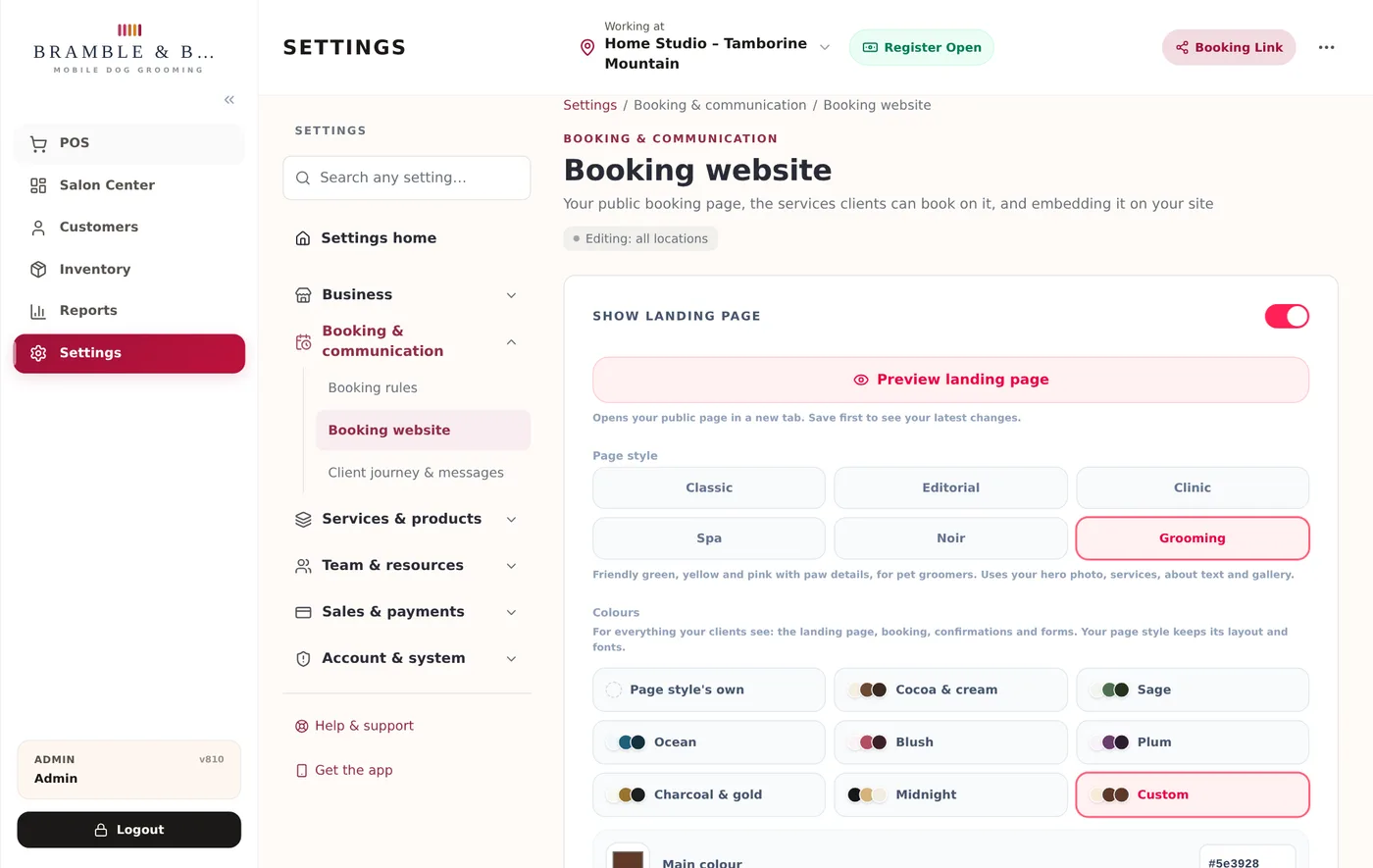
Tess's logo is cream and warm brown. Her old booking link was a generic pink page that looked like a hundred other salons. In ZibaDesk she chose the Grooming page style (paw details, a hero, her services, an about section and a gallery) and then, under Colours, clicked Use my logo's colours. The page read the cream background and the brown from her logo, checked the contrast was readable, and rebuilt the whole site — landing page, booking steps, confirmation and forms — in her palette.
There are ready-made schemes too (Cocoa & cream, Sage, Ocean, Midnight and more) and a custom option with three colour pickers, all with a live preview.
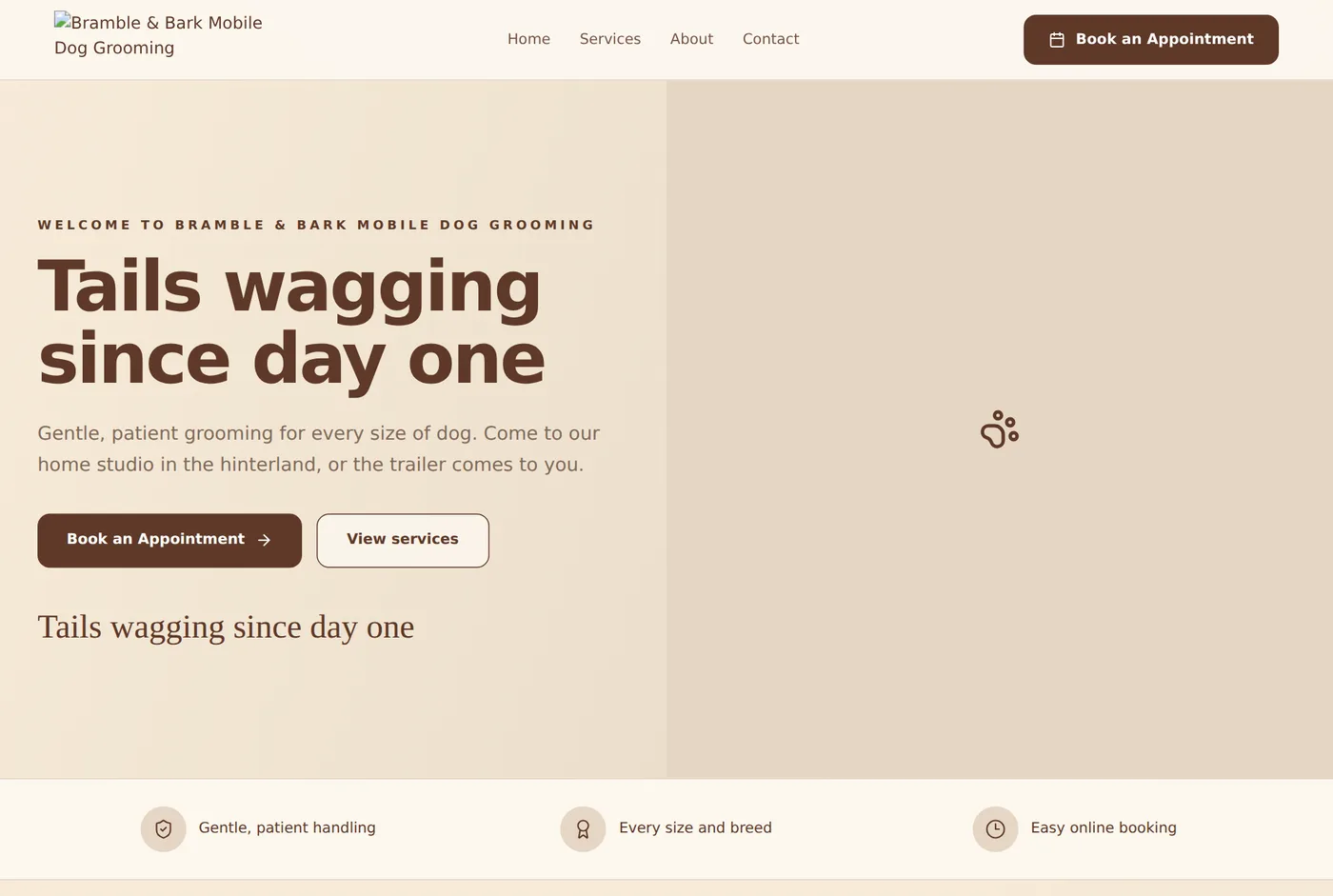
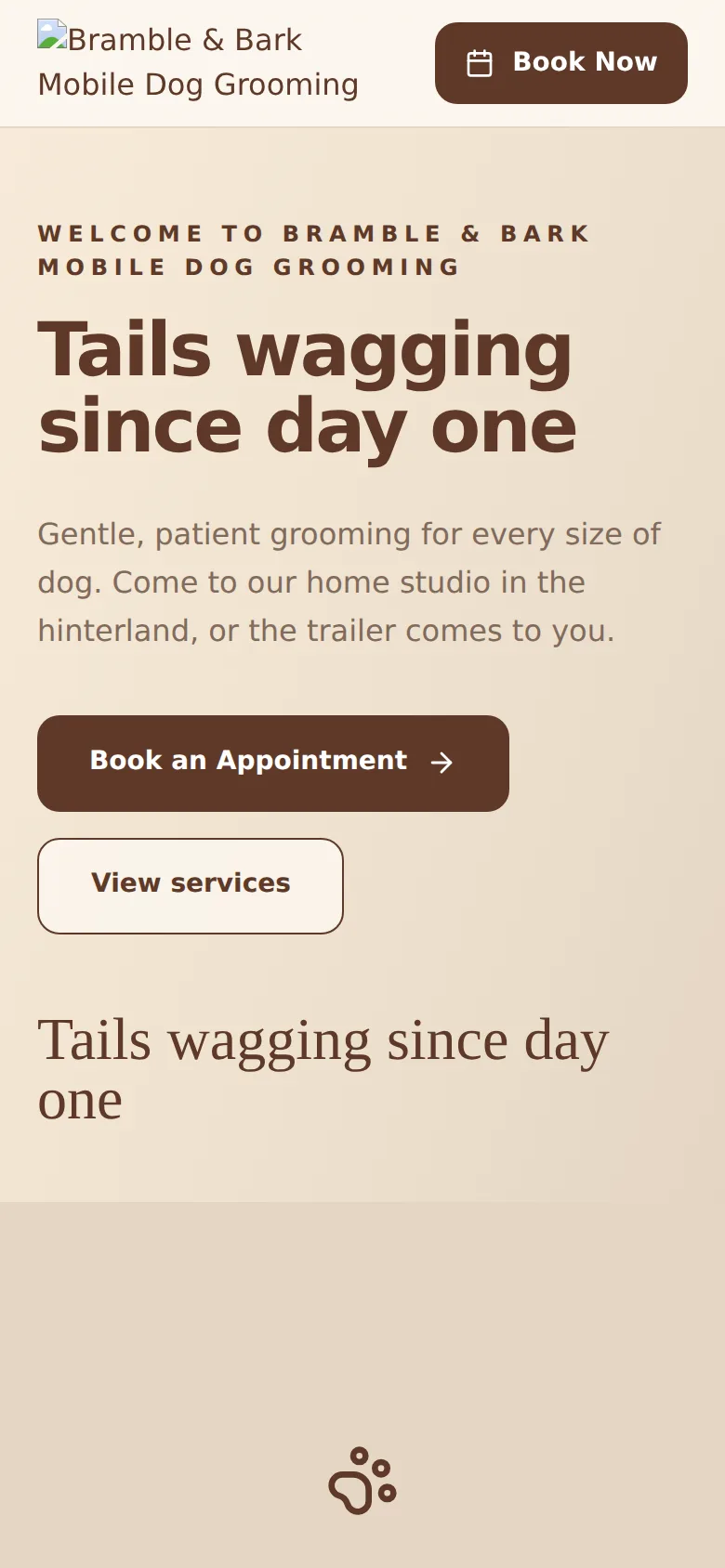
Her booking site lives at her own ZibaDesk address (something like brambleandbark.zibadesk.com) and every "Book now" link in the app, every SMS and every email uses that address, so clients never see a generic system URL.
6. The puppy introduction package
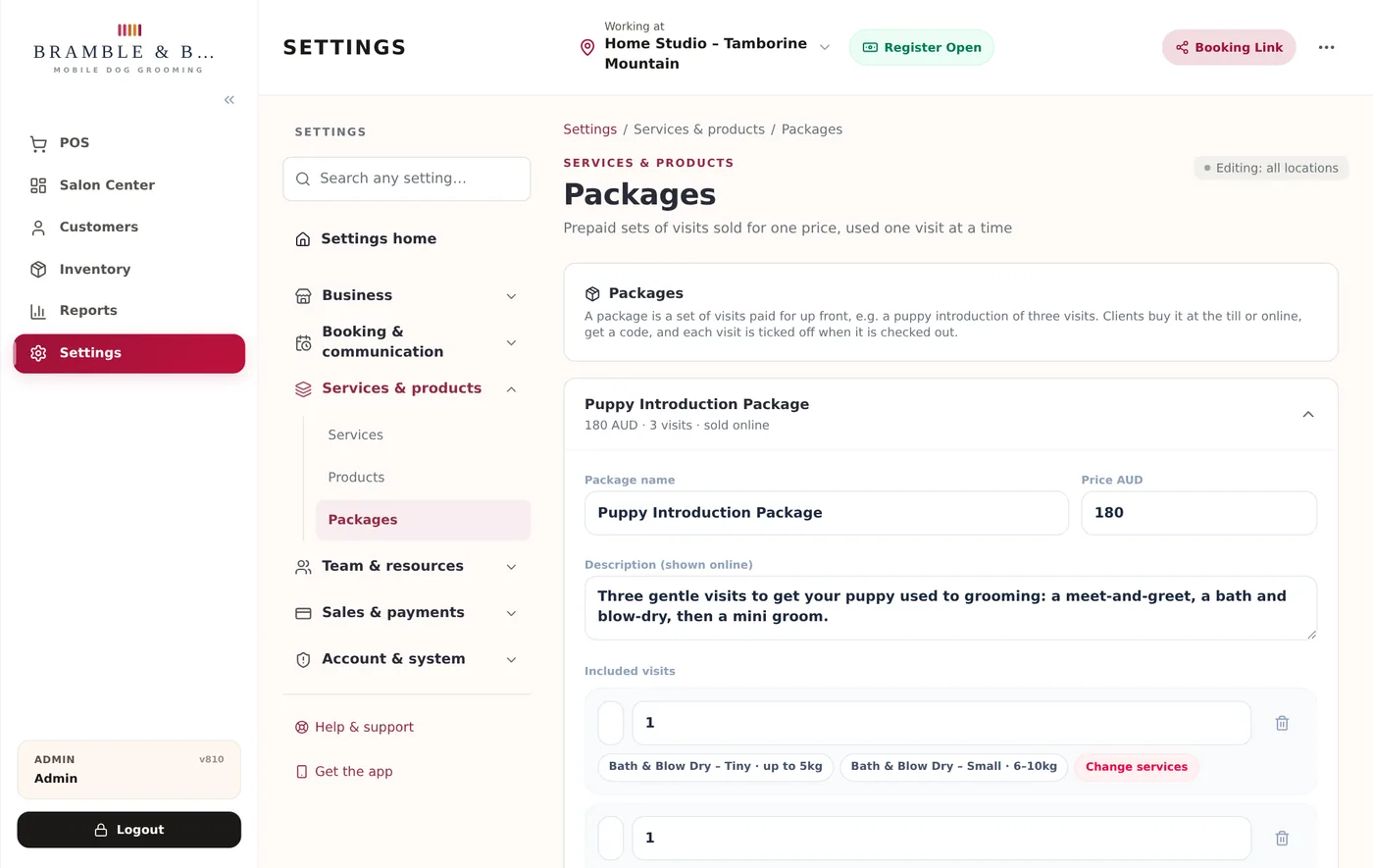
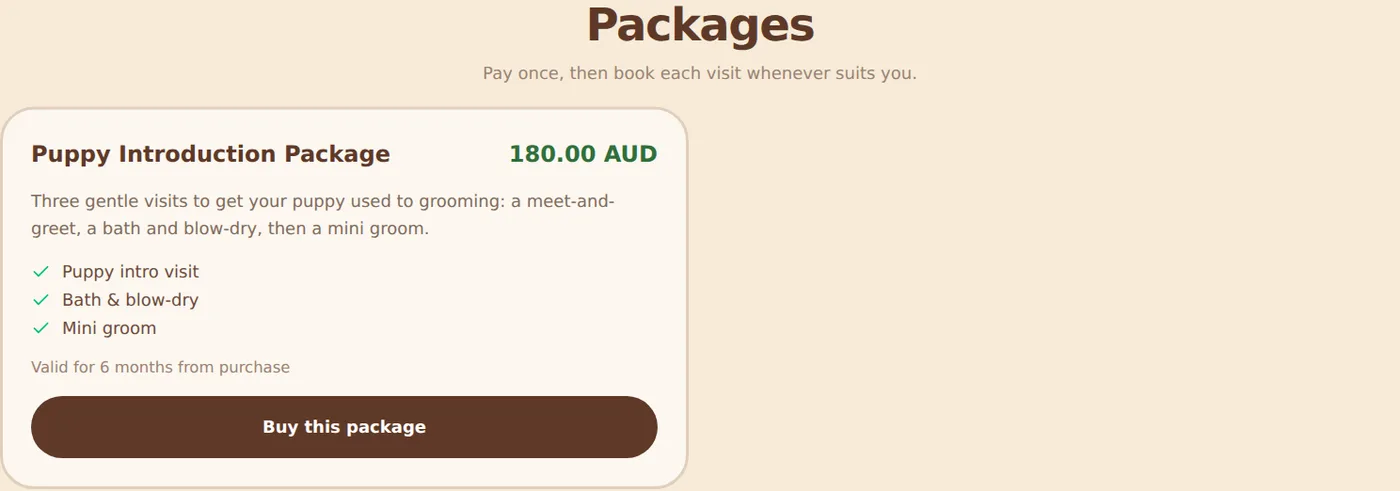
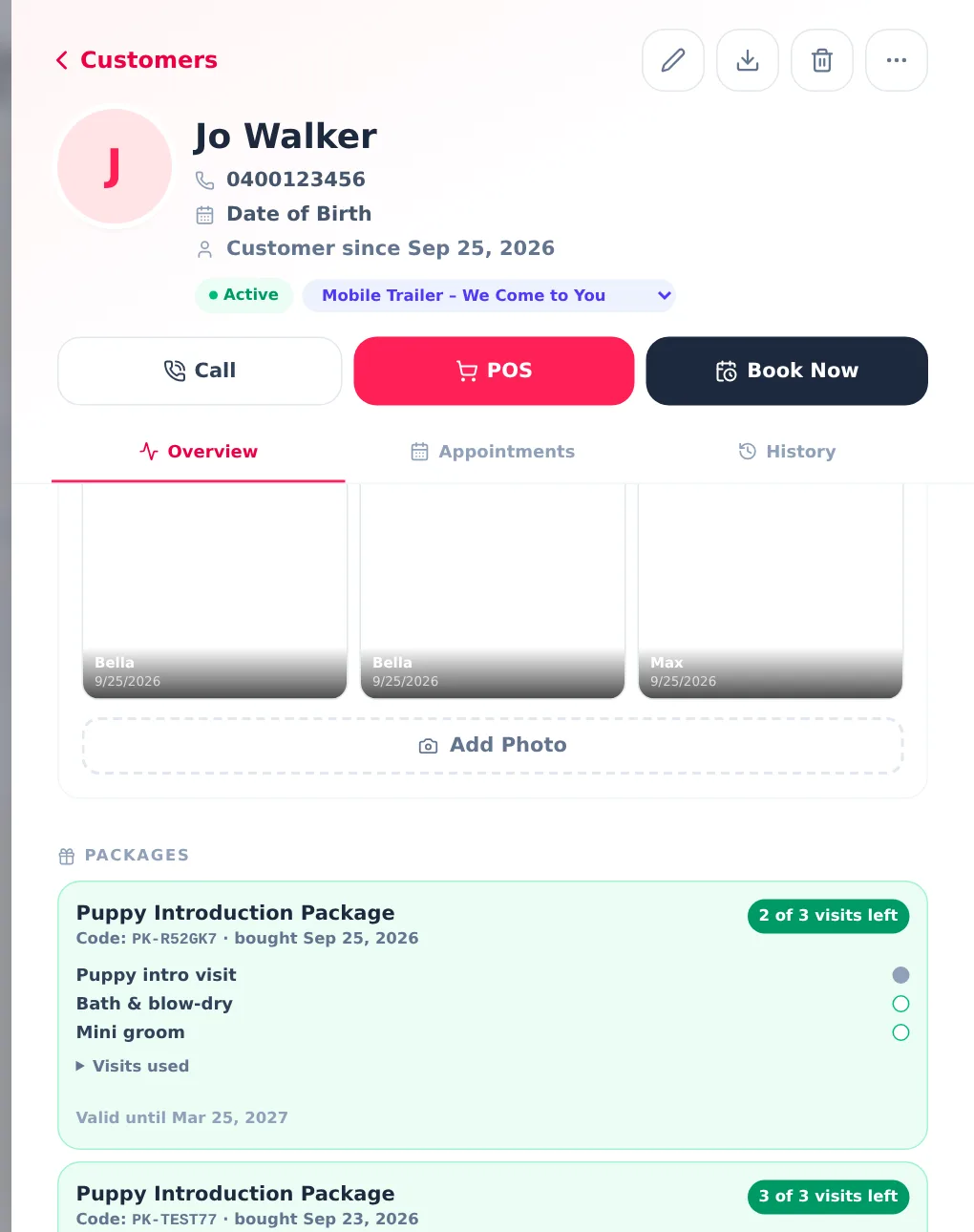
This was the item on Tess's list that no off-the-shelf tool could do. Puppies need to get used to the table, the dryer and the clippers gradually, so she sells a Puppy Introduction Package: three visits for $180, paid up front. Visit one is a gentle introduction, visit two is a bath and blow-dry, visit three is a mini groom. The owner books each visit when the puppy is ready, and Tess needs to see how many are left without keeping a notebook.
Setting it up once
Under Settings → Services & products → Packages, the package is a name, a price and a list of included visits. Each visit is mapped to the services it covers, so the "Bath & blow-dry" visit is valid for the tiny, small and medium bath services (a puppy is not going to be a giant by visit two). She set it to expire six months after purchase and ticked "Sell on the booking page".
Selling it online or at the till
Because her Stripe account is connected, the package appears on her booking page with a "Buy this package" button. The client pays through Stripe, gets a code on screen and by email, and Tess sees the sale and a new client record appear in the app. At the till, Packages is just another category on the POS: tap it, choose the client, and the receipt prints the code.
Booking a visit with the code
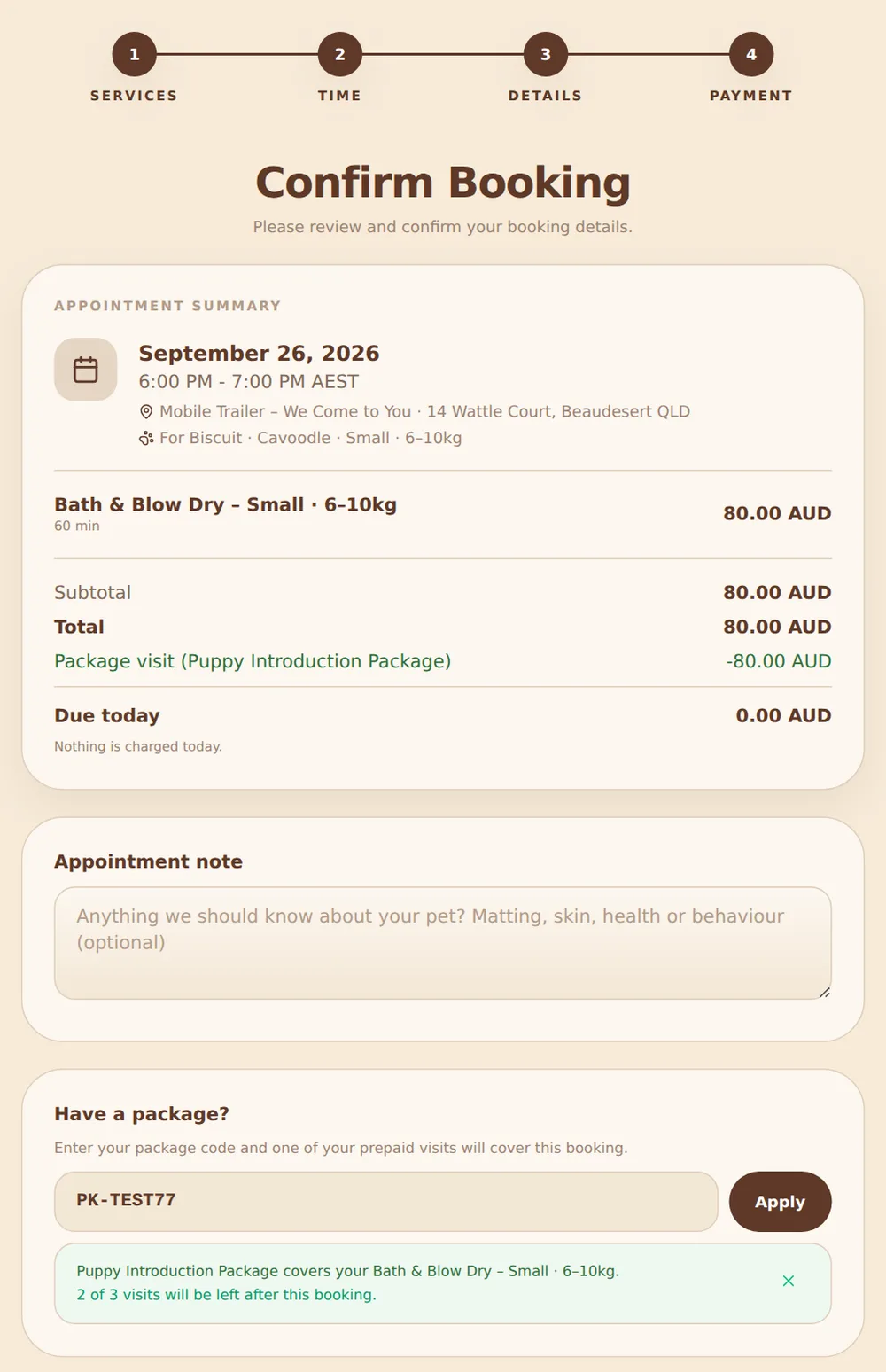
When the owner books a bath online and enters the package code at checkout, the page checks which included visit covers what they chose, tells them how many visits will be left, and takes the deposit off — there is nothing to pay today because the package already paid for it. The visit is reserved on that booking, so the same visit cannot be booked twice, and it is released again if the booking is cancelled.
Ticking it off at the till
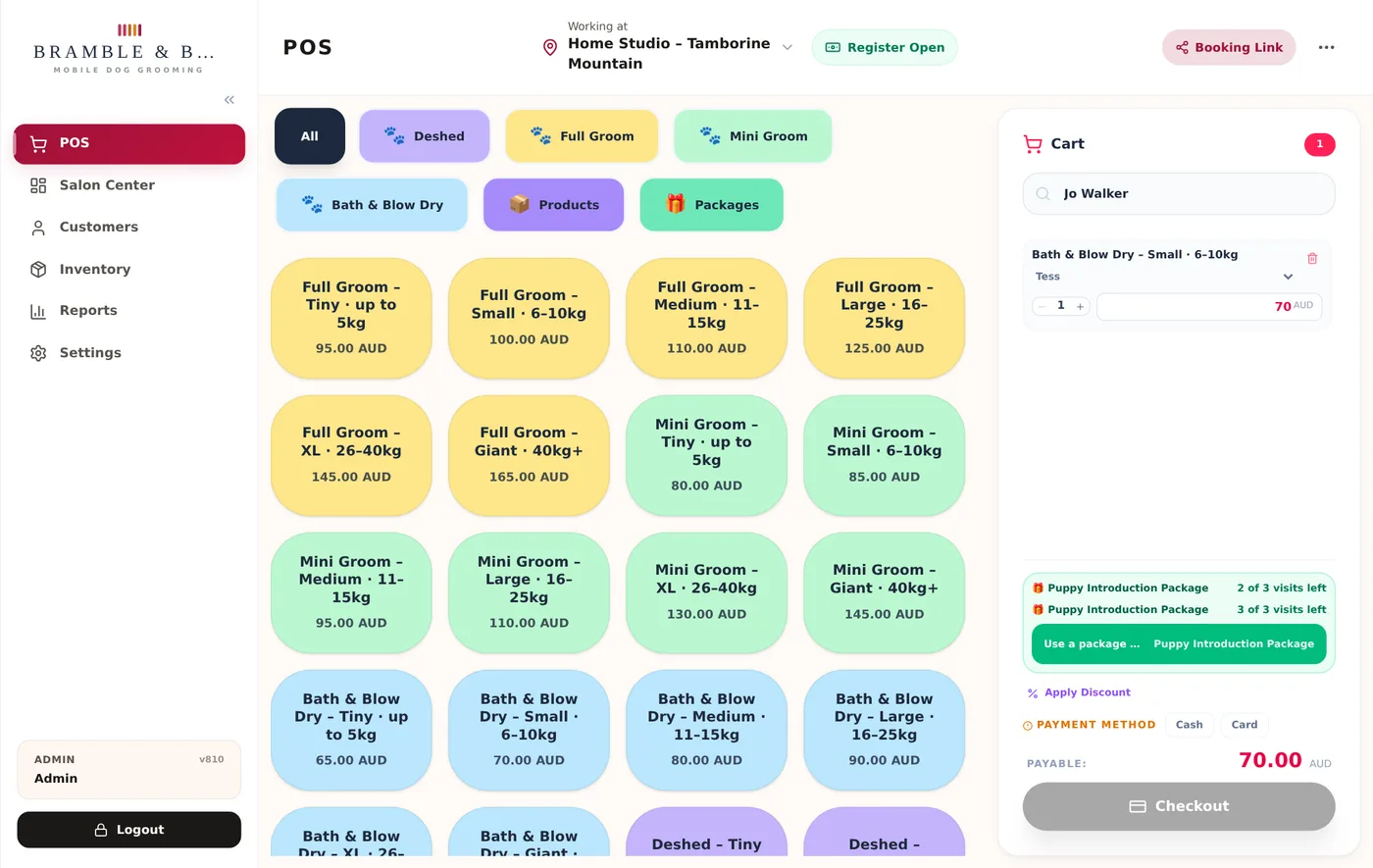
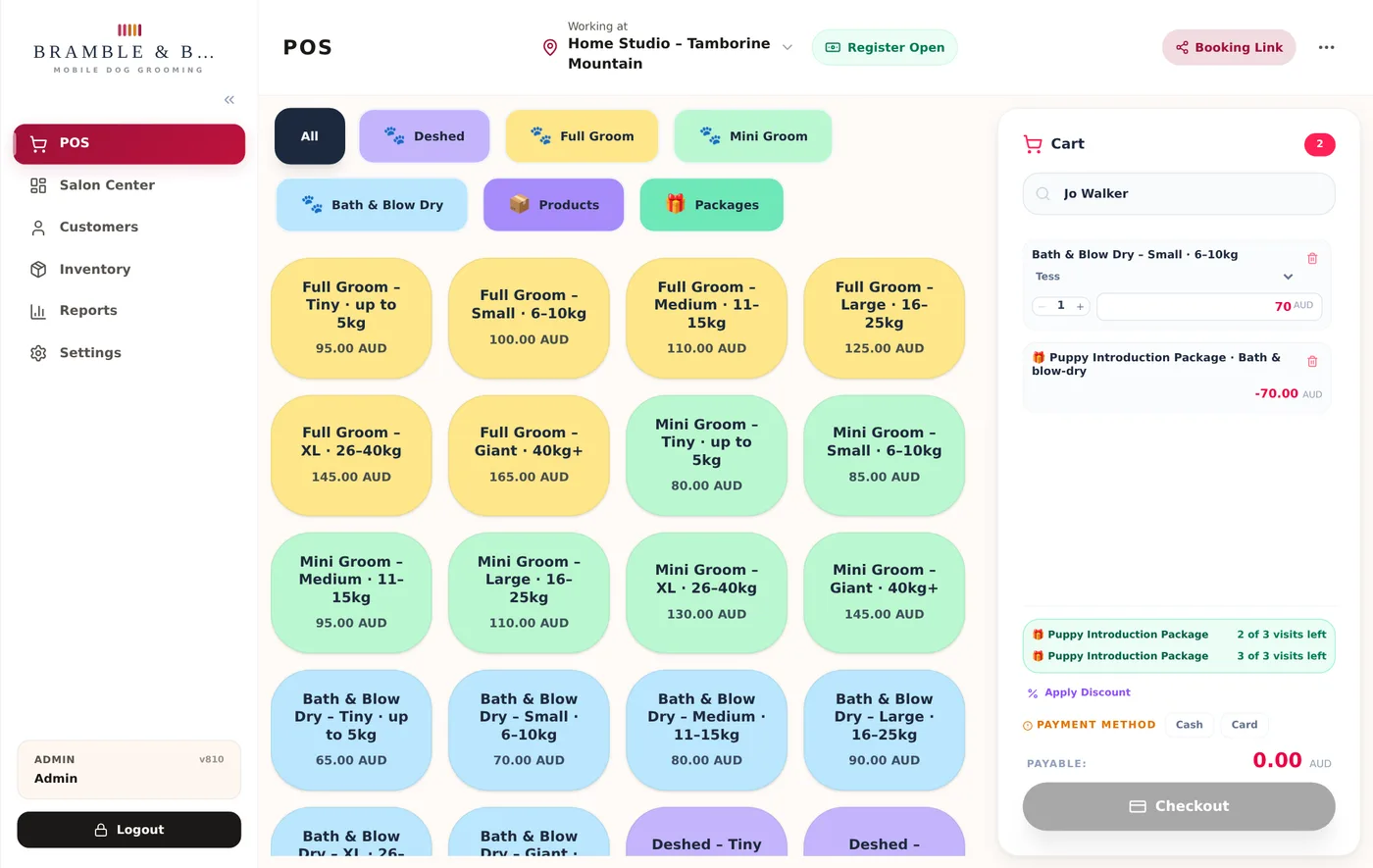
On the day, Tess checks the appointment out on the POS as usual. Because the booking carries the package, the bath line comes in with a matching credit and the total is $0. If a package holder walks in without booking, the POS notices that the service in the cart is covered and offers a one-tap Use a package visit button. Either way the visit is recorded against the package with the date, and the receipt shows "2 of 3 visits left".
Seeing what is left
The client's record shows every package they hold, the code, and each visit as used, booked or available, with an expiry date and a history of when each one was used. Refund the sale and the visit goes back; refund the package itself and it is marked as such.
7. The pet is on the record
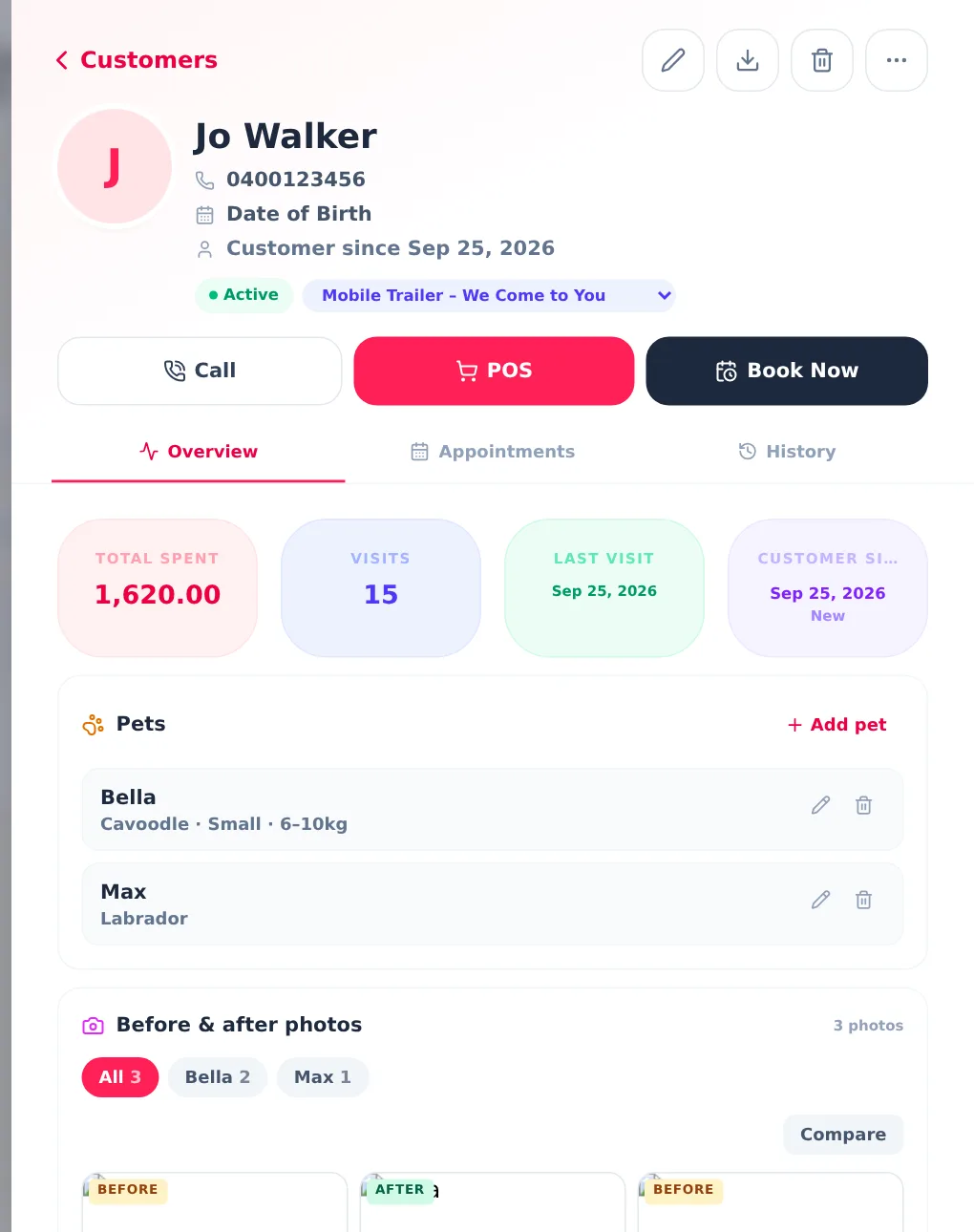
Tess's clients are dogs, and the owner is just the one who pays. Each client record lists their pets with breed and size, filled in automatically from online bookings, and a before-and-after photo gallery per pet. New appointments and packages are tied to the pet, so a household with a cavoodle and a labrador is one client with two very different price lists.
8. The app opens where she works
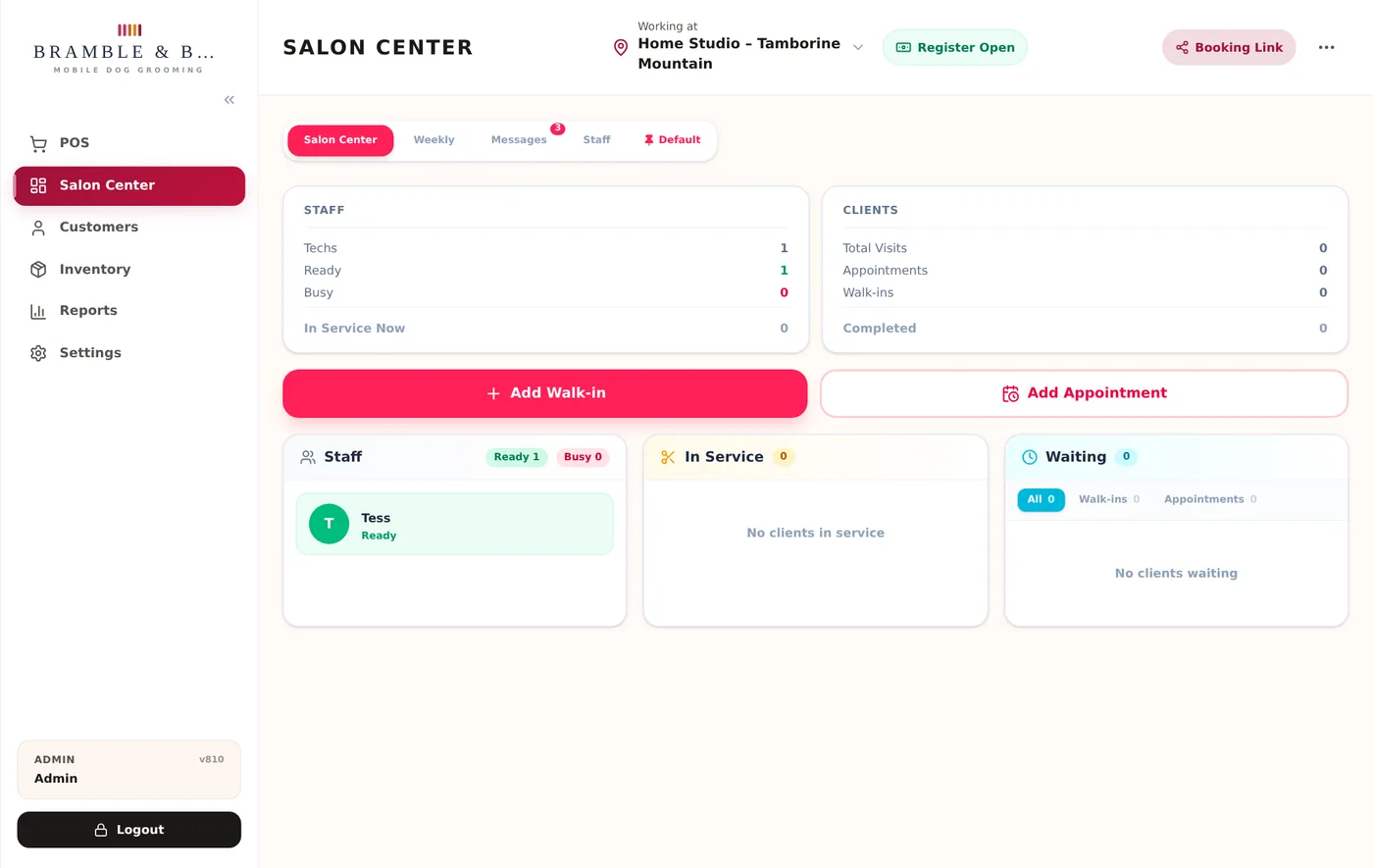
Small things matter when you open an app forty times a day with a wet dog under one arm. Tess's Salon Center — the live view of who is in, who is waiting and who is next — is pinned as her default screen, so the app opens on it. Another team member can pin the weekly calendar instead; the choice is per person.
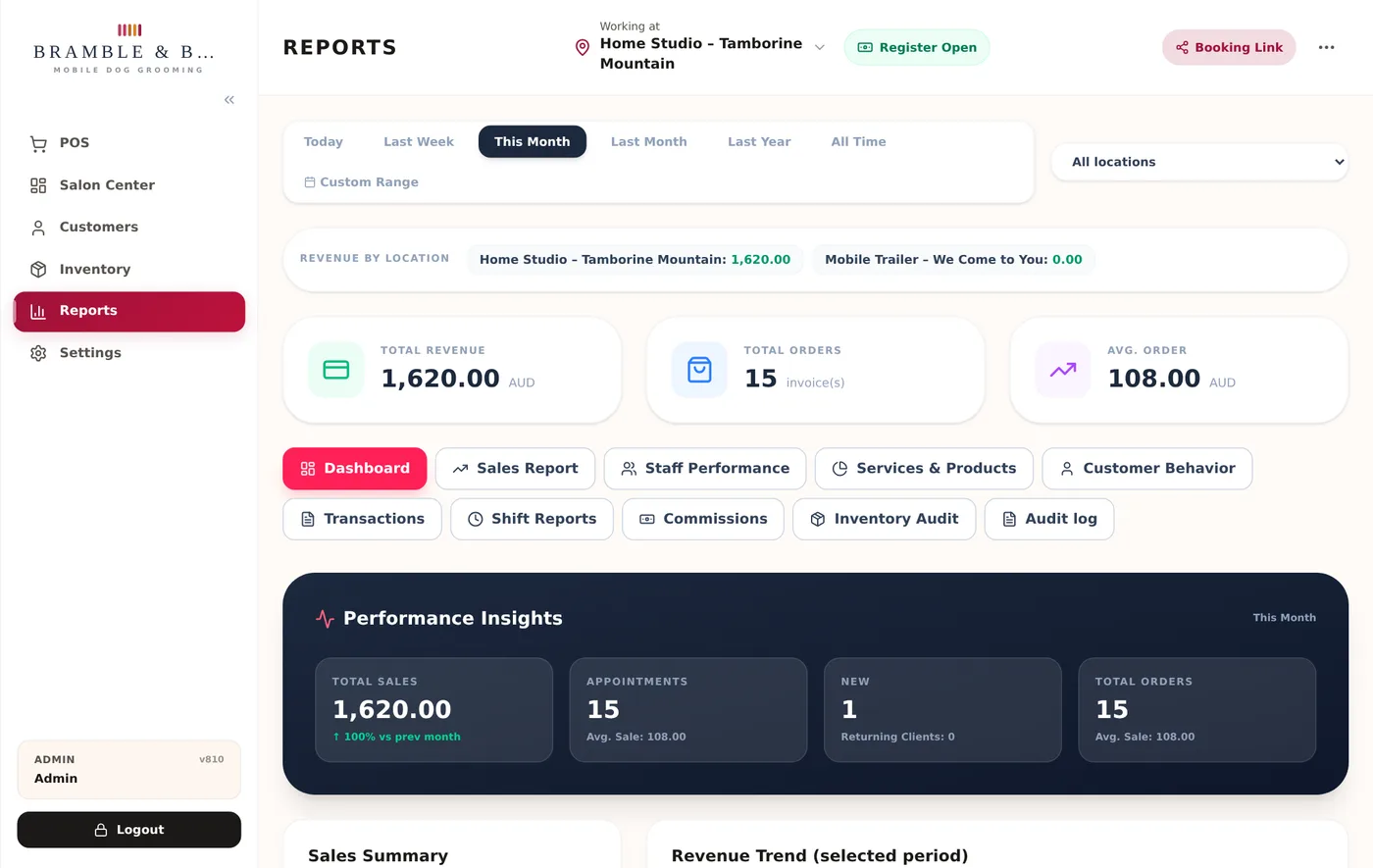
Reports run across both locations or one at a time, so she can see what the trailer earns per weekend against the studio, with packages shown as their own line and travel fees separate from grooming revenue.
Mobile dog grooming software: frequently asked questions
Can clients book a mobile groom and a studio groom on the same booking page?
Yes. Each location has its own hours, services and prices. A client picks the home studio or the mobile trailer on the first step and only sees the days, services and prices that apply there.
How does the travel fee work for mobile grooming?
You set tiers by distance from your base, for example free up to 10 km, $15 up to 25 km and $30 up to 40 km. When a client types their address the distance is measured and the fee shown before they book. Addresses outside your furthest tier cannot be booked online. The same calculation runs when you add an appointment yourself.
Do deposits go into my own Stripe account?
Yes. You connect your own Stripe account from Settings and deposits, full payments and any no-show fees are charged straight into it. ZibaDesk never holds your money.
How does a prepaid package like a puppy introduction work?
You define the package once: a name, a price and the included visits, each mapped to the services it covers. Clients buy it at the till or on your booking page and receive a code. When they book a visit with the code no deposit is taken; when they arrive, the visit is ticked off at checkout and the client's record shows how many are left.
Can the booking page match my logo colours?
Yes. Choose a page style, then either a ready-made colour scheme or your own three colours. There is a one-click option that reads the colours from your uploaded logo, and the page keeps the contrast readable automatically.
Is ZibaDesk built for Australian groomers?
ZibaDesk is Australian-built with local support. GST-inclusive pricing, Australian time zones, AUD and Stripe payouts to Australian bank accounts all work out of the box, and the same platform runs salons, clinics and barbershops across the country.