AI Assist Behandlungsnotizen
Sitzung aufnehmen oder diktieren und einen strukturierten Entwurf prüfen und freigeben.
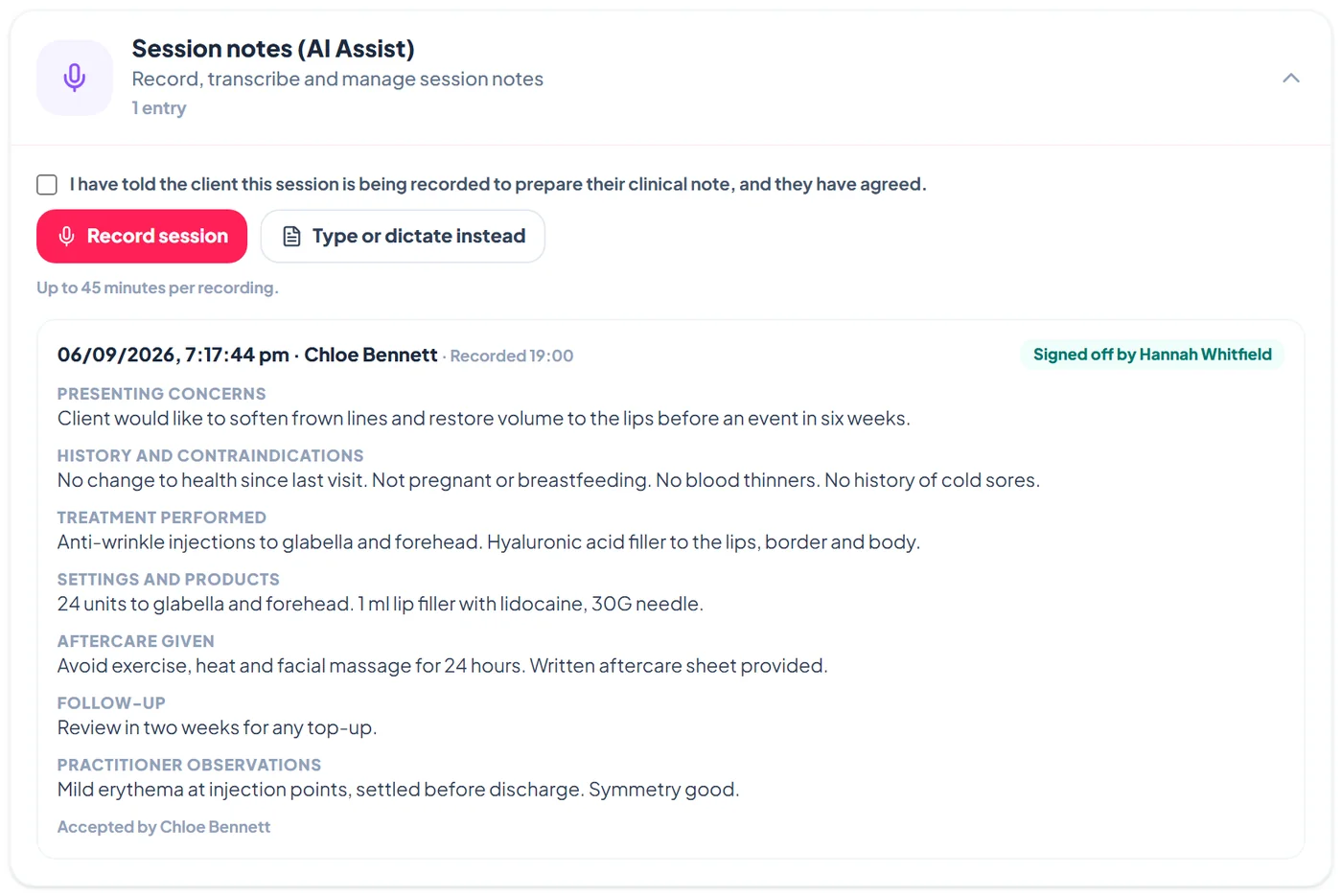
AI Assist turns a recorded or dictated session into a clinical note in seven sections: presenting concerns, history and contraindications, treatment performed, settings and products, practitioner observations, aftercare given and follow-up. The practitioner edits and accepts the note, and a supervisor signs it off. Nothing is saved until a person accepts it.
AI Assist is included in the Ultra plan at no extra cost and is free to try during your trial, within a fair-use monthly allowance. Settings shows how many notes you have used this month. Audio is transcribed on infrastructure we run in Australia and deleted straight after, and only a de-identified transcript is used to write the draft.
Schritte
Switch on AI Assist
Go to Settings > Aesthetic Clinic > Questionnaire and turn on AI Assist session notes. Check the Recording consent wording: it is the sentence the practitioner confirms before every recording, so make it match what your clinic tells clients.
Record a session with consent
On the client's Clinical tab, open Session notes (AI Assist). Tell the client the session is being recorded, tick the consent box, and tap Record session. Recordings can run up to 45 minutes. Tap Stop and prepare note when you finish.
Or type or dictate instead
Prefer not to record, or no microphone? Tap Type or dictate instead, write or dictate what happened in the session, and tap Prepare note. The same drafting step turns it into a structured note, with no audio involved.
Review, edit and accept the draft
The draft appears in the seven sections. Anything the session did not cover is marked as not discussed rather than invented. Edit any section, use Show transcript to check the wording, then tap Accept into record, or Discard to throw the draft away.
Sign off
Accepted notes show Awaiting supervisor sign-off until an Admin or Manager taps Sign off. The note then shows who accepted it and who signed it off, which suits supervised and training clinics.
Häufige Fragen
Where is the recording processed?
Recordings are transcribed on servers we run in Australia and deleted after transcription. Only a de-identified transcript is used to write the draft.
Which languages does it support?
Transcription and drafting are tuned for English-language consultations. Typed summaries in other languages are drafted into English notes.
Does AI Assist make clinical decisions?
No. It drafts documentation from what was said in the room. It does not diagnose or recommend treatment, and a person accepts every note.