Behandlungspläne und Behandlungsserien
Eine Serie planen und sofort sehen, bei welcher Sitzung der Kunde ist.
Most aesthetic results come from a course, not a single visit. A treatment plan sets the number of sessions, records each one as it happens, and links each session to the chart entries logged during it.
Plans live on the Clinical tab of the client record.
Schritte
Create a plan
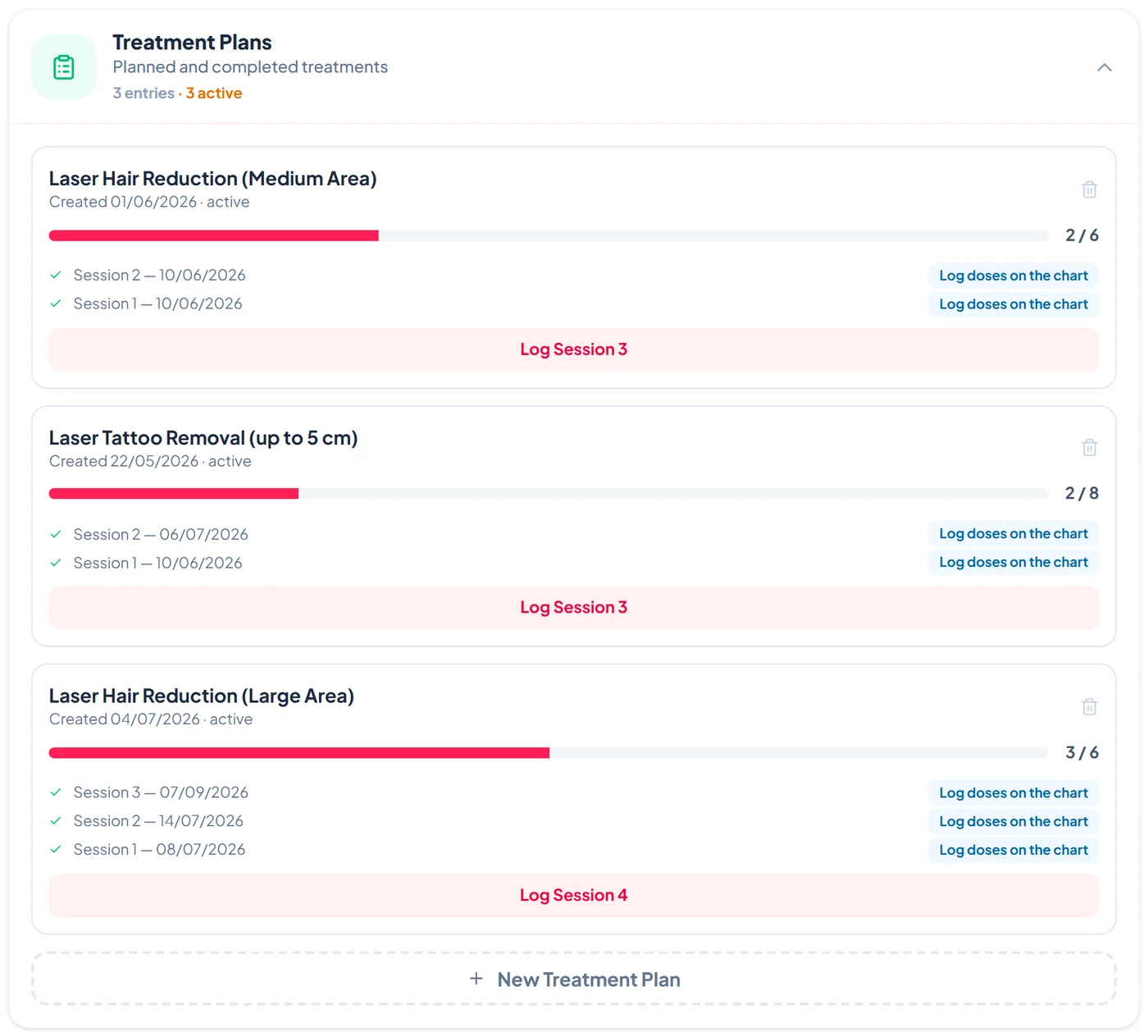
On the Clinical tab, under Treatment Plans, tap New Treatment Plan. Enter the treatment name, for example Laser Hair Reduction or Microneedling course, set the total number of sessions, and tap Create Plan.
Log each session
After each visit tap Log Session with the next number and add any notes. The progress bar and the count, such as 3 / 6, update straight away, and each session is listed with its date.
Record the doses for a session
Tap Log doses on the chart next to a session to open the client's treatment chart for that session. The doses you log are linked to the plan and session.
Finish or remove a plan
A plan is marked completed when every session is logged. The bin icon on a plan removes it after you confirm.