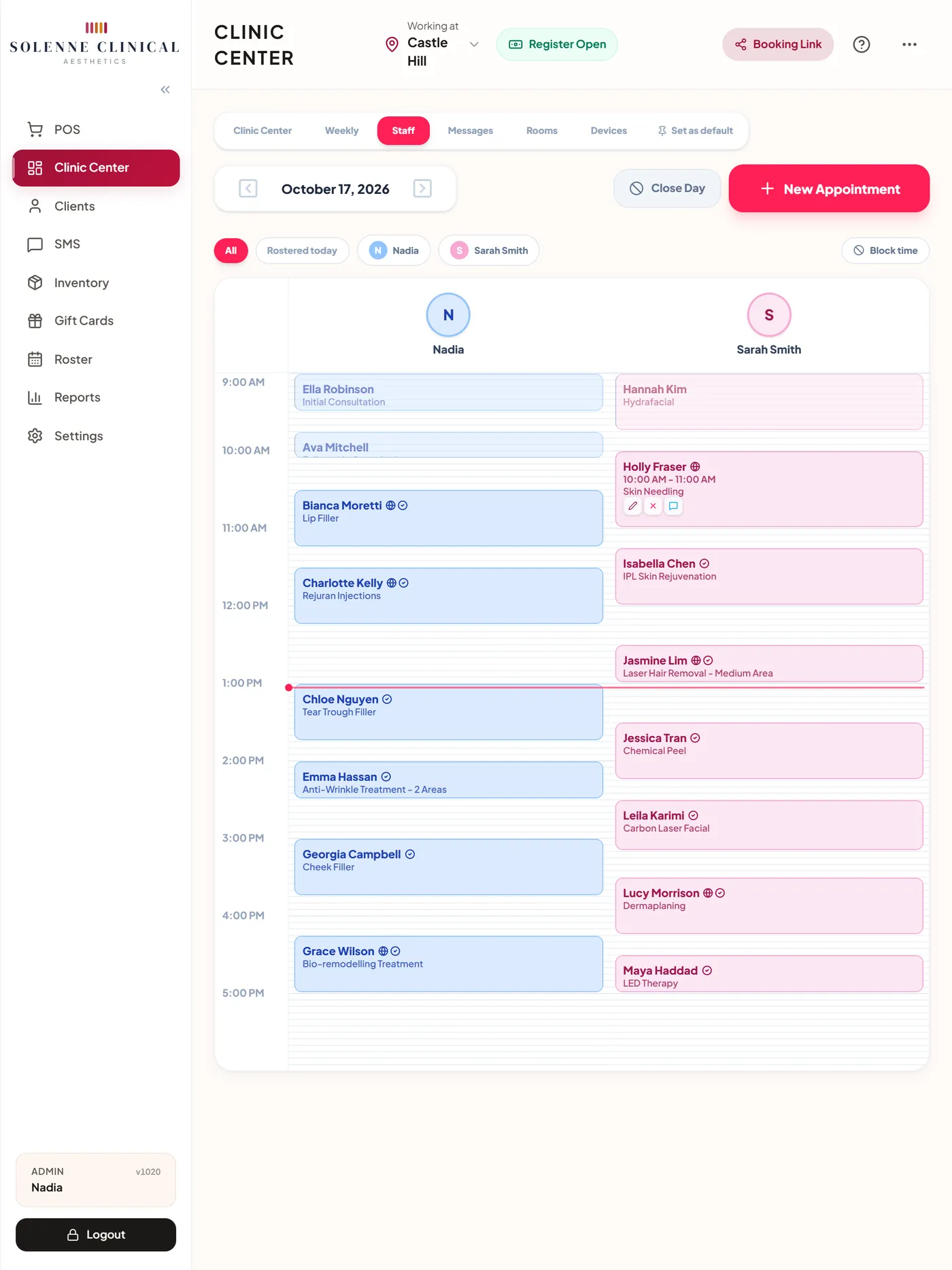
Map every injection point
Tap the face map where you injected and enter the dose. ZibaDesk names the area and adds up the units, so the note reads as clinical areas, not dots on a picture.
- Glabella, forehead, crow's feet and 20 more areas, female and male maps
- Units per area and in total, with the batch number and expiry of what you used
- One signed note per visit: consent, questionnaire, map, products and scripts together
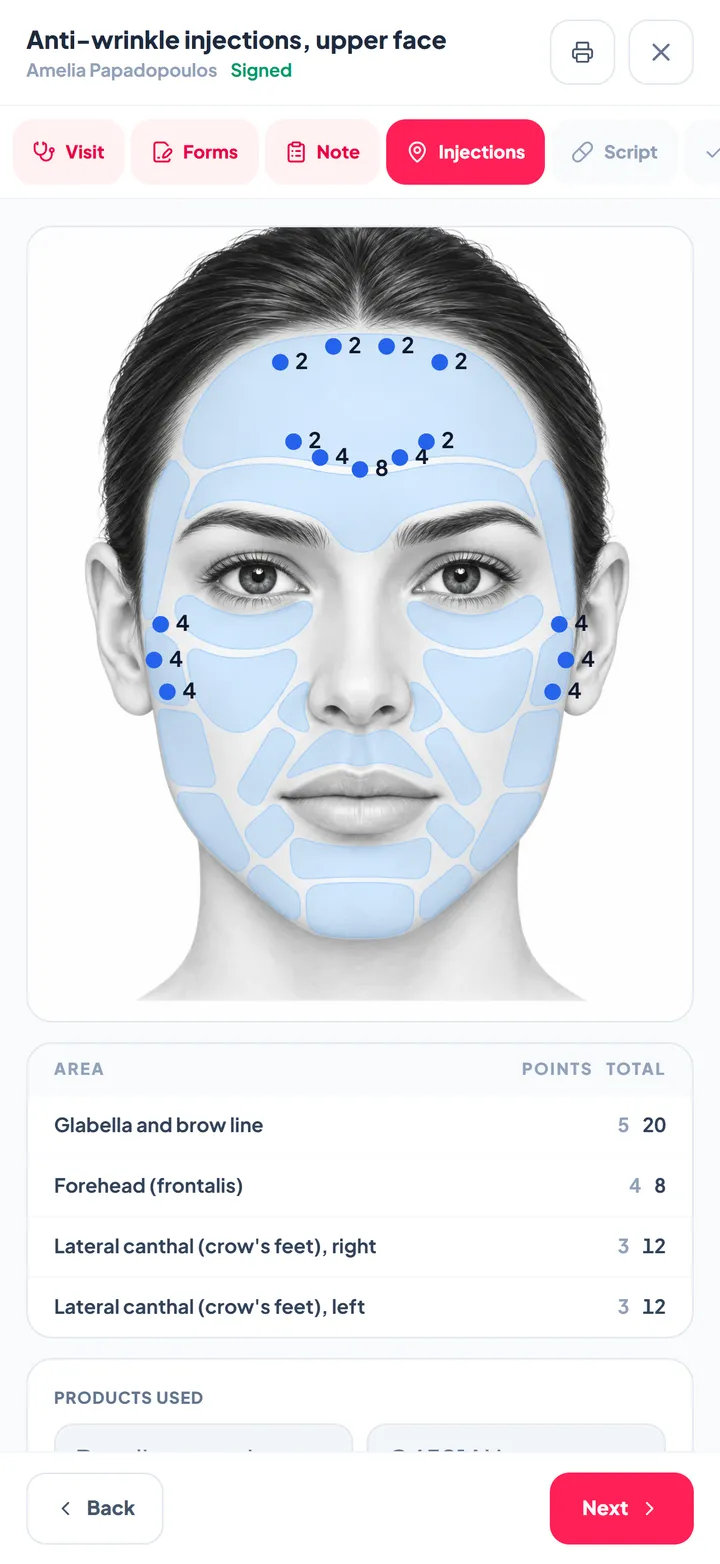
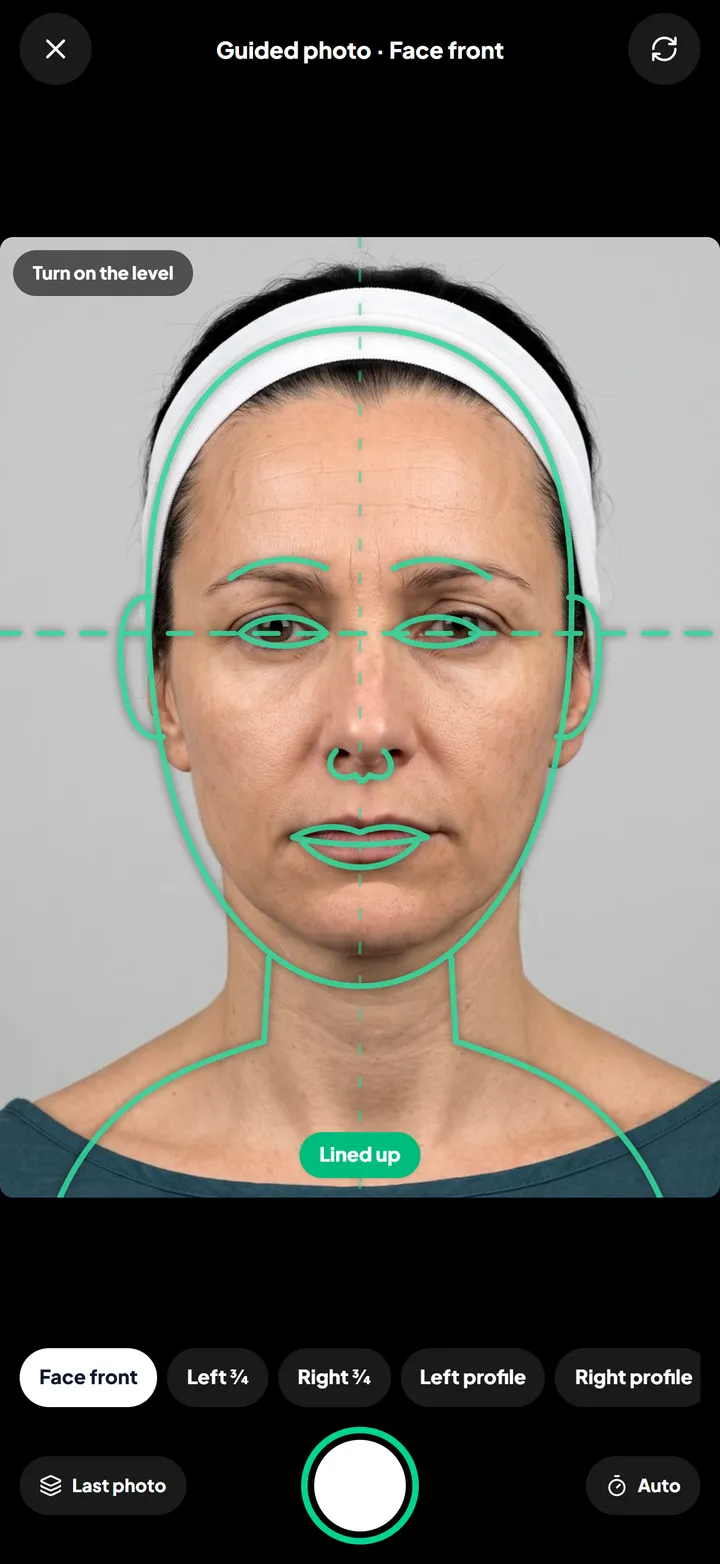
The same angle, every visit
The guided camera puts a face outline on screen and turns green when the pose matches. Photos are lined up by the eyes, so the comparison shows the treatment, not the camera.
- Face front, three-quarter and profile guides, plus neck and body
- Compare side by side or drag a slider across the change
- Photos stored encrypted on the client record, with photo consent noted
Consent and questionnaire done before they arrive
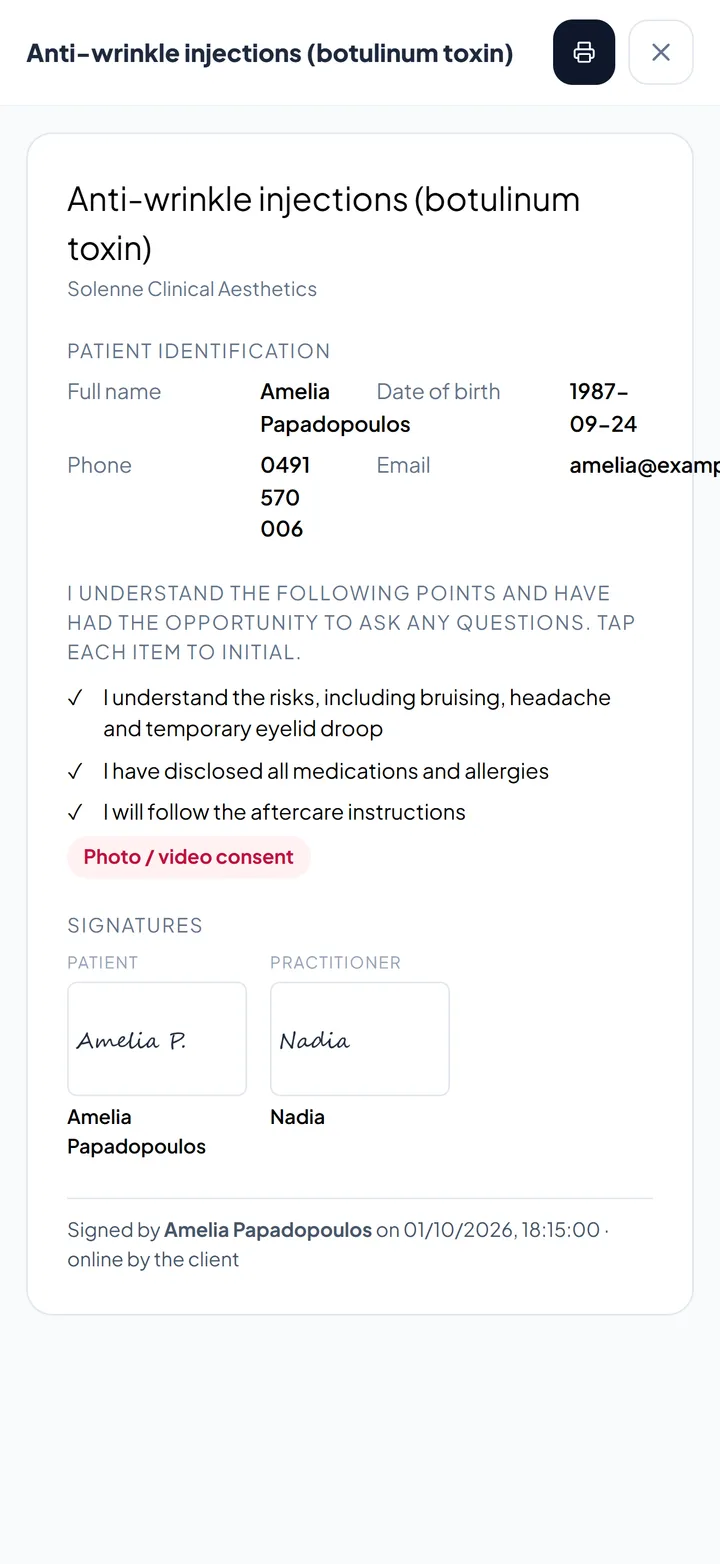
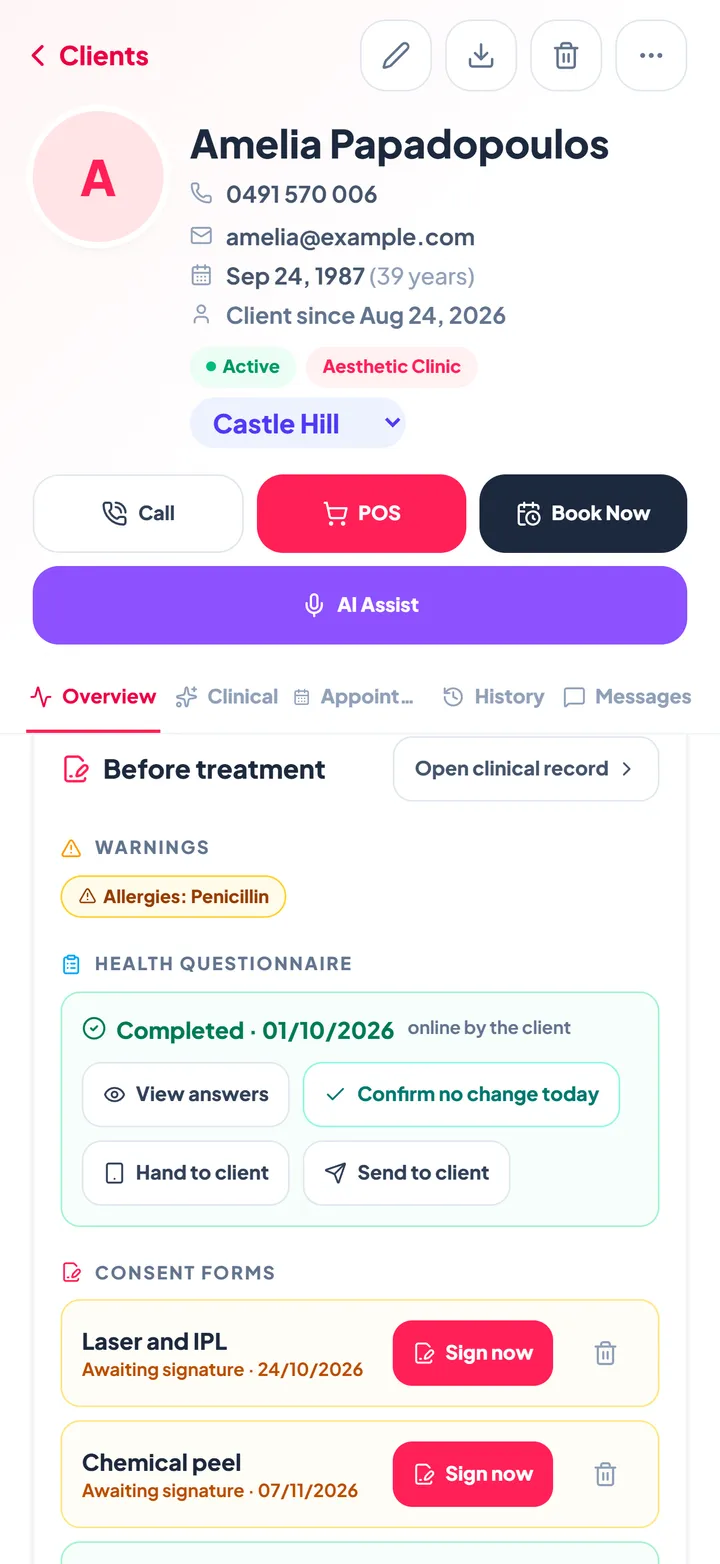
The booking confirmation carries a secure link. New clients fill in the health questionnaire, returning clients confirm nothing has changed, and every consent form the treatment needs is read, initialled and signed on their phone.
- Our consent templates or your own PDFs, in one list you switch on and off
- Allergies and warnings shown before every treatment
- Every answer and signature kept with its date and source
Notes that write themselves
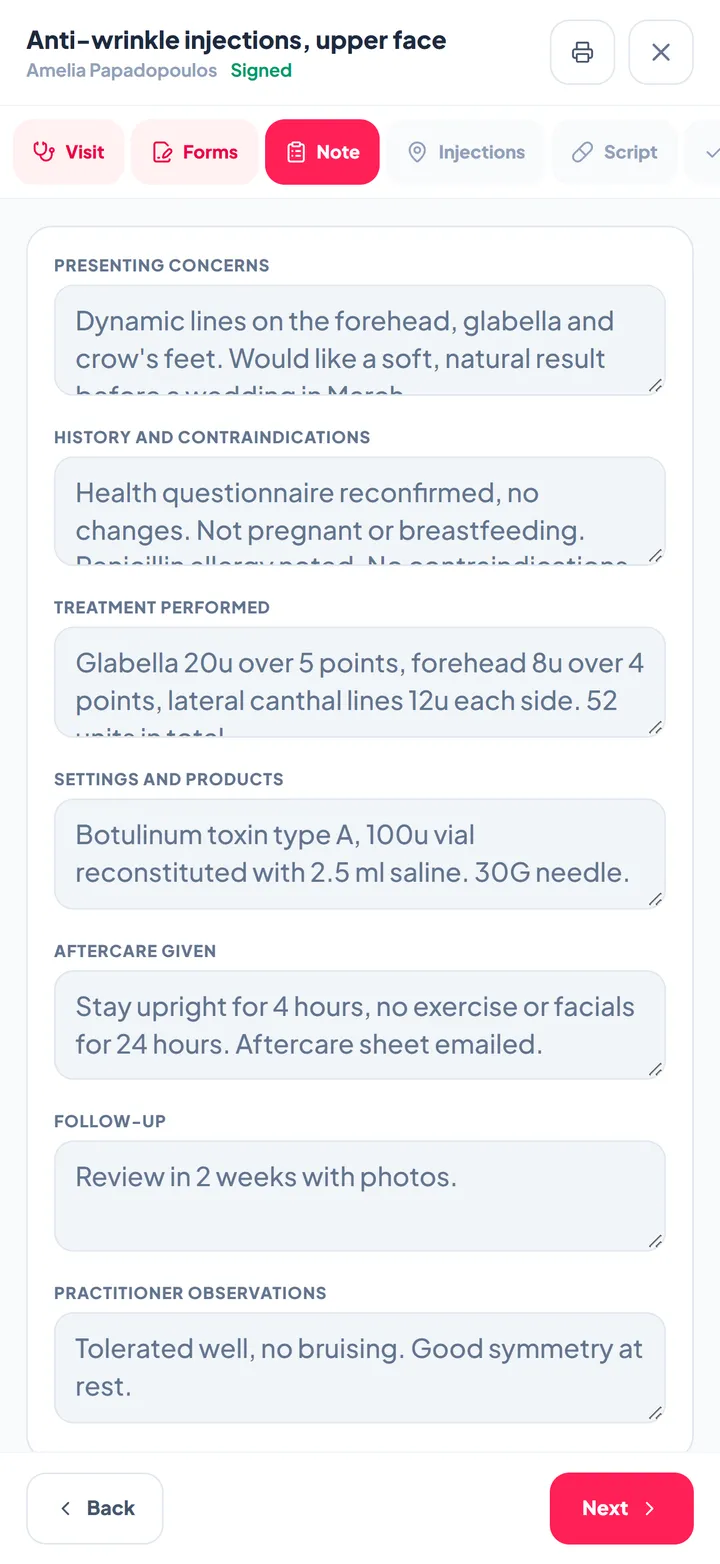
Record the consultation with the client's consent, or dictate a summary. A structured draft comes back in seven sections for the practitioner to edit and sign, with supervisor sign-off for training clinics.
- Presenting concerns, history, treatment, products, aftercare, follow-up and observations
- A person accepts and signs every note
- Flat monthly price per location, no per-note charges
Plan the course, not just the visit
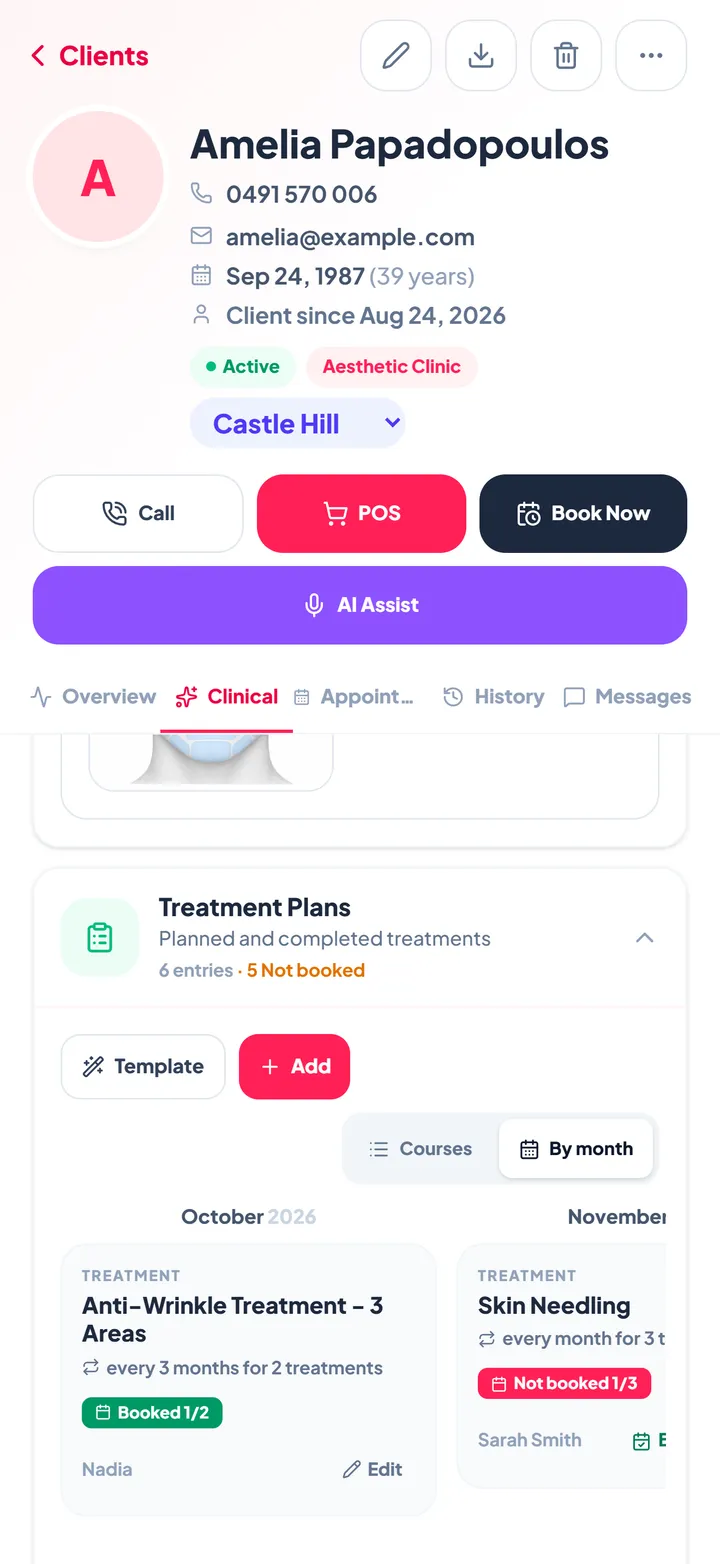
Lay out a course by month: anti-wrinkle every three months, skin needling monthly, the event the client is working towards and the products for their routine. Each session shows whether it is booked yet.
- Templates for the courses you run most
- Book the next session straight from the plan
- Doses logged against the session on the treatment chart
A booking site that looks like your clinic
Clients choose a treatment, a practitioner, a location and a time, day or night. Deposits are taken when you ask for them, and there is no commission on any booking.
- Several styles, your colours, your photos
- Embed it on your own website or share the link
- Online reschedule and cancel up to your cut-off

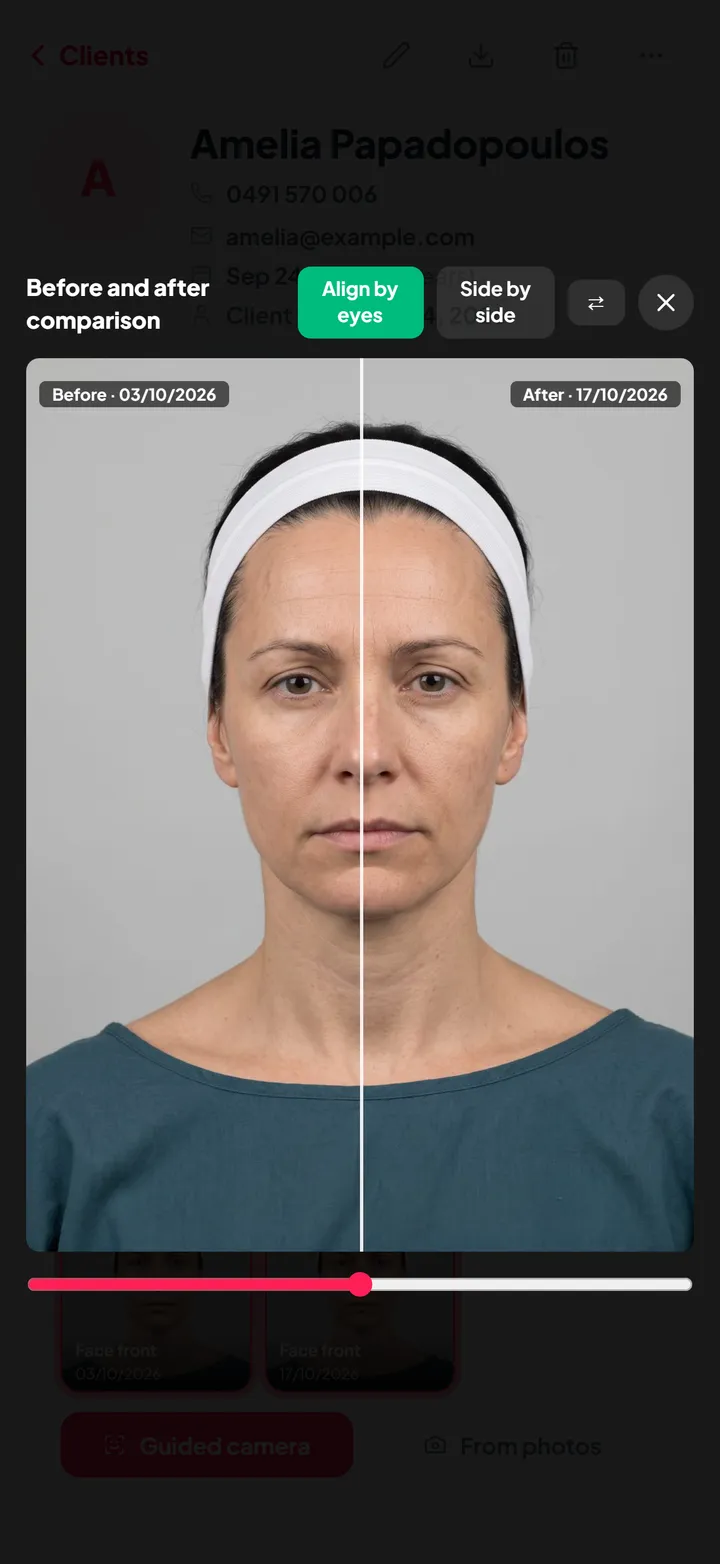
Every practitioner, room and device on one board
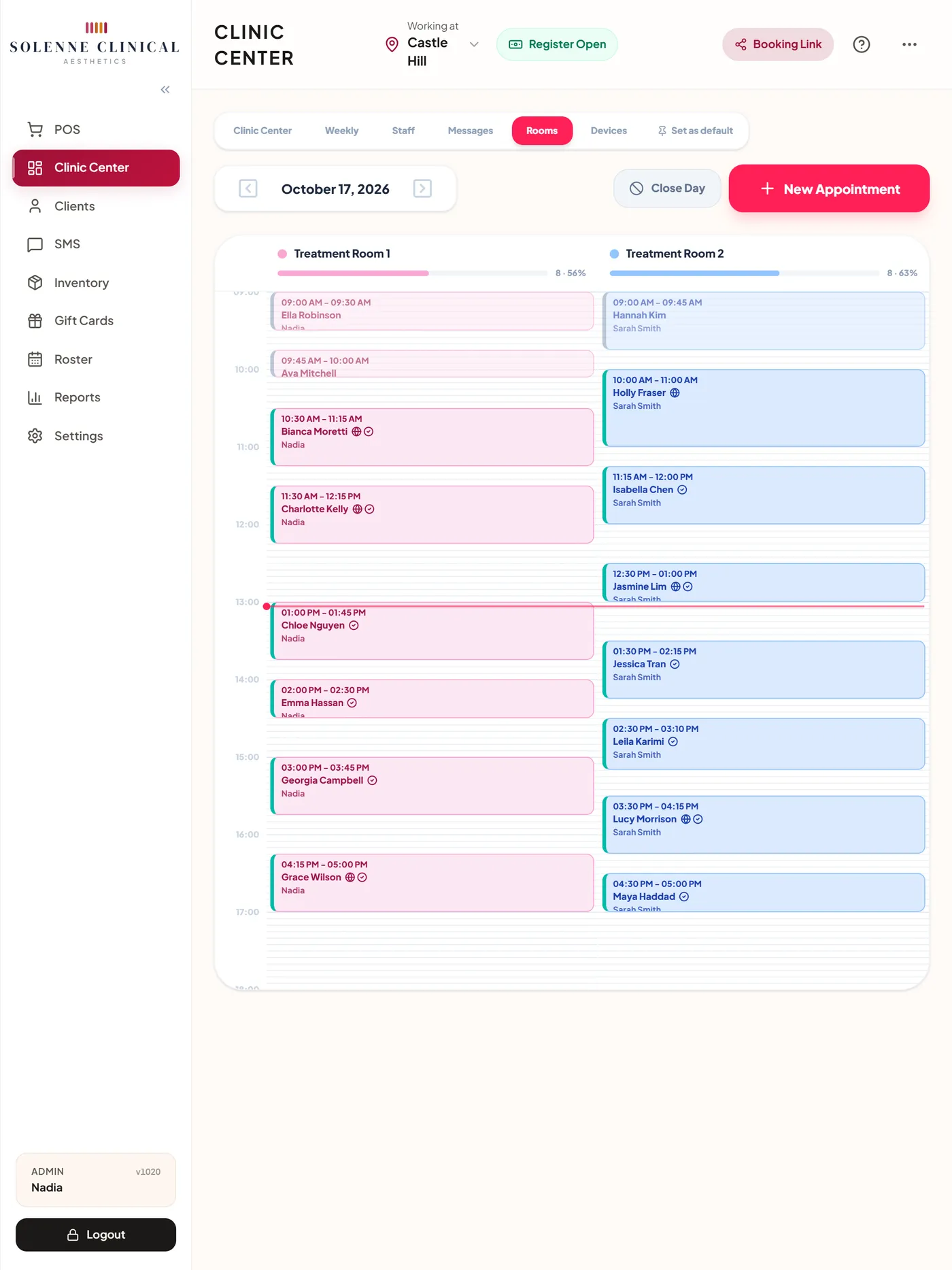
The Clinic Center shows the day by practitioner, by room or by device. Each booking carries its consent and questionnaire status, and a room or laser that is already in use is flagged before it is double booked.
Made for the treatment room
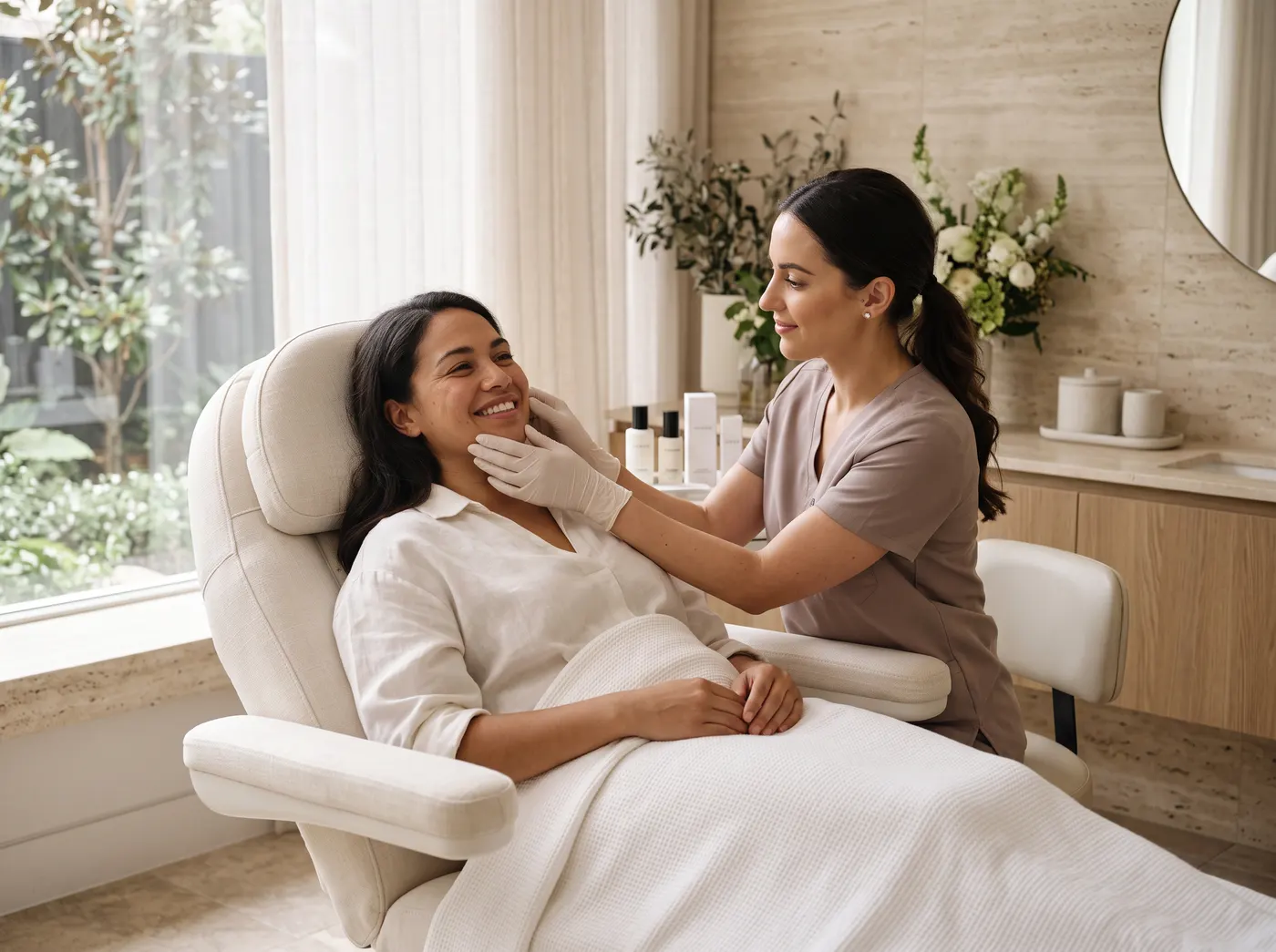
Built with cosmetic nurses and clinic owners, for the way a clinic day really runs: forms done before the client arrives, the record open on the iPad in the room, and payment and the next booking at the desk.
One app instead of a stack of apps
Each job done in one place, on the client's record.
How a visit runs in ZibaDesk
Every step leaves a record, so the next visit starts where the last one finished.
Books online
The client picks a treatment, a practitioner and a time on your booking page or your website. Deposits or full prepayment are taken through Stripe when you ask for them.
Completes forms at home
The confirmation arrives by SMS, WhatsApp or email with a secure link for the questionnaire and every consent form the treatment needs.
Arrives and is treated
The Clinic Center shows who has arrived and who is in a room. The practitioner checks the warnings, maps the injections and takes guided photos.
Pays and rebooks
Charted doses flow to the POS at their unit prices, alongside skincare sold. The next session in the plan is booked before the client leaves.
Followed up
The note is drafted, edited and signed. Reminders go out before the next visit, and the client can confirm or reschedule from their link.
Built for sensitive clinical data
Encrypted clinical files
Signed consent forms, signatures and before and after photos are stored encrypted, apart from the everyday booking data.
Role-restricted records
Front-desk logins see bookings and payments. The clinical record is shown only to the roles you trust with it.
Backed up every night
The clinic's data is backed up nightly, with an off-site copy kept as well.
A record of who did what
Consents show who signed and when, notes show who accepted and signed them off, and key actions are logged.
Made for
- Cosmetic and injectables clinics
- Skin and dermal clinics
- Laser and IPL clinics
- Med spas
- Cosmetic nurses and doctors
- Student training clinics
- Multi-location clinic groups
- Skin and beauty therapists
Frequently asked
What makes ZibaDesk aesthetic clinic software rather than a salon booking app?
Clinic mode adds the clinical side a booking app does not have: a health questionnaire, consent forms with e-signatures, injection maps and treatment charts with doses and sign-off, treatment plans, guided and encrypted before and after photos, and AI-drafted session notes, all on the client record.
Can clients sign consent forms before they arrive?
Yes. Switch on the forms you use and link them to treatments. When the client books, the confirmation includes a secure link where they read, initial and sign each form on their phone. Staff can add or remove forms on any booking.
Can we use our own consent forms?
Yes. Upload your own PDF and place tags such as {Patient-Name} and {Patient-Signature} where details and signatures belong, or switch on the built-in templates. Both sit in one list, and signed copies are filed on the client record with no per-signature fees.
How does the guided camera work?
On the iPad or phone, pick a view such as face front or right profile. An outline of the face appears on screen and turns green when the client's face matches it, so every visit is photographed from the same angle. Photos are then compared side by side or with a slider, lined up by the eyes.
How does the health questionnaire work?
New clients complete it online before their first visit. Returning clients confirm nothing has changed, and any update creates a new version, so earlier answers are kept. A senior practitioner can review and sign off each submission.
Can we charge for the doses we chart?
Yes. Each chart type holds unit prices for its drugs and procedures, and Charge today turns the doses logged in the room into POS lines, ready to take payment alongside retail products.
Which plan includes the aesthetic clinic features?
The aesthetic clinic suite is part of the Ultra plan, and clinics get 14 days of Ultra free to try it. AI Assist session notes are included in Ultra at no extra cost, within a fair-use monthly allowance, and you can try them during the trial. See the pricing page for current prices in your currency.
Does ZibaDesk work in my time zone and language?
Yes. Messages, reminders and reports run on your clinic's local time, and ZibaDesk is available in ten languages.

