
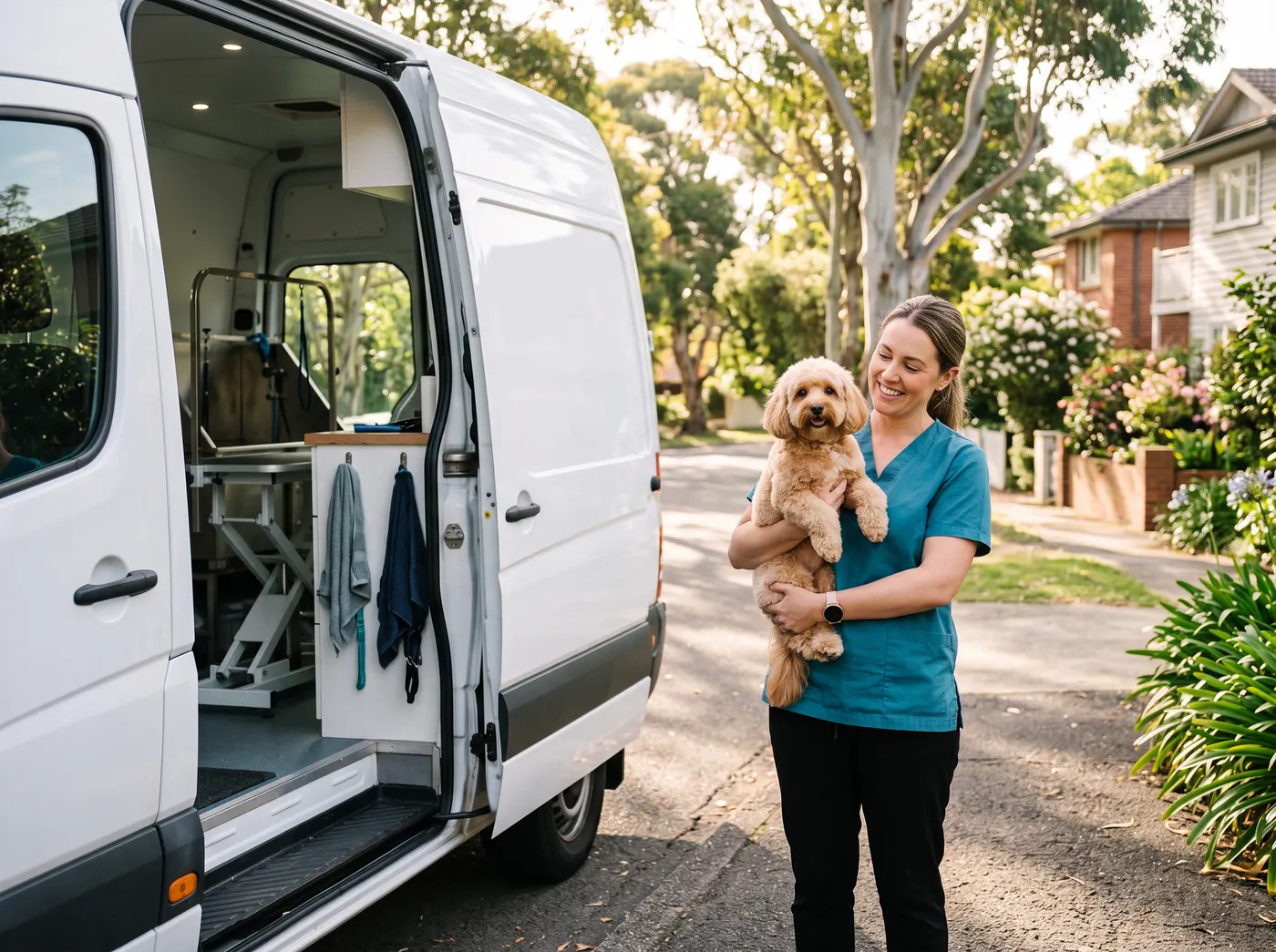
Ask a mobile groomer where their business lives and they will hold up their phone. The bookings, the address of the next stop, the gate code, the dog that bites, the card payment and the photo for Instagram all happen on one small screen, often with wet hands and a patchy signal. That is why choosing a mobile groomer app is a different decision from choosing grooming software for a salon desk. This guide looks at the app itself: what it has to do between the driveway and the next stop, how ZibaDesk does each job on iPhone and Android, and how it compares with the other apps mobile groomers use in 2026.
The short answer
If you groom from a van and want one app that plans the day, navigates, knows every pet and takes the payment, ZibaDesk is our pick for 2026. It is built around the drive as much as the groom, it runs on iPhone, Android, iPad and the web, and its route optimisation sits in the US$19.99 Pro plan rather than a top tier. If your business is mostly daycare, boarding or a large multi-van operation, look at the specialist pet platforms in the comparison below.
ZibaDesk
Best overall mobile groomer app: route, pets, photos and checkout in one phone app.
Pro US$19.99 a month; Ultra US$39.99 a month; 14-day free trial
MoeGo
Best pet-only app for larger businesses, with daycare and boarding.
US$49 for 1 member; route optimisation from US$99 per van a month
Groomer.io
Best grooming-only app with on-the-way texts for clients.
US$79 to US$99 a month per van
DaySmart Pet
Best for a salon that sometimes goes mobile.
Deluxe US$69 a month with payments (3 users)
Square Appointments
Best free general booking app if you already take Square payments.
Free; Plus US$49 a month per location
What a mobile groomer app has to do
A salon receptionist can live with a slow screen. A groomer standing in a driveway cannot. These are the jobs we tested every app against, in the order they happen on a real day.
- Start the day with a route that makes sense, with the drive between stops and a way to make it shorter.
- Hand the next stop to navigation in one tap, in the maps app you already use.
- Show the pet before you open the door: breed, size, coat notes, the gate code and any warning from the questionnaire.
- Take before and after photos filed on the right pet, not lost in the camera roll.
- Take payment in the driveway, with add-ons, packages and a receipt by text or email.
- Rebook before you pull away, and let new online bookings land only where the drive fits.
- Keep working on a weak signal and sync when the van is back in range.
ZibaDesk on the road: the day, screen by screen
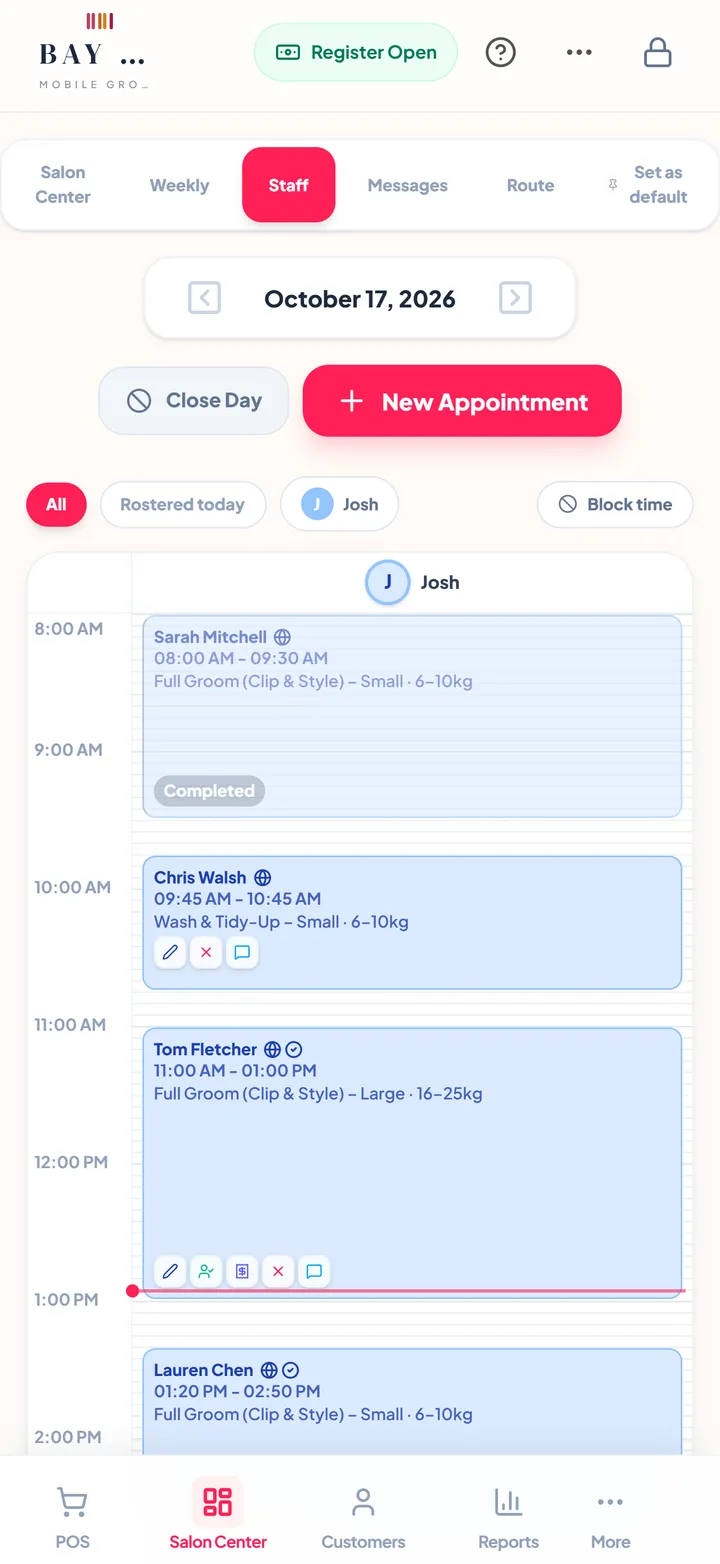
Here is how a day in a grooming van runs in the ZibaDesk app. The screens are from a sample mobile grooming business with fictional clients.
1. Morning: the route, sorted
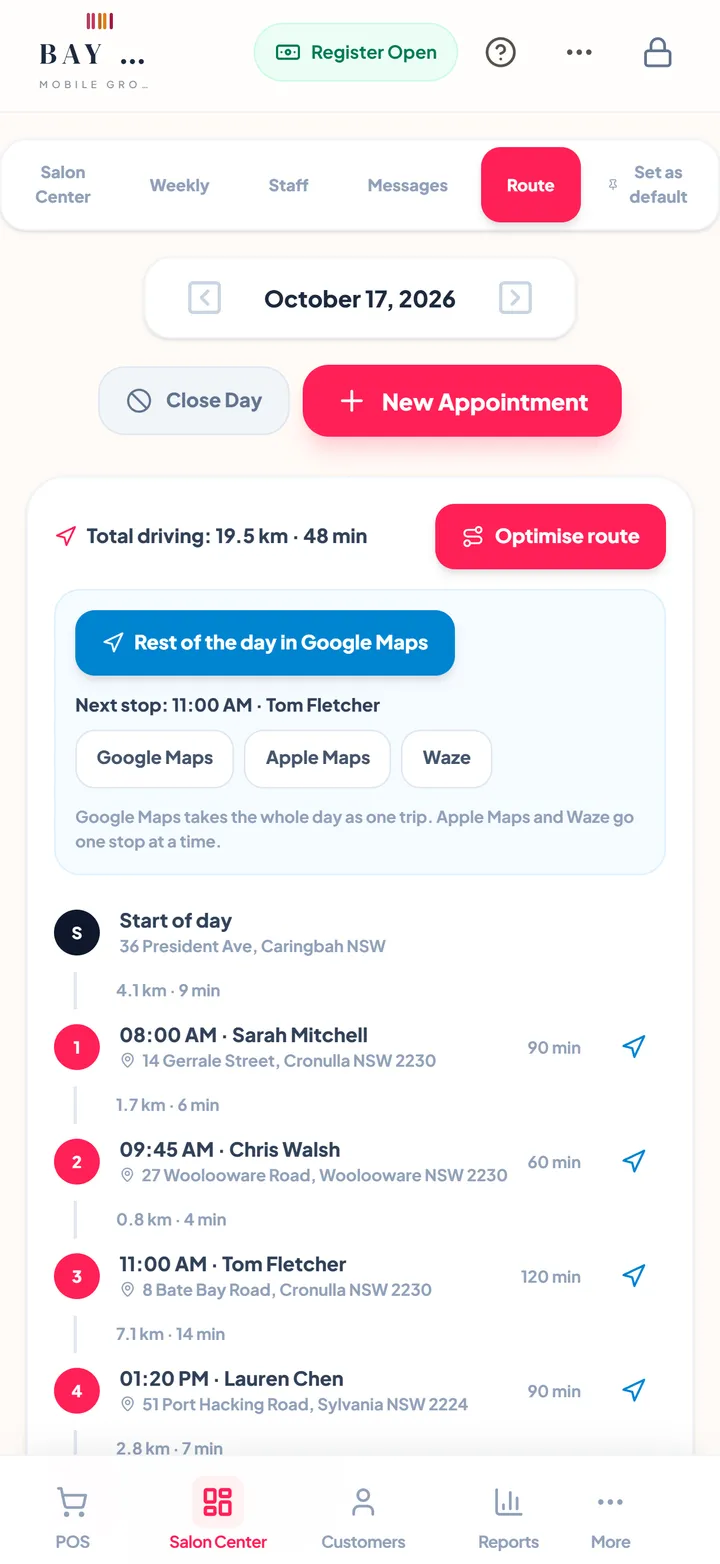
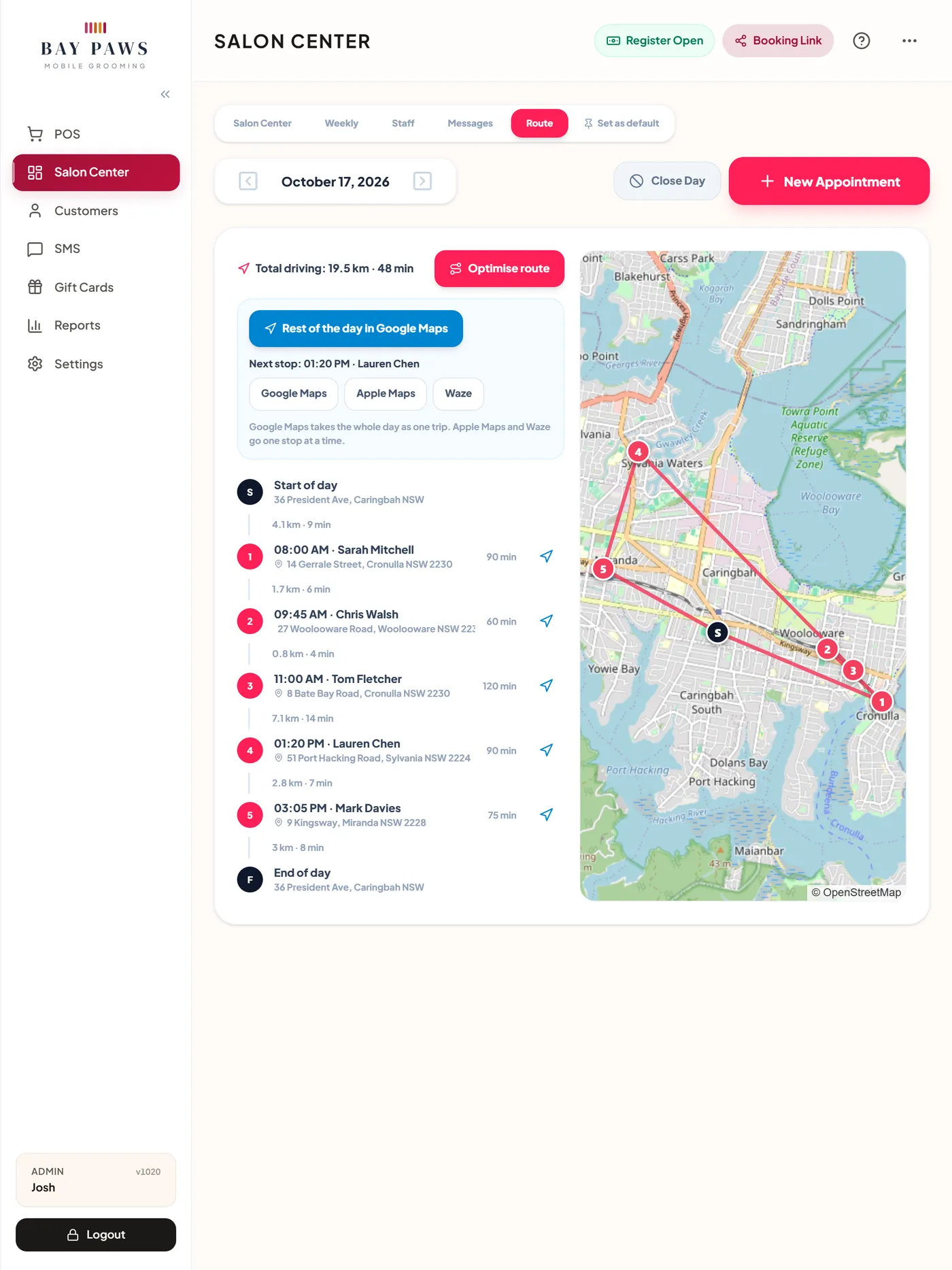
Open Salon Center and tap Route. The day's stops sit on a map in order with the drive between each and the total driving time. If a gap between two clients is shorter than the drive, the app warns you. Optimise route proposes a shorter order with new start times; nothing moves until you apply it, and clients whose time changes get a fresh confirmation.
2. Driving: one tap to navigate
From the Route view, send the rest of the day to Google Maps as one trip, or one stop at a time to Apple Maps or Waze. Tap any appointment on the map to see it and open it. There is no copying addresses between apps at a red light.
3. At the door: the pet, not just the owner
Every client's pets live on their profile with breed, size, coat notes, history and photos, and the pet shows on the appointment itself. The pet questionnaire covers vaccinations, flea and worm treatment, allergies, medical conditions, temperament, any history of biting, the vet and an emergency contact, with your terms and conditions to agree to. You choose which answers warn your staff, so "nervous with clippers" or "on medication" is on screen before the dog is on the table.
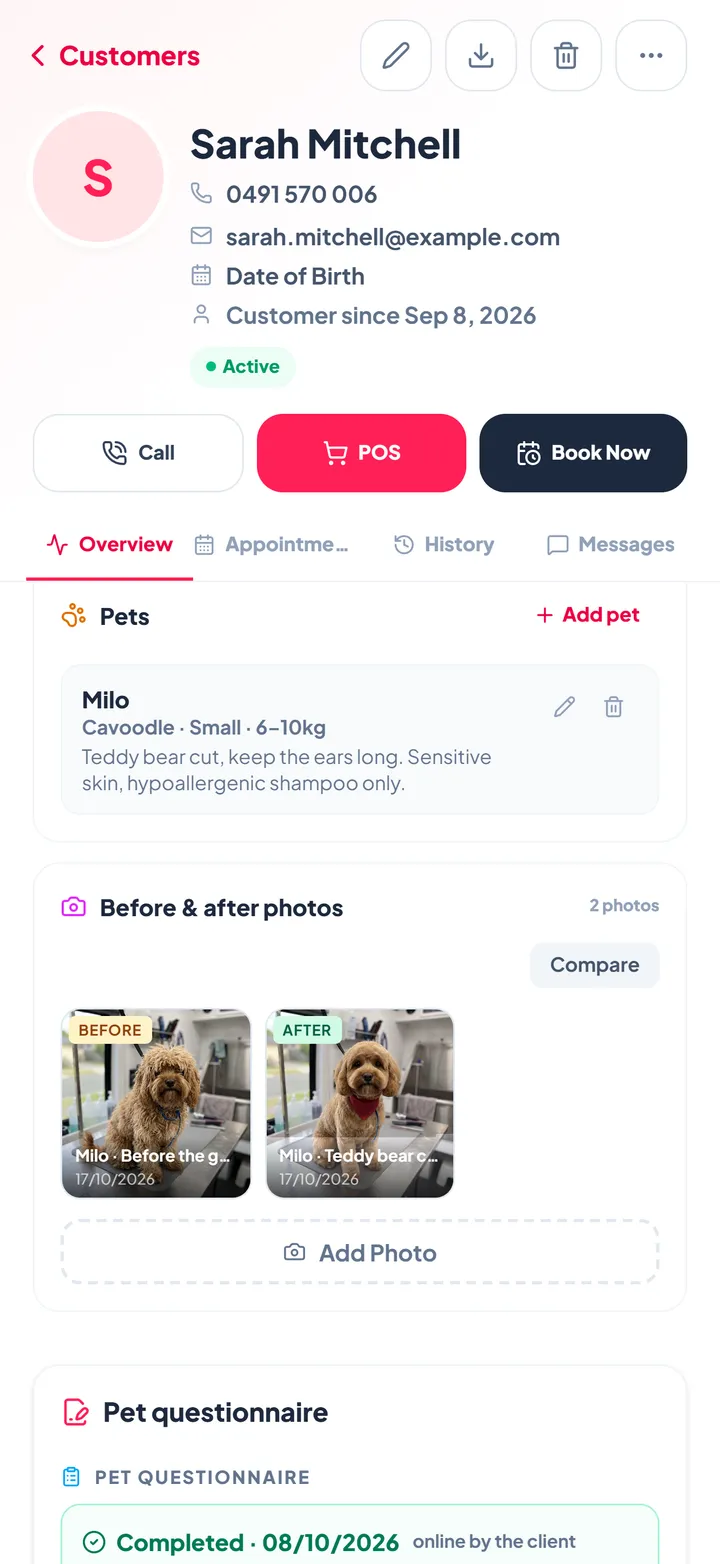
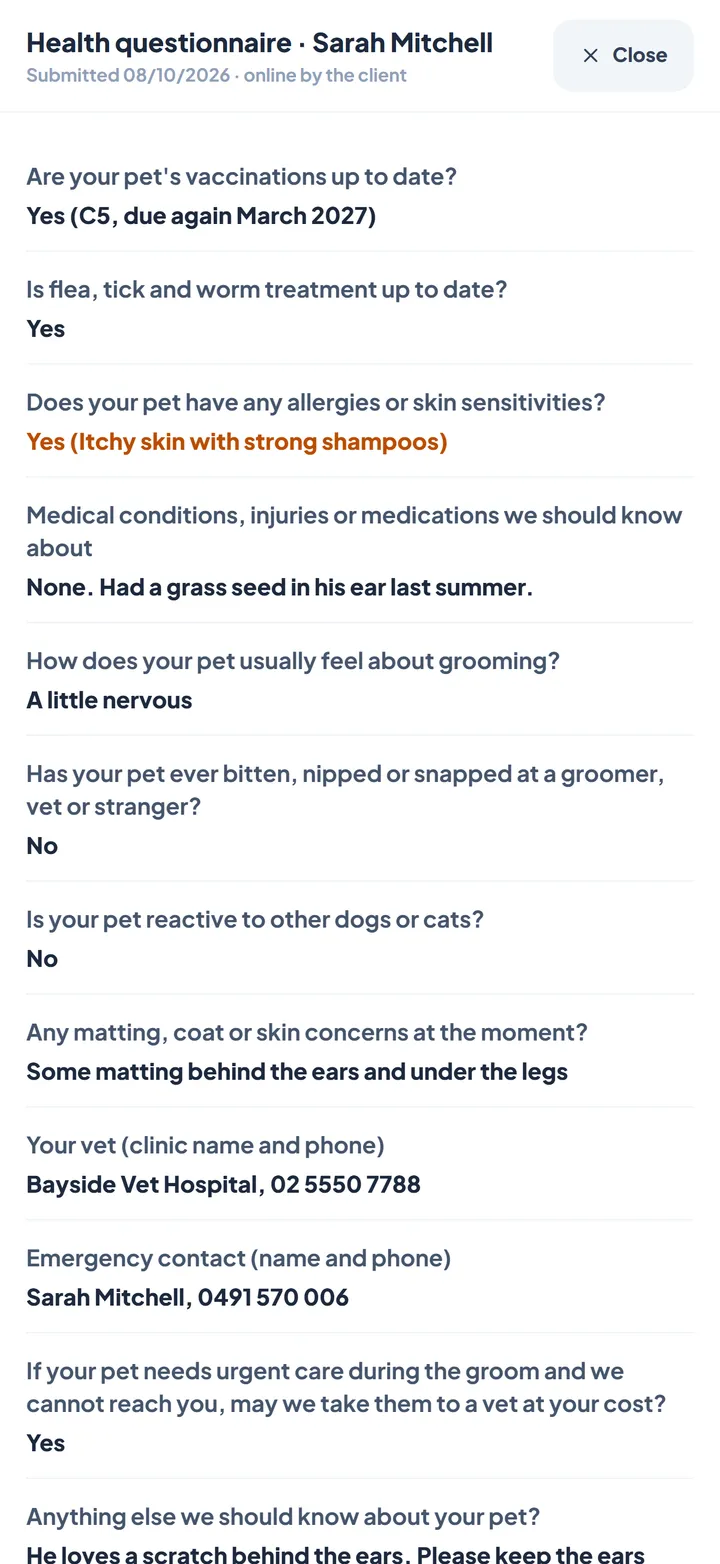
Households with two or three dogs are one client with several pets, and one appointment can hold several pets, each with its own groom. Gate codes and access notes sit on the appointment where you will see them.
4. The groom: before and after photos
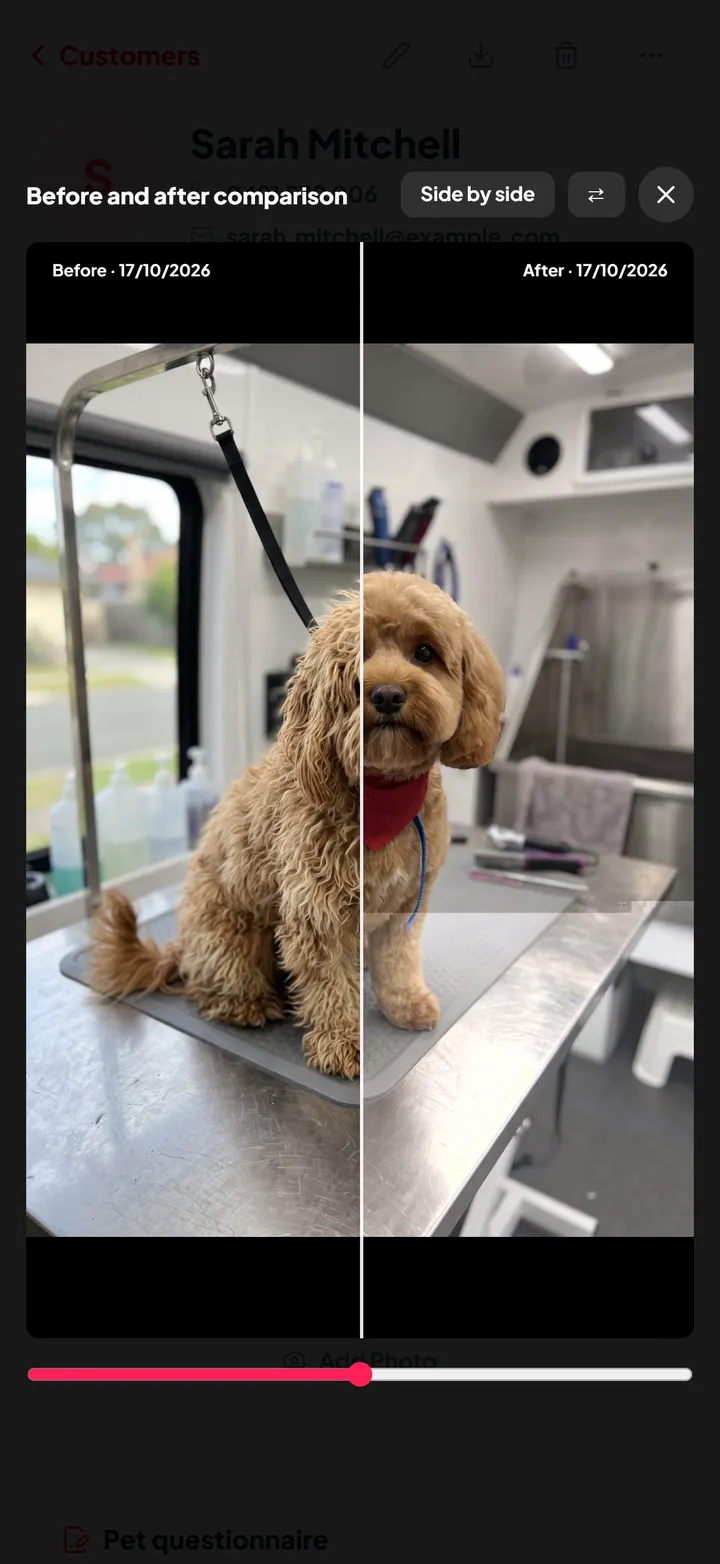
Take a before photo on arrival and an after photo when you finish. Photos are filed by pet, and the compare view shows them side by side or with a slider. Owners love the result, your social media gets its content, and you have a dated record of matting or skin problems found on arrival if a groom is ever questioned.
5. In the driveway: checkout
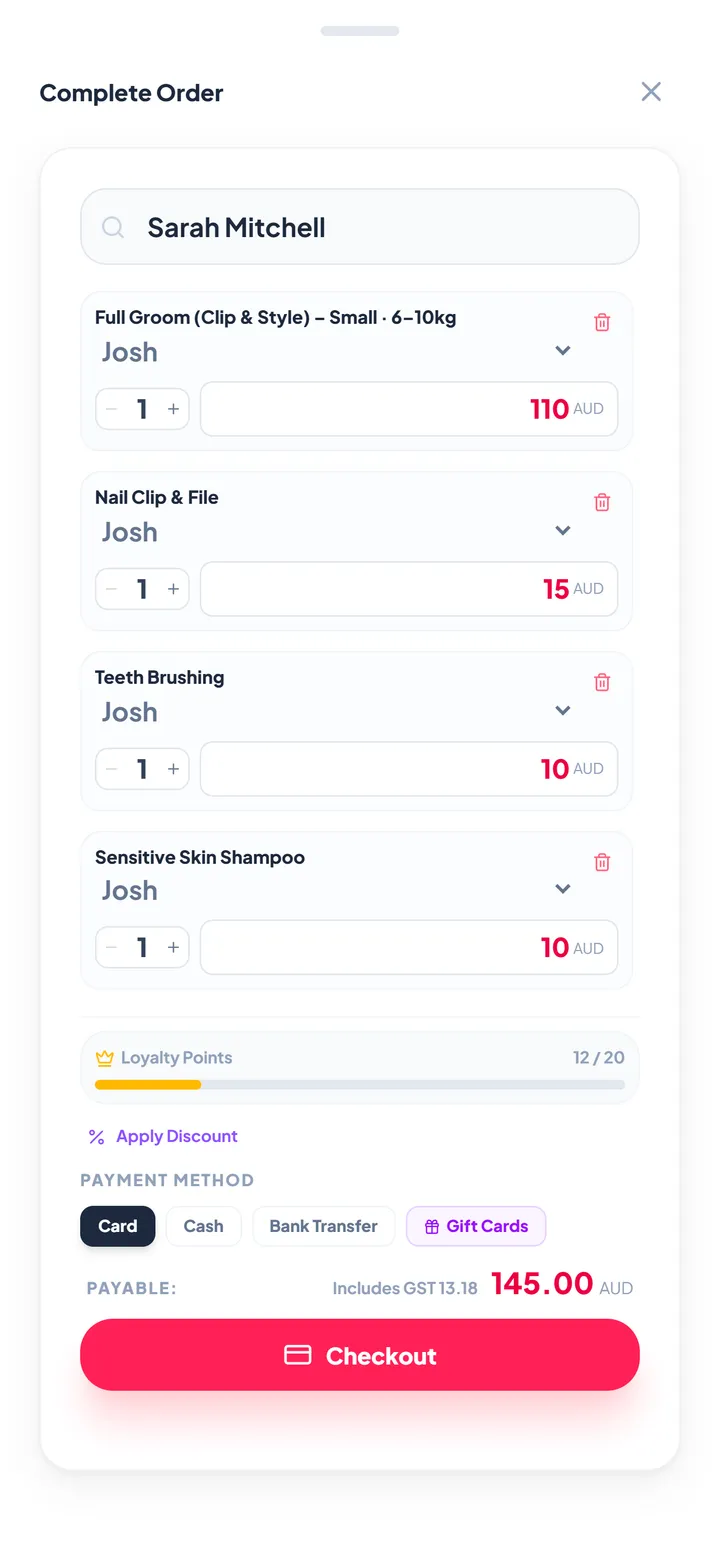
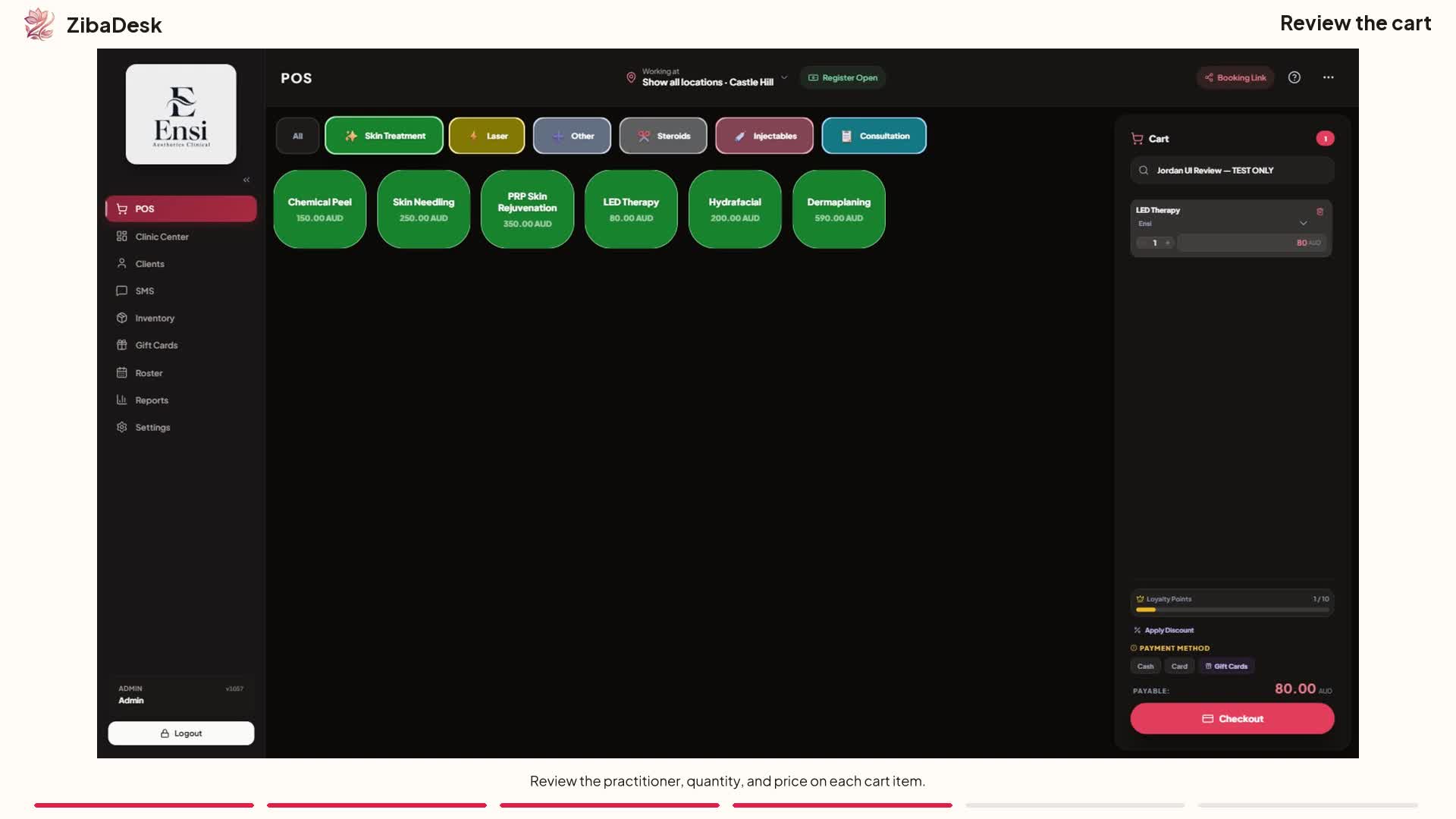
Check out the booked groom in one tap. Add the extras the owner asked for at the door, apply a gift card, a loyalty reward or a prepaid package visit, and take card, cash or bank transfer. Tax is worked out for you and the receipt goes by email or SMS.
 Watch: Ringing up a sale in ZibaDesk
6. Between stops: new bookings that fit
Your booking page asks clients for the service address first, then the dog's name, breed and size. It prices each groom by size band, adds a travel fee by distance if you charge one, and only offers times where the drive from the previous client and on to the next fits, plus the gap you set. You can also set the areas you cover on each weekday, so a suburb is only offered the days you are nearby.
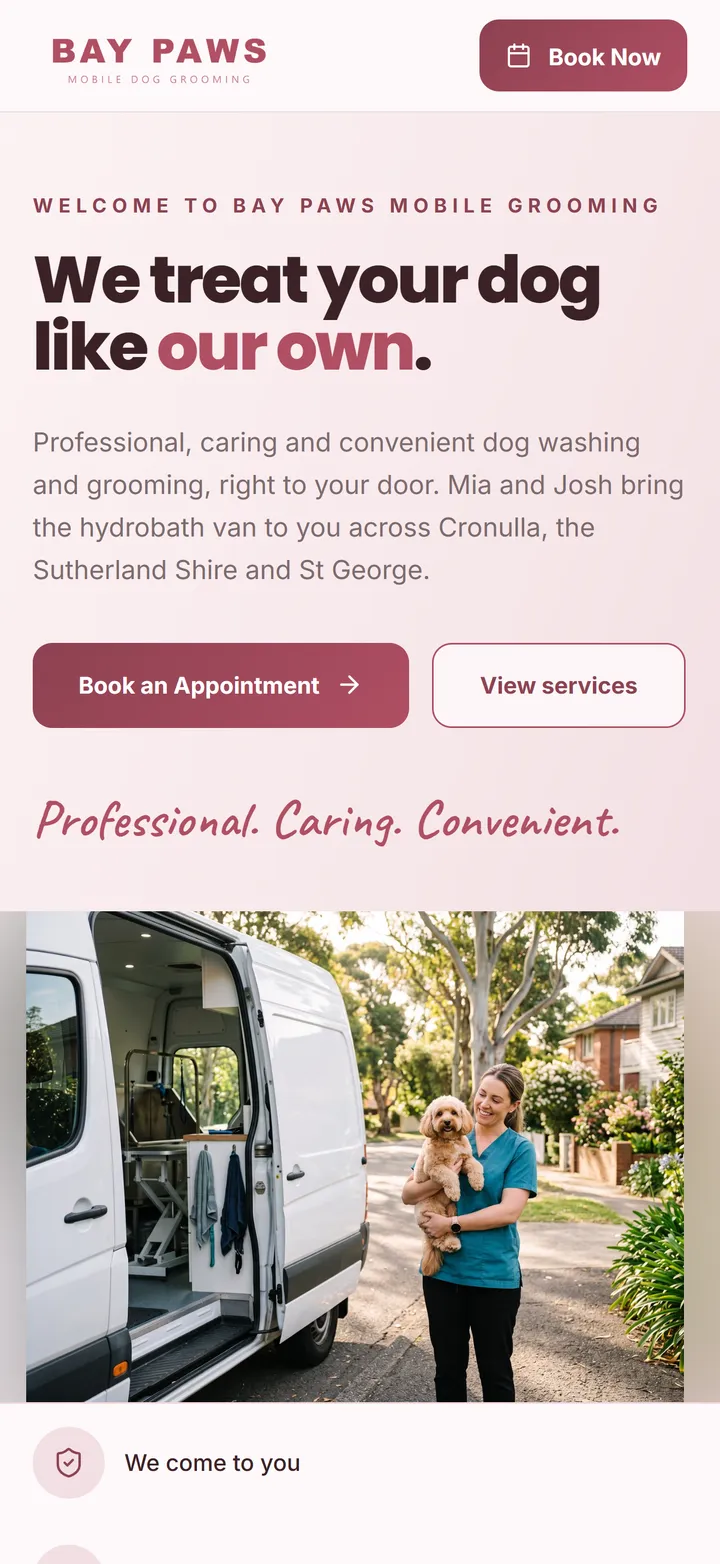
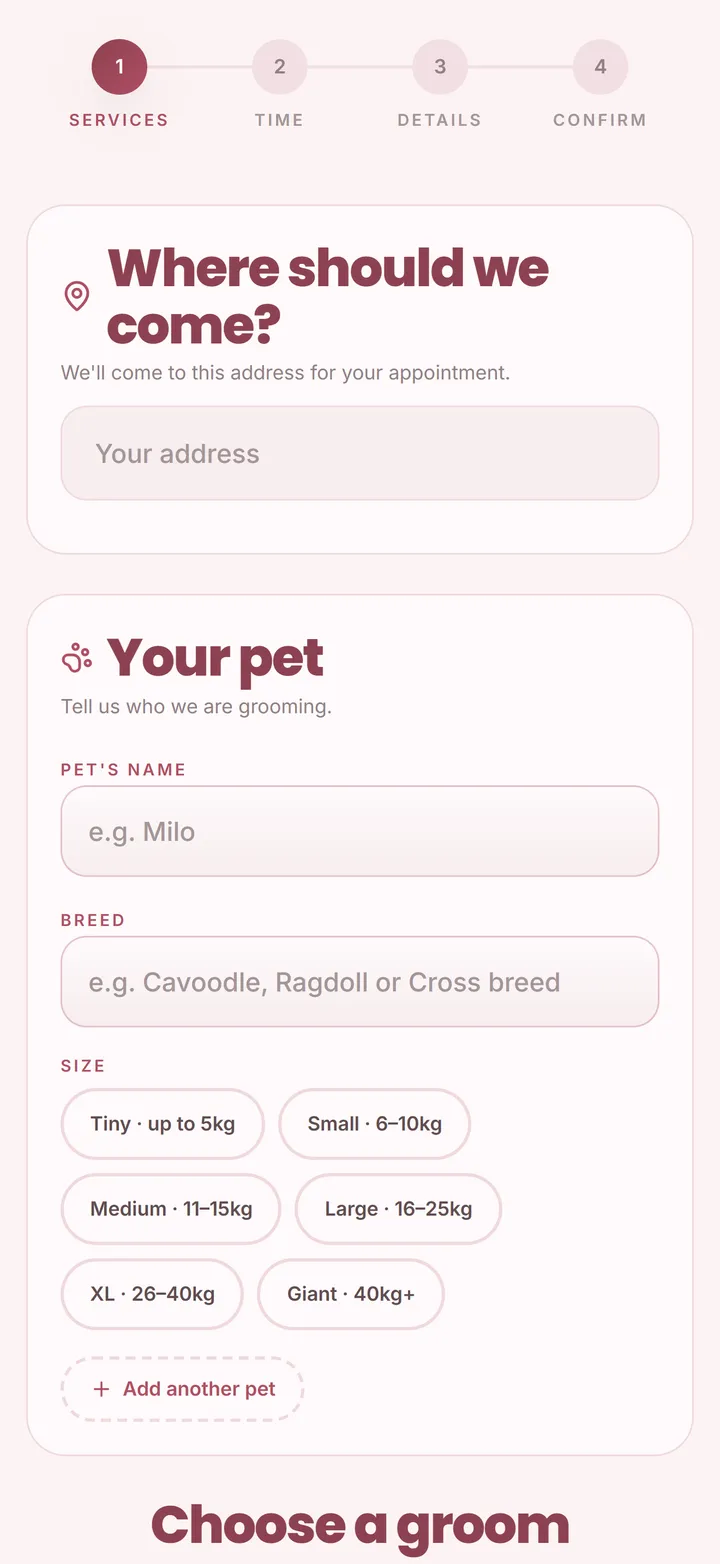
New online bookings, cancellations and moves are emailed to you as they happen, and on iPhone you can switch on notifications that open the booking with one tap. Deposits, if you take them, go into your own Stripe account, and your cancellation policy is shown with the real cut-off for that booking.
7. Evening: the iPad, and your own calendar
Plan next week on an iPad or a computer at home with the same data. Everything syncs between devices. Your day stays on the phone when the signal drops, and changes sync when it comes back; maps, the booking page and messages need a connection. If you like your personal calendar, subscribe to your ZibaDesk bookings from Google Calendar, Apple Calendar or Outlook.
Strengths
- Route, navigation, pets, photos and checkout in one app
- Online booking that respects drive time and service areas
- Route optimisation in the US$19.99 Pro plan
- Pricing by dog size, travel fees and prepaid packages
- Eleven languages, including right-to-left Persian and Arabic
Watch out for
- Built for grooming and appointments: no daycare or boarding module
- SMS beyond the monthly allowance is bought in bundles
- Deposits need your own Stripe account
Mobile groomer apps compared
How the apps mobile groomers use most compare on the things that matter in a van. Prices are US list prices per month from each vendor's own pricing page; app languages are what each business app lists on the App Store, both checked on 26 October 2026.
| App | Route optimisation | iPhone and Android | Cheapest plan with it | App languages |
|---|---|---|---|---|
| ZibaDesk | Yes, plus Google Maps, Apple Maps and Waze hand-off | Yes, plus iPad and web | US$19.99 (Pro, up to 5 staff) | 11, including Persian and Arabic |
| MoeGo | From Growth | Yes | US$99 per van (Growth) | English |
| Groomer.io | Listed, with ETA texts | Yes | US$79 to US$99 per van | English |
| DaySmart Pet | Not on its pricing page | Yes | Not applicable | English |
| Square Appointments | No pet or route features found | Yes | Not applicable | English, French, Spanish, Catalan, Japanese |
Sources: vendor pricing pages and App Store listings, read 26 October 2026. Processing and SMS fees are extra. Check each vendor for prices in your country.
2. MoeGo: the best-known pet-only app
MoeGo's "Pet Business Suite" app is popular with grooming salons and larger mobile operations, and it covers daycare, boarding and training as well. For mobile groomers, Basic is US$49 a month for one member with Smart Schedule; route optimisation and multi-van scheduling begin at Growth, US$99 per van a month.
Strengths
- Pet-only, with a large community
- Daycare and boarding too
- Route optimisation on higher plans
Watch out for
- Per-van pricing for route optimisation
- English only
- Reviewers mention slow human support
3. Groomer.io: grooming-only, with on-the-way texts
Groomer.io is made only for groomers. Its mobile features include mapping, route optimisation, ETA estimates and texts telling the client you are on the way. It costs US$79 to US$99 a month per van, and its grooming website is an extra US$79 a month.
Strengths
- Groomer-only focus
- On-the-way texts for clients
- Good reviews from its users
Watch out for
- Priced per van
- Website costs extra
- English only
4. DaySmart Pet: for a salon that sometimes goes mobile
DaySmart Pet is a long-running pet salon system with a mobile app in every plan. Deluxe costs US$69 a month with payments for three users, with a 14-day trial. Its pricing page does not cover routing, so it suits a salon that does the odd house call better than a full-time van.
Strengths
- Established and widely used
- App included in every plan
- 14-day trial
Watch out for
- No van routing on its pricing page
- Add-on charges for messaging
- English only
5. Square Appointments: the free general option
Square Appointments is a general booking app with a free plan and Plus at US$49 a month per location, which adds no-show fees, a cancellation policy and a waitlist. It is reliable and easy if you already use Square for payments, but it has no pet profiles, size pricing or route planning, so a groomer works around it rather than with it.
Strengths
- Free plan
- Smooth if you already use Square
- Mature payments
Watch out for
- Nothing pet-specific
- No route planning for vans
- No-show fees need Plus
A 10-minute test drive for any grooming app
Every vendor's website looks good. Install the app, sign up for the trial and run these ten checks on the phone you will actually use in the van.
- Add three test clients at real addresses and book them on one day. Does the app show the drive between them?
- Try to book a fourth client in a gap that is too short for the drive. Does it stop you?
- Open the next stop in your usual maps app. How many taps did it take?
- Add two dogs of different sizes to one household. Does the price change by size?
- Fill in a pet questionnaire as a client would. Do the important answers warn you on the appointment?
- Take a before and after photo. Are they filed on the pet, and can you compare them?
- Check out a groom with two add-ons and send the receipt by text.
- Turn on airplane mode, open the day and add a note, then turn it off. Does the change sync?
- Book yourself on your own booking page from a phone. Would a client finish it?
- Read the pricing page for the plan that has every feature you just tested. That is the real price.
Getting started with ZibaDesk in a morning
- Download ZibaDesk from the App Store or Google Play, or sign up on the web, and choose the pet grooming business type. It creates groom categories, size bands, the "Your pet" booking step and a grooming page style.
- Add your grooms with a price and time for each size, and your add-ons.
- Add the van as a mobile location: your start and finish address and the areas you cover on each weekday. Add a travel fee if you charge one.
- Switch on the pet questionnaire, edit the questions and add your terms.
- Import your clients from a spreadsheet if you have one, then share your booking link on your website, Instagram and Google profile.
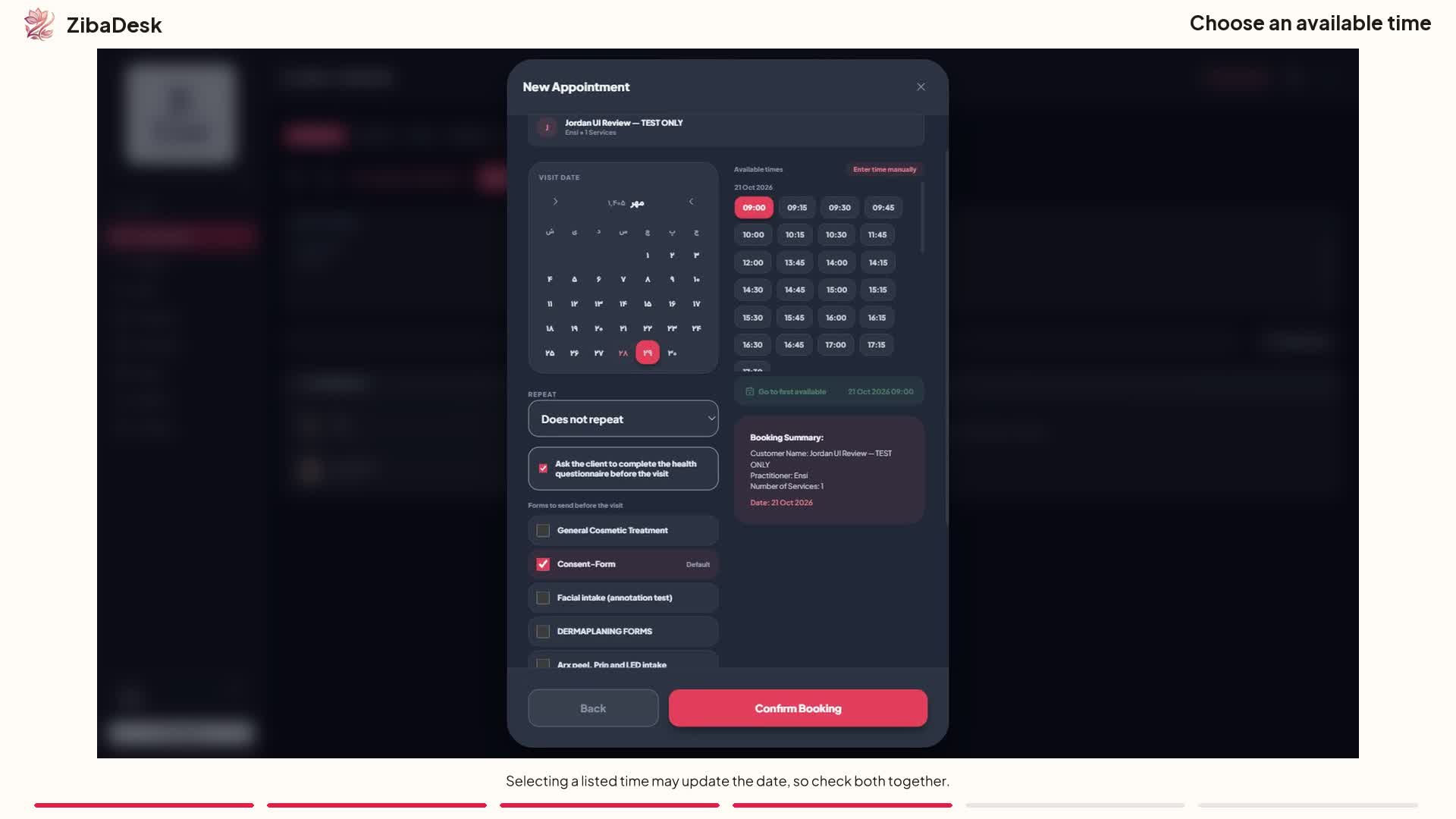 Watch: Booking an appointment in ZibaDesk
Frequently asked questions
What is the best app for a mobile dog groomer in 2026?
For most mobile groomers we recommend ZibaDesk: it runs the route with drive times and navigation, pet profiles and questionnaires, before and after photos and checkout from one app on iPhone and Android, and route optimisation is included in the US$19.99 Pro plan. Businesses that also run daycare or boarding may prefer a specialist pet care platform.
Can I try the ZibaDesk app for free?
Yes. Every new account gets 14 days of Pro free with no card: route optimisation, deposits, SMS and up to five staff. After the trial, Pro is US$19.99 a month.
Does the ZibaDesk app work on Android as well as iPhone?
Yes. ZibaDesk is on the App Store and Google Play, and the same account works on iPad and in a web browser, so you can run the day on your phone and plan the week on a larger screen.
Can the app navigate me to the next client?
Yes. The Route view sends the rest of the day to Google Maps as one trip, or a single stop to Apple Maps or Waze, opening the maps app already on your phone.
Can clients book the van online?
Yes. Your booking page asks for the service address and the dog's size, prices the groom for that size, adds your travel fee and only offers times that fit your route and the areas you cover that day.
What happens when I lose signal?
Your day, clients and pets stay on the device, so you can keep working through a weak signal, and changes sync to your other devices when the connection comes back. The map, travel quotes and messages need a connection.
ZibaDesk publishes this guide, so we rank our own app first and say so. Competitor prices and features come from each vendor's own website, checked in October 2026, and they change often: check the vendor before you decide. Product names belong to their owners, and ZibaDesk is not affiliated with them. Screens show sample businesses with fictional clients.