Every aesthetic clinic needs two things from a consent form: it has to say the right things legally, and it has to come back signed. Most clinics solve the second half by bolting on a separate e-signature service — and quietly pay a few dollars for every single signature. ZibaDesk's aesthetic clinic software builds e-signatures in: use our ready-made templates or upload your own consent PDF, and the signatures are merged straight onto the document. No envelopes, no per-signature bill.

1Two ways to run consent in ZibaDesk
When you switch on Aesthetic Clinic mode, you choose how consent works for your clinic:
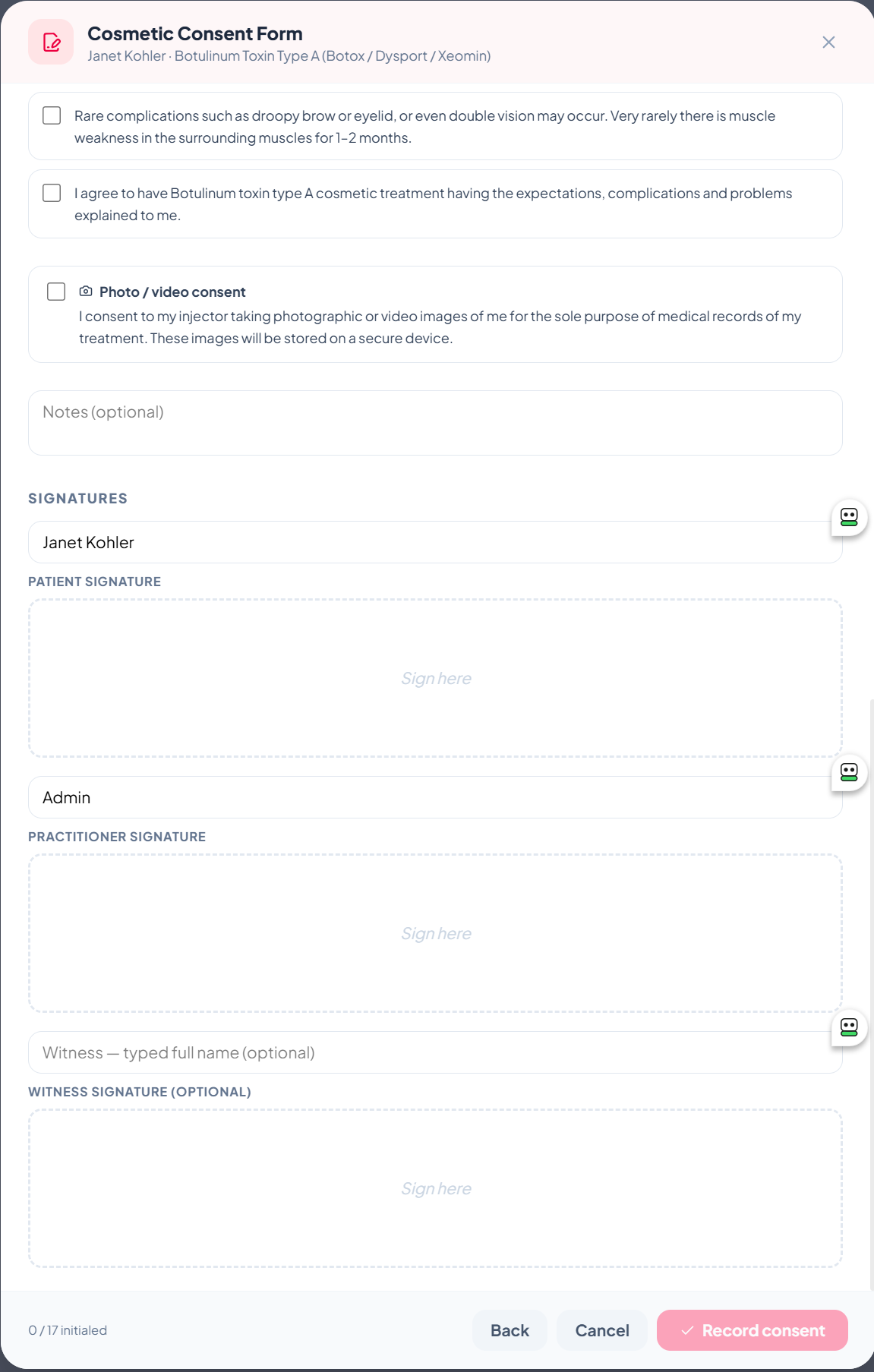
- ZibaDesk templates. Ten ready-to-use treatment consent forms (anti-wrinkle treatment, dermal fillers, PRP, sclerotherapy and more), each with built-in acknowledgements and patient/practitioner/witness signature pads. Nothing to write — see our compliance guide for the full list.
- Your own consent PDFs. Already have consent forms your insurer or medical director approved? Upload them as-is. Clients read and sign them on-screen, and ZibaDesk stamps the signatures onto your document automatically.
You pick the mode during onboarding when you choose "Medical Aesthetics", and you can change it any time under Settings → Features → Consent forms.
2How signature merge works on your own PDF
This is the part clinics love. You don't have to redesign your form or learn a layout tool — you just drop in a few placeholder tags wherever a signature or detail should appear. It works like a mail merge: ZibaDesk finds each tag and replaces it with the live value when the form is signed.
Step 1 — Add tags to your PDF
Open your consent form in any word processor or PDF editor and type the tags where you want each item to land — then export to PDF. The available tags are:
Signature images
{Patient-Signature}{Practitioner-Signature}{Witness-Signature}
Details (filled in as text)
{Patient-Name}{Signed-Name}{Date}{Treatment}{Practitioner-Name}{Witness-Name}{Patient-Phone}{Patient-Email}{Patient-DOB}
Type each tag exactly as shown — on its own line works best. Prefer pixel-perfect placement? You can instead add named form fields (an AcroForm field called Patient-Signature, Patient-Name, and so on) and ZibaDesk will use those exact positions.
Step 2 — Upload it once
In Settings → Features → Consent forms, switch to "Use your own forms" and upload the PDF. It's stored encrypted, and the in-app helper lists every tag you can use so your team always has it handy.
Step 3 — Sign at the chairside
- Open the patient record → Record new consent.
- Pick your uploaded form — it renders right on the iPad or screen.
- The patient signs on the canvas; the practitioner (and an optional witness) sign too.
- Tap Record consent. ZibaDesk stamps the drawn signatures onto your PDF at each tag, fills in the name, date and treatment, and saves a flattened signed PDF to the patient record — viewable and downloadable any time.
3Why this saves you real money
Dedicated e-signature platforms — think the big "send a document to sign" vendors — almost always price by the envelope: each document sent out for signature costs you. Entry business plans bundle a small allowance and then bill overages, and pay-as-you-go rates commonly land somewhere around $2–$5 per signed document. For an aesthetic clinic, where every patient signs a consent (often more than one), that adds up fast.
| Consents / week | Per year | At ~$4 / signature |
|---|---|---|
| 20 | ~1,040 | ~$4,160 / year |
| 40 | ~2,080 | ~$8,320 / year |
| 75 | ~3,900 | ~$15,600 / year |
With ZibaDesk, capturing and merging signatures is part of your plan — it doesn't cost extra per signature. So every consent that would have been a few dollars in envelope fees is simply included. A modestly busy clinic is realistically looking at thousands of dollars a year back in its pocket, while keeping the exact consent wording it already trusts.
4Built for clinics, not just paperwork
- No extra accounts. Your front desk doesn't log into a second tool — consent lives inside the same patient record as appointments, photos and treatment plans.
- Works offline-first. Sign at the chairside on iPad even when the wi-fi drops; it syncs when you're back online.
- Private by design. Consent PDFs and clinical photos are encrypted and visible only to authorised roles — front-desk and cashier logins never see them.
- Australian-built. Designed in Sydney for Australian clinics, with an AHPRA-aware template structure and full multilingual support for diverse teams.