

Ask ten salon owners how they pay their team and you will hear ten different answers. One stylist is on a wage. Another rents a chair by the week and keeps everything she takes. A third pays a smaller rent and takes a share of every service. The colourist wants her share worked out after the cost of the colour she used, because a full head of balayage uses far more product than a root touch-up. And the nail technician who started last month only works three days a week, so a monthly rent would not be fair. This is how many salons really work, and it is why so many still close the month with a calculator, a notebook and an argument. Here is how one salon does it now with its salon management software.
The team: six people, four ways of being paid
The salon has six people on the floor:
- Two employees on an hourly rate, as before.
- One chair renter who pays a weekly rent and keeps her own takings.
- Two stylists on rent plus commission: a lower rent, and a share of each service.
- One nail technician who pays rent per day, and only for the days she actually works.
In Settings, Team, Pay, each person has a pay model: Employee, Chair rent or Rent + commission. Rent can be set per day, per week or per month. For daily rent, the salon chooses whether to count the days the person was rostered or the days they actually worked, judged from their appointments and sales.
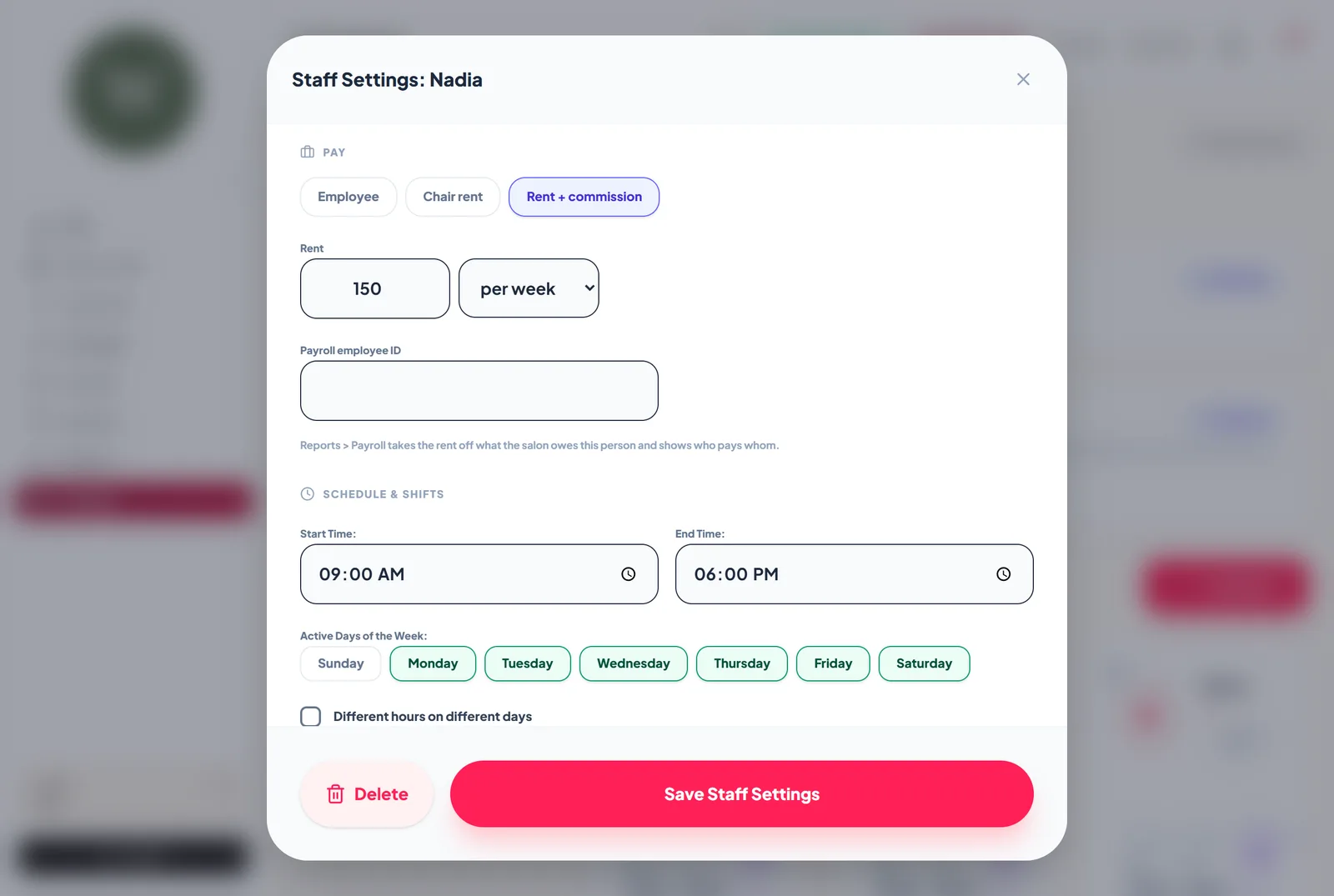
The nail technician's rent is per day, counted on days worked. In a month she worked eleven days, she pays eleven days of rent. When she took a week off, nobody had to remember to change anything.
Commission that follows the service, not the person
A flat commission rate rarely fits a real menu. A haircut is mostly time and skill. A colour service is time, skill and a tube of product that costs real money.
So each person can have a rate per service: a commission percentage and, where it matters, a material cost. The service itself can carry a default material cost too, and the salon decides whether that cost comes off before the share is worked out.
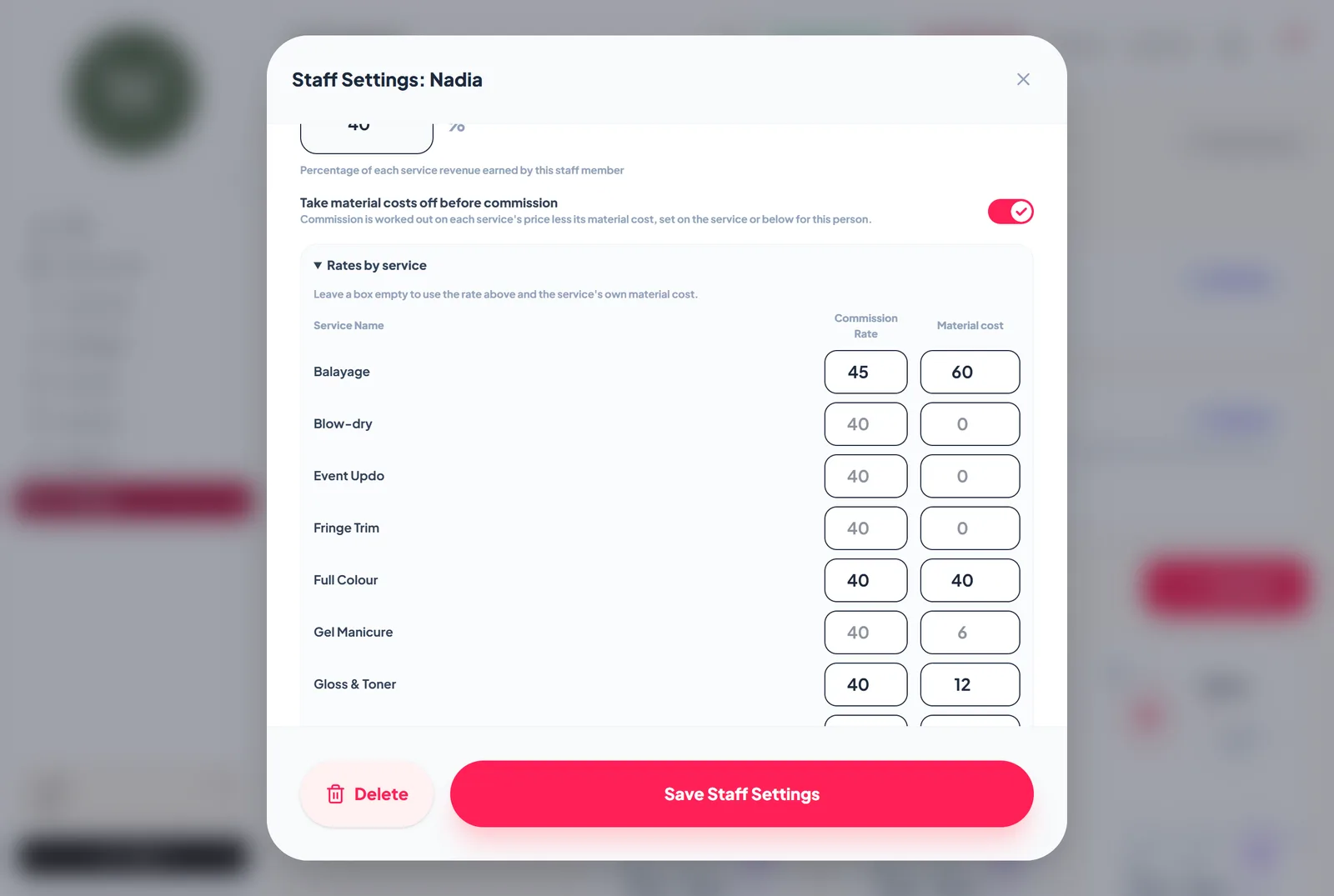
For the colourist on rent plus commission, a balayage priced at 300 with 60 of product used means her share is worked out on 240, not 300. For a blow-dry with no product cost, her share is on the full price. Both rules are set once and applied to every sale from then on.
A chair renter on rent only earns no commission, and renters are never paid hourly or salary, whatever rate might still sit in their profile from an earlier arrangement. Those are exactly the mistakes that creep into a hand-kept spreadsheet.
Tips, kept apart
On a Saturday, a walk-in client pays for a quick fringe trim and adds a tip. The tip goes on its own line at the till. It does not count as a sale, it does not inflate anyone's commission, and it shows in its own Tips column in payroll, so it reaches the right person.
Month end: one screen, not one evening
On the last day of the month the owner opens Reports, Payroll and picks the period. For each person the report shows:
- what they took in services and products,
- their commission, after material costs where that applies,
- tips,
- their rent for the period, and the number of days it was counted on,
- and the net: what the salon owes them, or what they owe the salon.
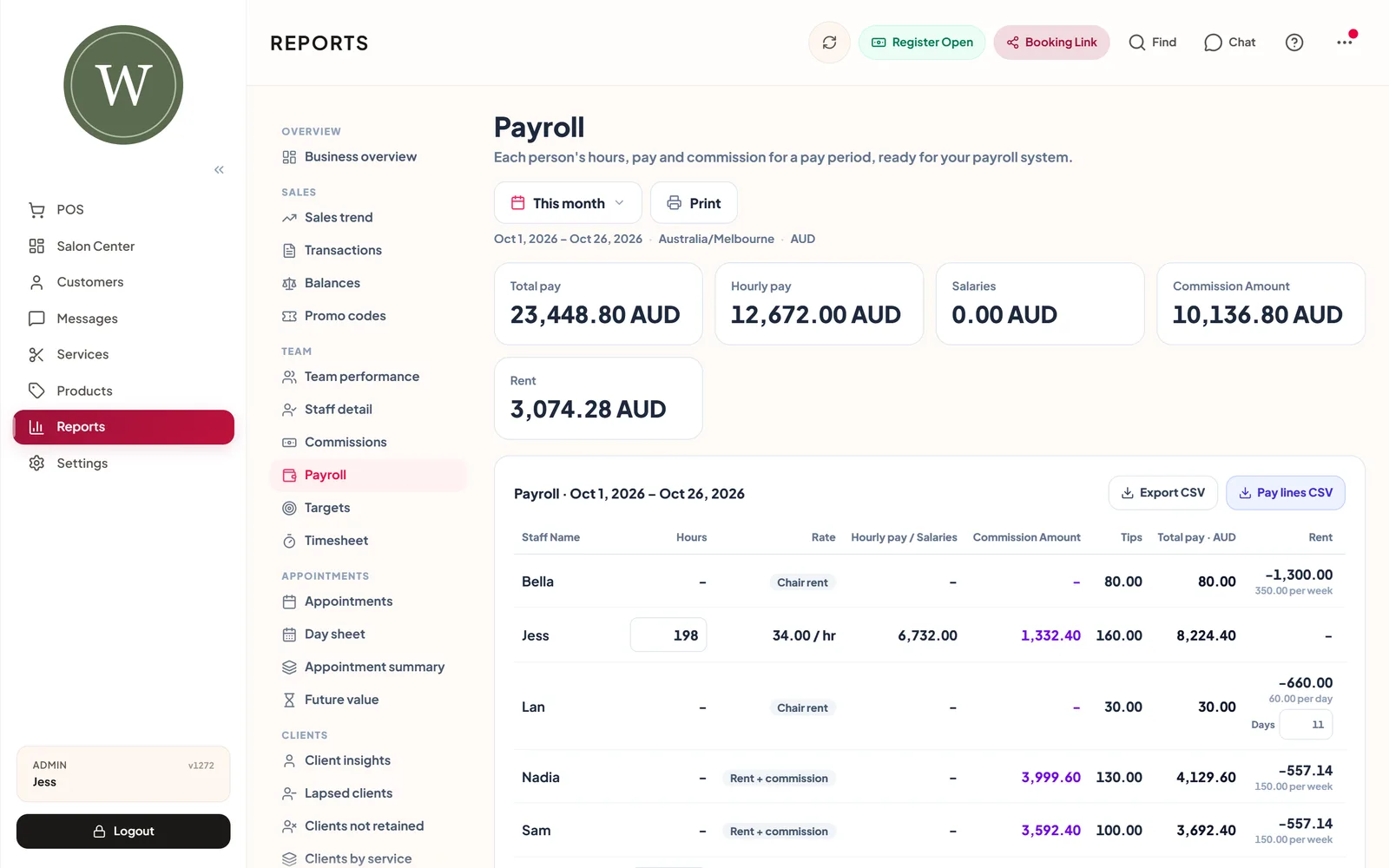
The commission report, payroll and the day screen all work from the same calculation, so the figures agree wherever the owner looks.
Once a person is paid, or has paid their rent, the owner taps Mark settled. The period is recorded as settled for that person, so next month nobody asks whether last month was ever squared up.
Moving in from Excel
Before any of this, the salon's client list lived in an Excel file that had grown over five years: names, mobiles, birthdays and a notes column full of colour formulas.
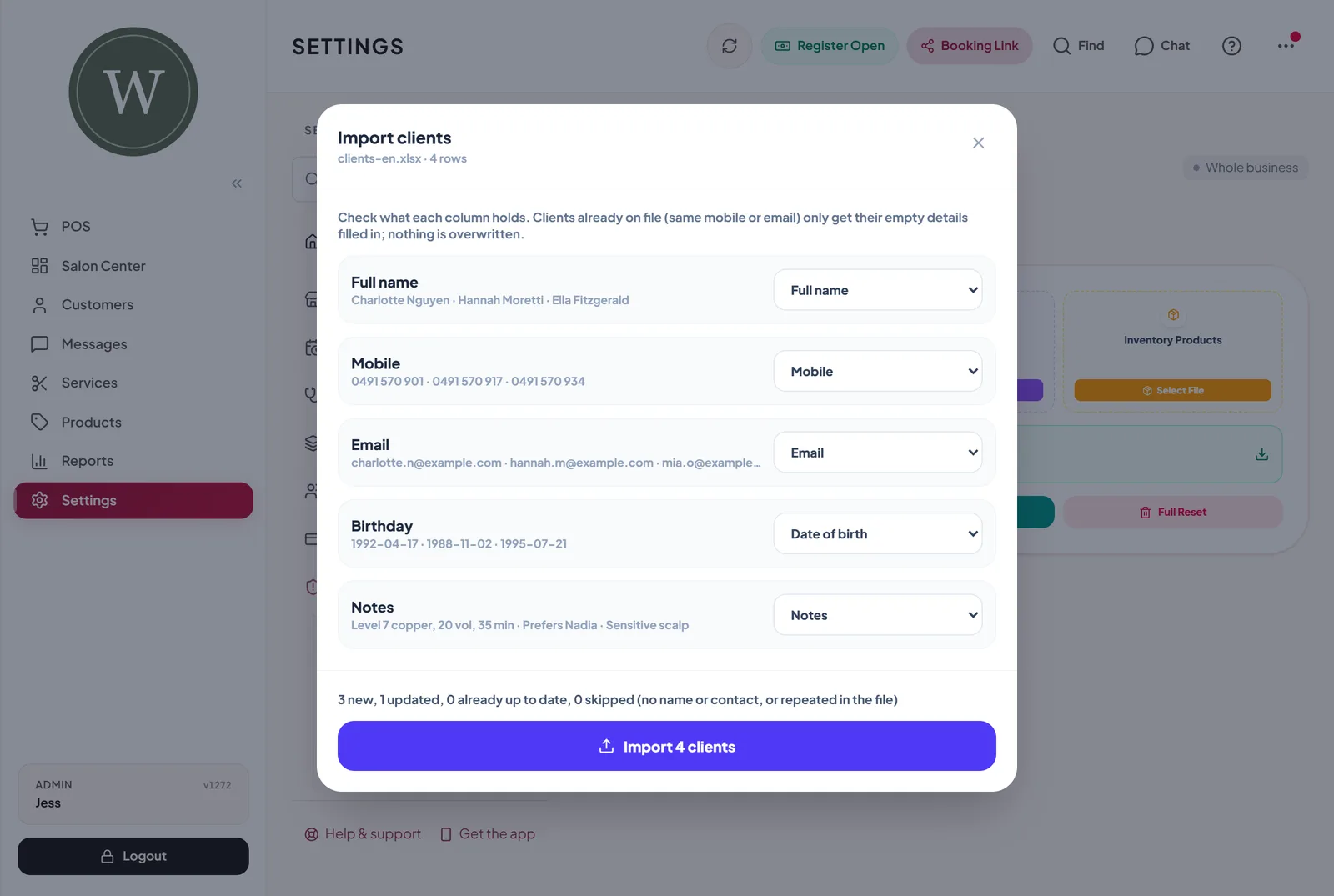
The client import in Settings, Data reads the Excel file directly (CSV works too). It guesses which column is which from the headers, in English, Persian or Arabic, and lets the owner correct the match before anything is saved. Birthdays come in whether they were typed as Excel dates or in the salon's own date order. Clients already in the app are matched by mobile number or email, and only their empty fields are filled, so nothing the team has already written is overwritten.
Going the other way, Export everything puts the salon's data into one Excel workbook, with a sheet each for clients, appointments, sales and more, headers in the app's language and dates in the salon's own calendar. It is the owner's data, and taking a full copy should never take a support ticket.
A team size that matches the plan
As the salon grew, the owner wanted clear rules on how many people the plan covers. The Free plan has one active staff member, Pro has five and Ultra has no limit. Only active staff count, so someone who has left can be switched off without deleting their history, and a salon already over its limit keeps everyone it has.
Finding things fast
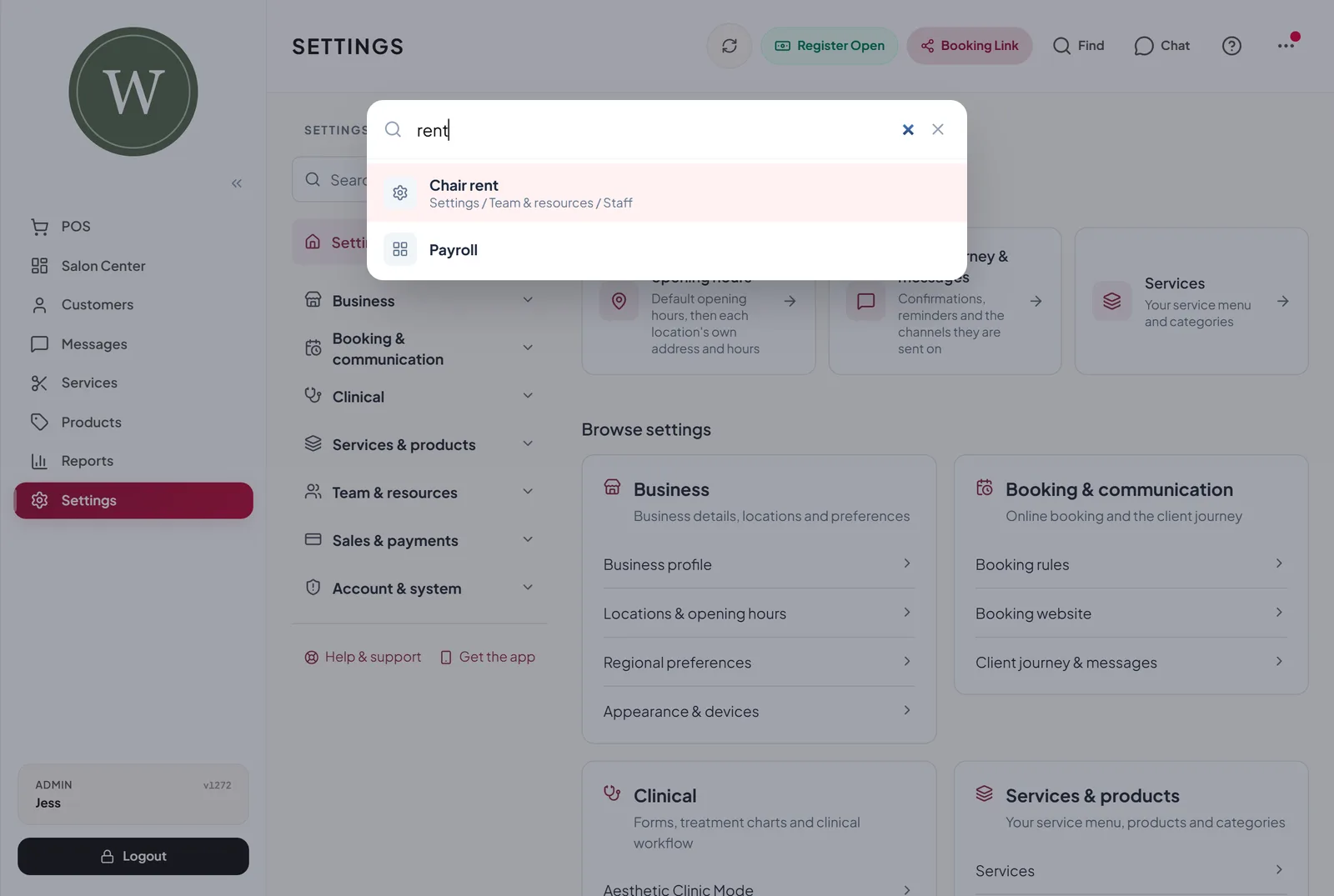
With pay rules, imports and exports in Settings, the owner does not want to hunt through menus. The magnifier in the header (or Ctrl+K on a computer) searches every menu item, report and setting. Typing "rent", "payroll" or "import" goes straight to the right page.
What changes for the salon
The month still has to be settled. People still need to be paid, and rent still needs to be collected. What changes is that the arithmetic is done once, by the same rules every time, and the owner can show each person exactly how their figure was reached.
Good salon management software should fit the way your salon actually pays its people, not force everyone onto one model.
Frequently asked questions
Can one salon mix employees, chair renters and commission staff?
Yes. The pay model is set per person, so each member of the team can be an employee, a chair renter or on rent plus commission.
Is the material cost taken off before commission?
It can be. Set a material cost on the service or on a person's rate for that service, and choose whether it comes off before that person's share is worked out.
Do tips count towards commission?
No. A tip is its own line at the till, is not counted as a sale and shows in a separate Tips column in payroll.
Which Excel files can I import clients from?
Excel .xlsx files and CSV files. Older .xls files need to be saved as .xlsx first.
The clinic and salons in this story are composites of everyday situations, not real businesses. Screens show a sample business with fictional clients and staff.