

A modern polyclinic does a lot under one roof. In a single morning the same front desk might book a laser hair removal course, a tattoo removal session, a facial, a set of lashes and a gel manicure. Every one of those services has its own products, its own risks and its own instructions for the client once they walk out of the door. This is the story of one ordinary day at a clinic like that, and the small moments where the right aesthetic clinic software quietly takes work off the team.
8:15 am: the stock cupboard
The practice manager starts the day where many clinic problems begin: the stock cupboard.
Clinical products do not just run out. They expire. A serum opened last spring, a box of numbing cream bought in bulk, a retail skincare line that sold slower than expected. When stock lives in a spreadsheet or in someone's head, the first time anyone notices an expired product is when a practitioner picks it up mid-treatment.
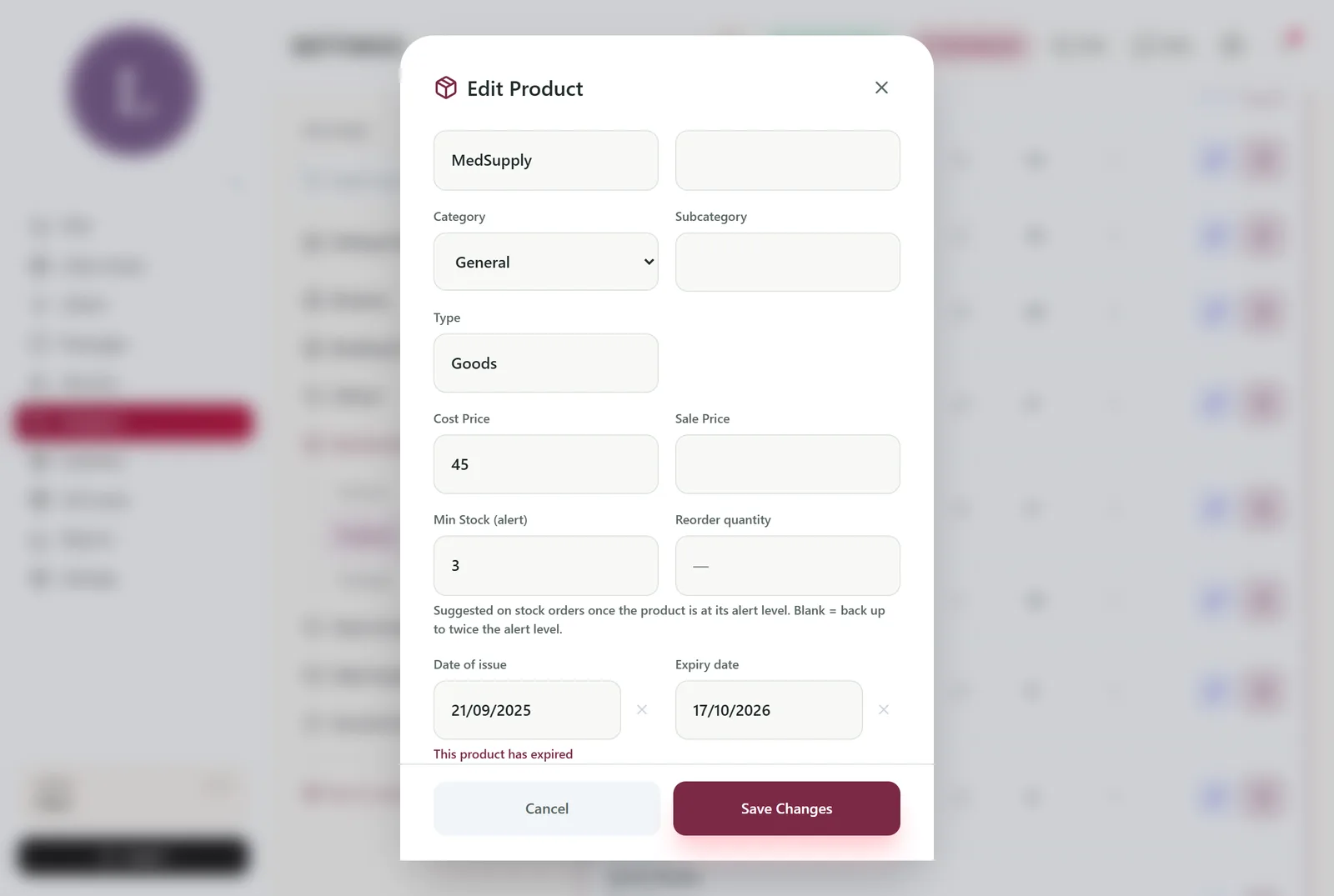
This morning is different. When the last delivery arrived, each product was entered with two extra dates in the product window: the date of issue and the expiry date. Both open on the clinic's own calendar, and a product past its date shows a clear "This product has expired" note.
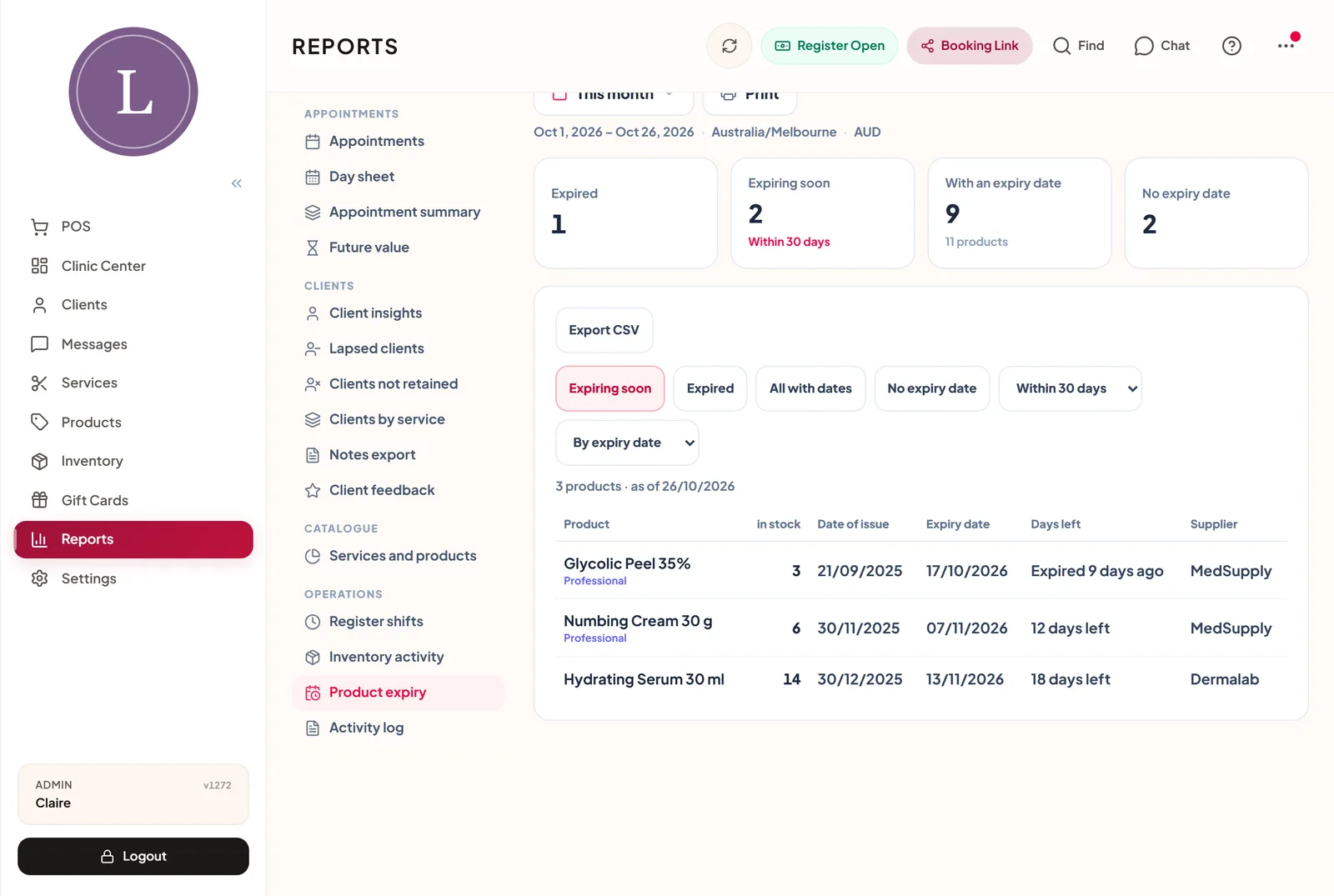
The manager opens Reports, Operations, Product expiry. Four figures sit across the top:
- Expired
- Expiring soon, within 30, 60, 90 or 180 days
- With an expiry date
- No expiry date
A tap on any figure filters the table below it. Today, "Expiring soon" shows three lines, with how many units are on hand at each location. Two of them are retail products, so the manager moves them to the front shelf and asks the team to recommend them this week. The third is a clinical product with a handful of units left, and it goes on the list for the next practitioners' meeting. The whole check takes four minutes, and the list exports to a spreadsheet for the owner.
9:30 am: a calm front desk
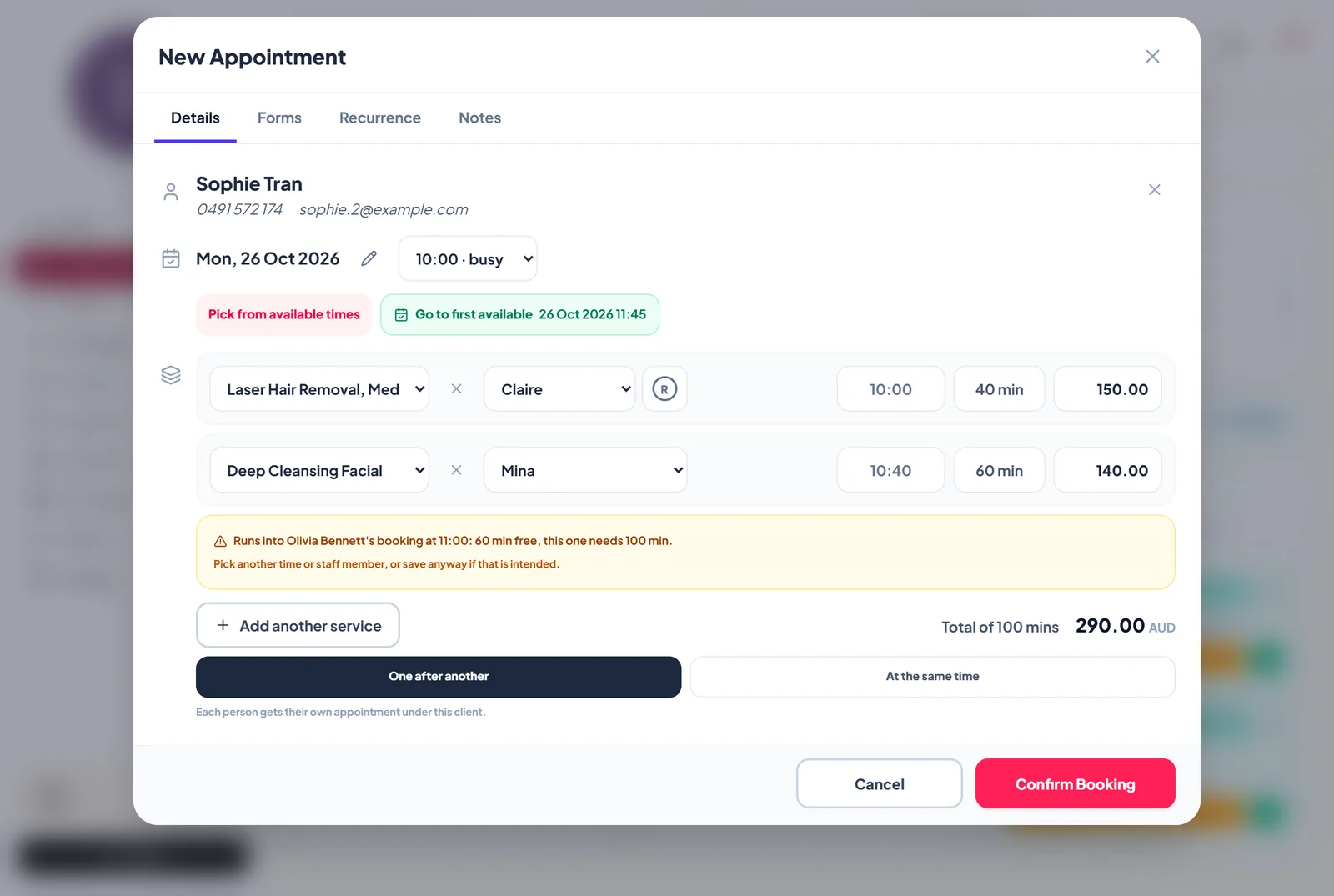
The phone rings. A regular wants a laser session and a facial on the same visit, with two different practitioners.
The New Appointment window is one page. The receptionist types the client's name first, picks the date from the compact calendar beside it, and adds each service as its own row with its own practitioner. Free times show for the chosen day only, so there is no scrolling through a week of slots to find Thursday.
A second caller is less certain. She likes the 4 pm slot but needs to check with work before committing. Instead of pencilling in a booking that may never happen, the receptionist uses Hold and send a link. The slot is held, a link goes to the client's phone, and she confirms (or pays the deposit) when she is ready. If she does not, the hold is released automatically and the time goes back on the books. No chasing, no ghost bookings.
11:00 am: the treatment room
A client arrives for her third tattoo removal session. Before the practitioner starts, she opens the client's profile and goes to the Timeline tab.
Everything sits in one line, newest first: the upcoming visits, every past appointment with what was paid, the signed consent forms, the signed treatment notes and even the gift card she bought for her sister. The practitioner can see the interval since the last session, what was recorded in the last note and the consent signed on the first visit, without opening five different screens.
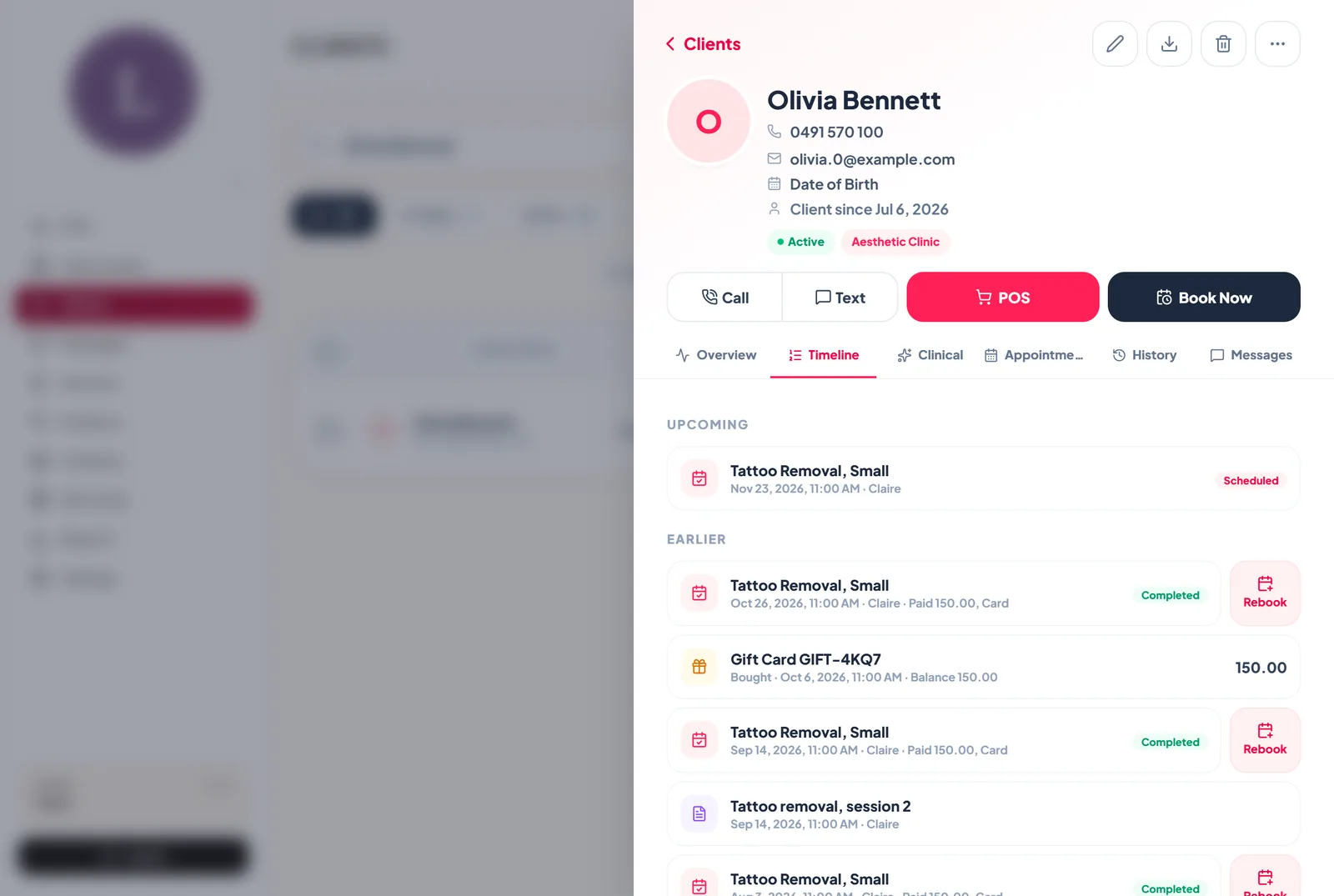
Signed clinical notes on the Timeline are visible to admins and managers only, so the history stays complete without being open to every login on the front desk.
12:10 pm: the part clients forget
After a laser or tattoo removal session, the most important information is the aftercare: what to avoid, what to apply, when to call the clinic. In a busy clinic, that conversation happens at the door while the next client is waiting, and half of it is forgotten by the time the client reaches the car park.
This clinic set it up once. In the service rules, each treatment has an aftercare form attached: laser aftercare for laser, tattoo removal aftercare for tattoo removal, and a general aftercare form as the default for everything else. When the visit is marked completed, the aftercare is sent automatically about an hour later, by email when the clinic has the client's address, otherwise by WhatsApp or SMS. Quiet hours are respected, so a late appointment does not wake anyone up with a message at 11 pm.
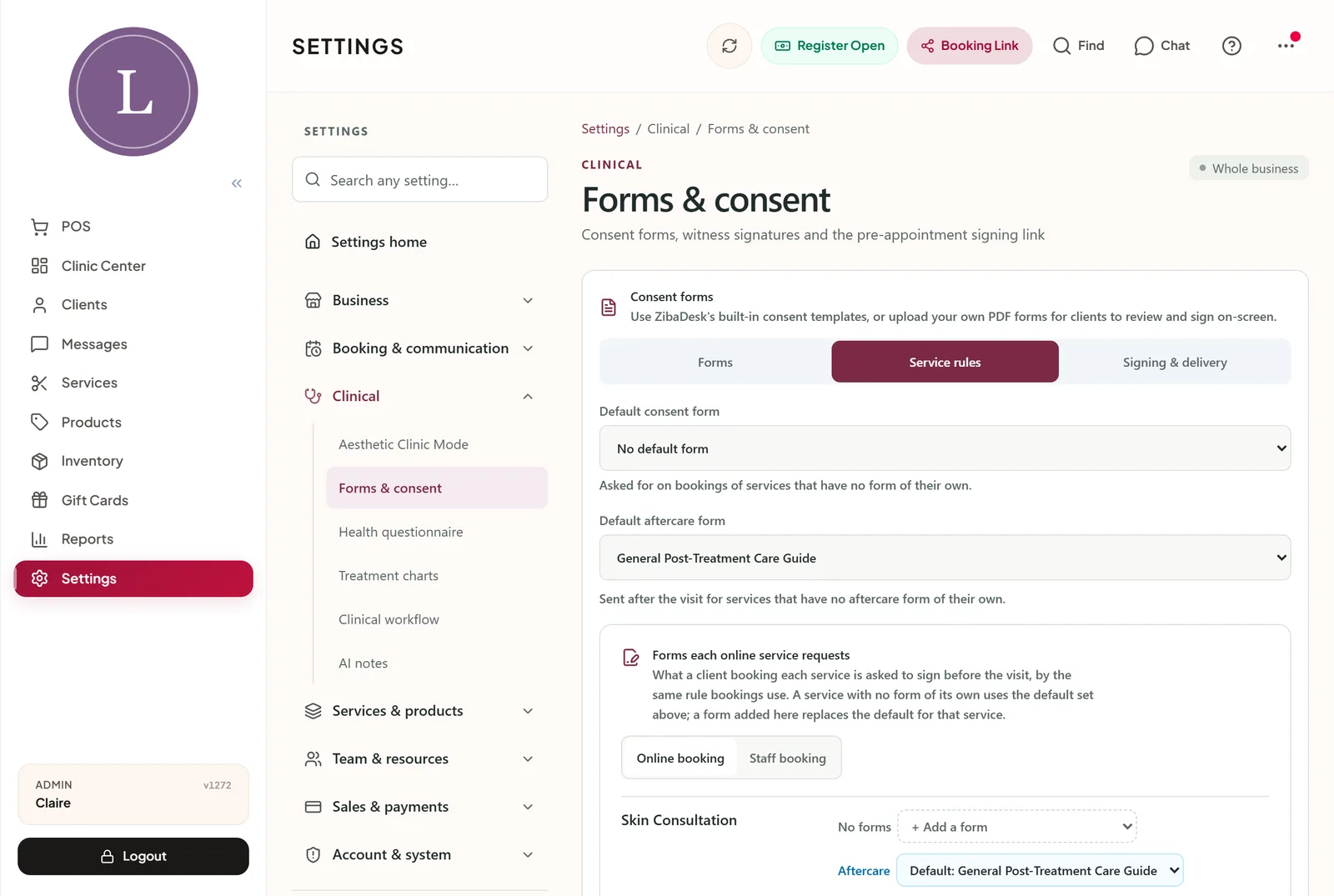
The client gets the instructions in writing, in a link she can open again on day three when she is wondering whether the redness is normal. The clinic gets fewer worried phone calls, and a record that the instructions were sent.
1:45 pm: the rebook that saves the week
The facial client is at the desk to pay. On the paid screen, the Rebook box offers her next visit straight away: same practitioner, same services, ready to book.
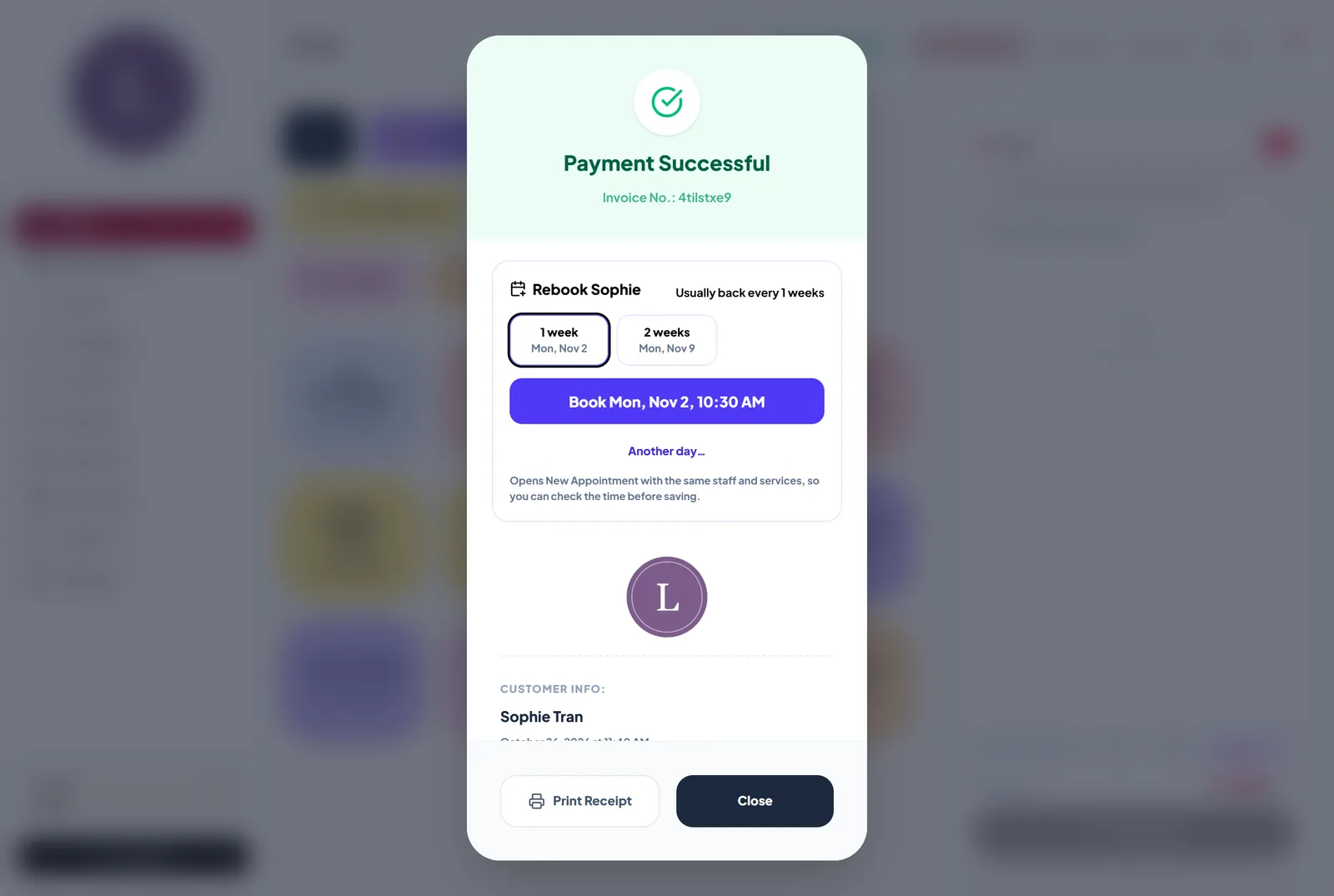
This is where clinics win or lose their week. A client who leaves without a next appointment is a client the team has to win back later with a campaign or a discount. A client who rebooks at the desk is simply coming back. One tap, a date in four weeks, and she is on the calendar before she leaves.
The same Rebook button sits beside every completed visit on her Timeline, so the receptionist can rebook from the profile when a client calls later in the week.
3:00 pm: keeping the screen simple
Not every clinic wants every screen. A clinic that runs its day from the calendar can switch the Clinic Center off in Settings, Features. The app then opens straight on the calendar, and every shortcut that used to lead to the Center lands there instead. Fewer taps for a team that only needs the diary.
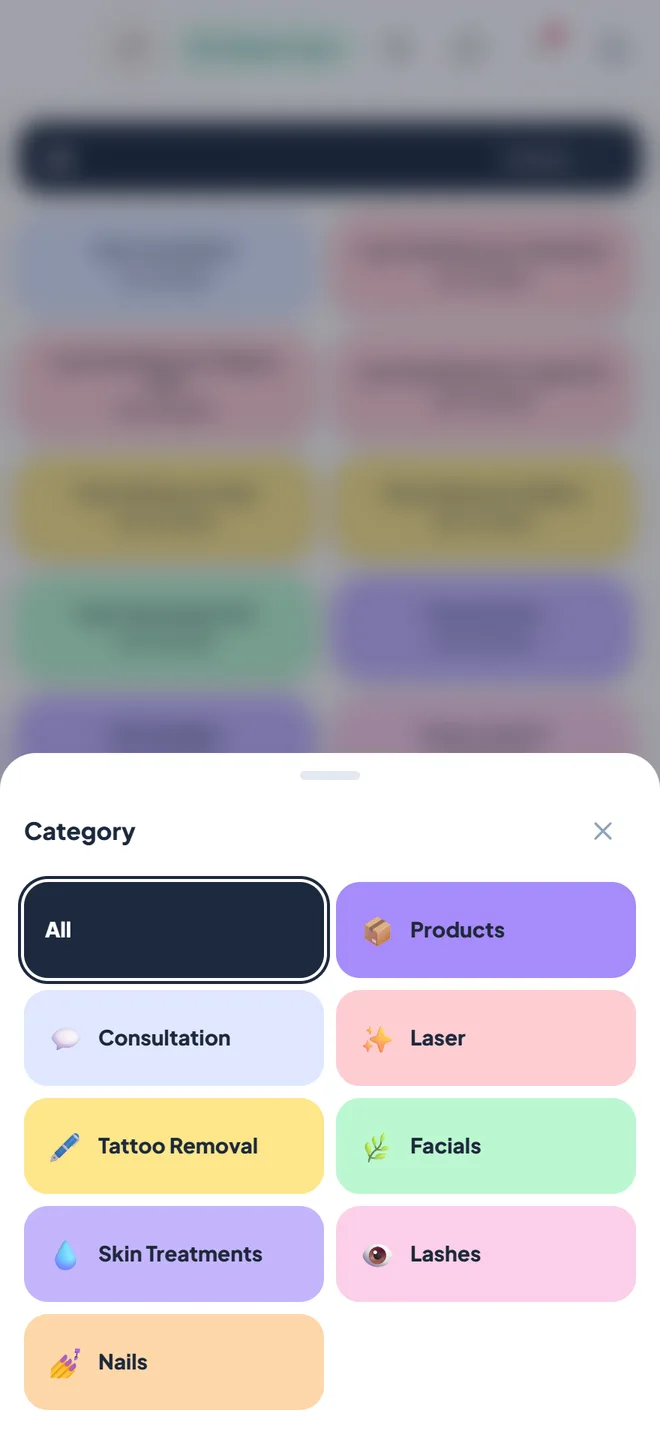
On a phone at the till, product categories open from one wide button into a sheet of large tiles, which matters when a practitioner is ringing up a retail product between clients.
6:30 pm: closing
At the end of the day the manager looks at three things: tomorrow's calendar, the morning's expiry list, and the aftercare messages sent today. Nothing was forgotten, nothing expired on a shelf, and four clients left with their next appointment already booked.
None of this is dramatic. That is the point. Good aesthetic clinic software does not change how a clinic treats its clients. It removes the small daily risks (an expired product, forgotten aftercare, a client who never rebooked) so the team can focus on the treatment room.
Frequently asked questions
Where do I record a product's expiry date?
In the product window under Settings, Products and Inventory. Each product has an optional date of issue and expiry date, picked on your salon's own calendar.
When does a product count as expired?
A product is usable on its expiry day and counts as expired from the day after, in your clinic's own time zone.
How is aftercare sent to the client?
When a visit is marked completed, the aftercare form attached to that treatment (or your default aftercare form) is sent about an hour later: by email when you have the client's address, otherwise by WhatsApp or SMS. You can change the timing or switch it off.
Who can see signed treatment notes on the client Timeline?
Admins and managers. Other staff see the visits, payments and signed forms.
The clinic and salons in this story are composites of everyday situations, not real businesses. Screens show a sample business with fictional clients and staff.