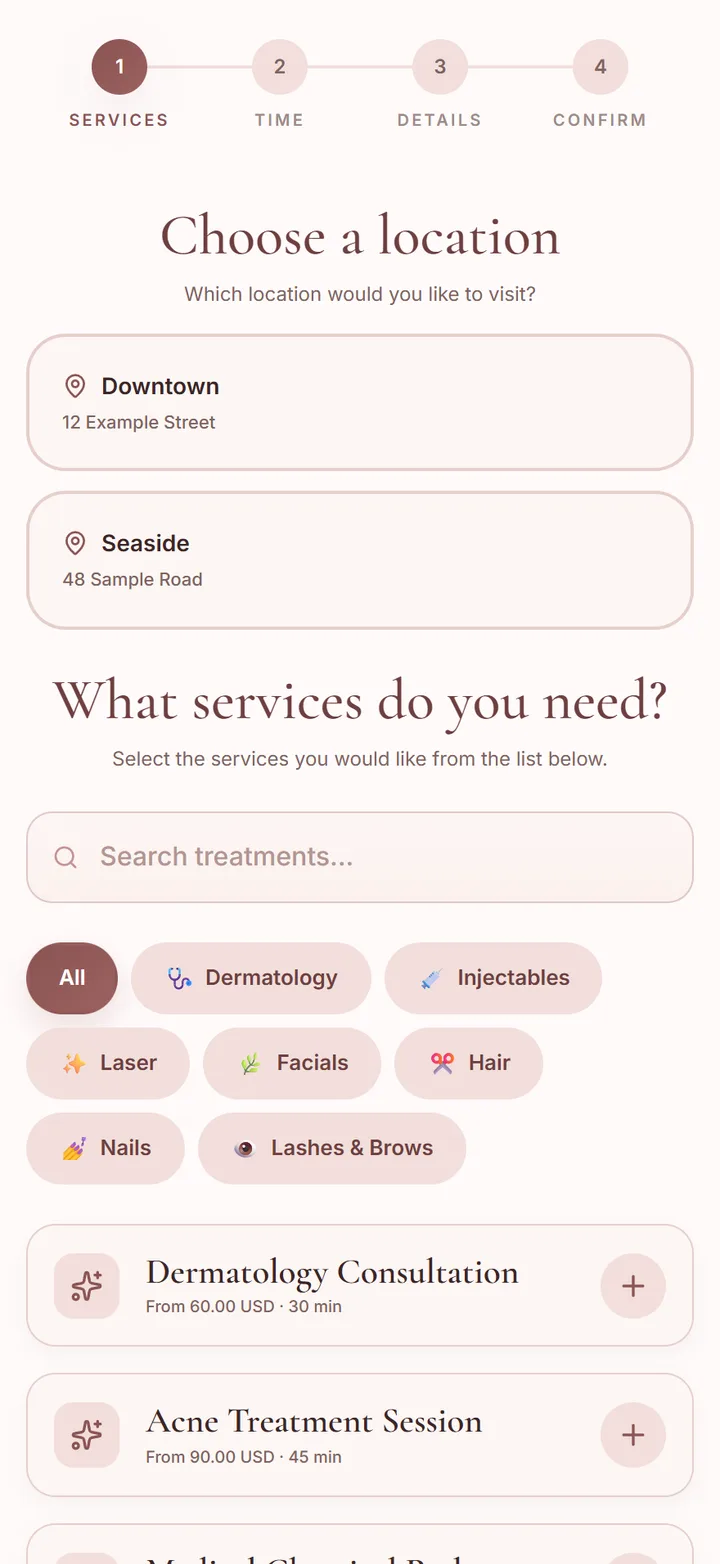
Every department on one booking page
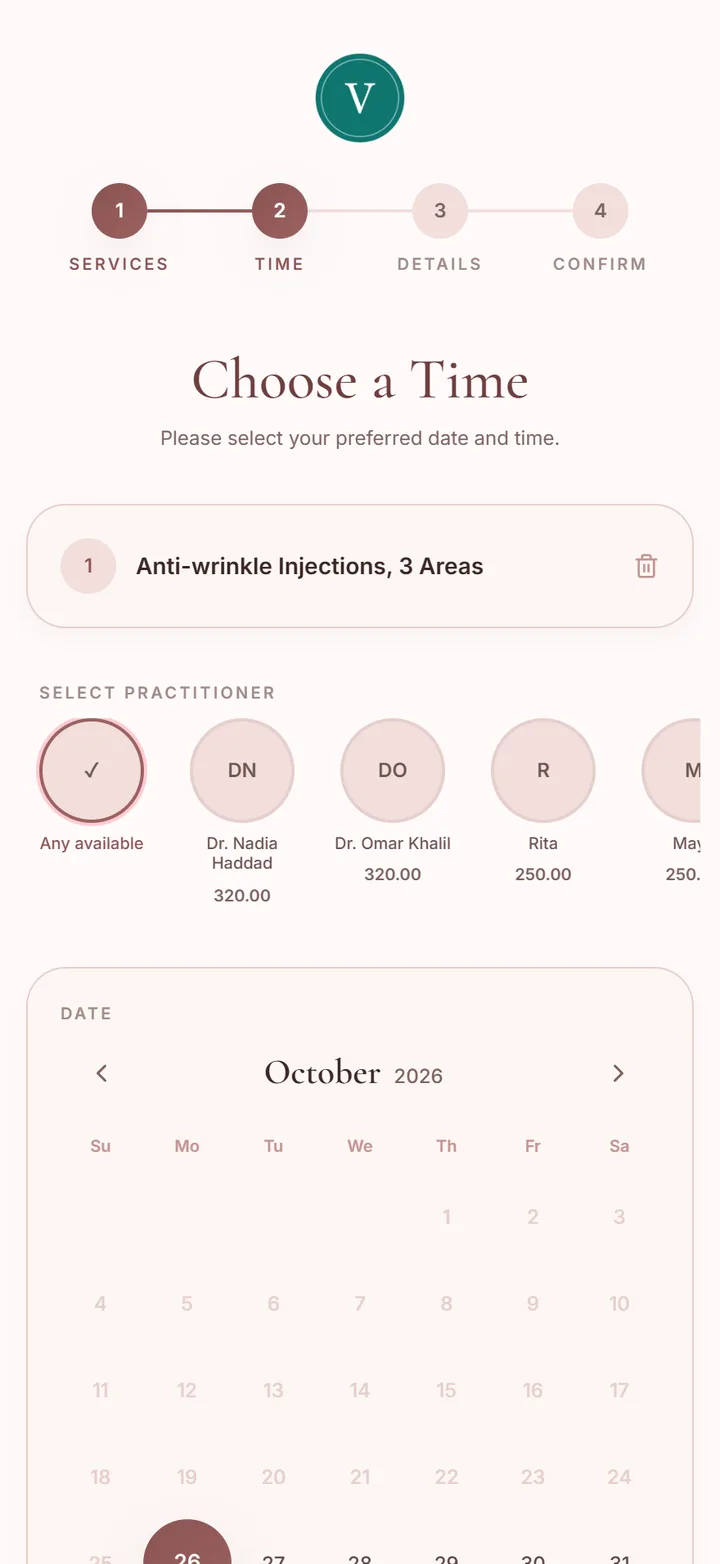
Clients pick the branch, then the department and the treatment, then the practitioner and a time. Dermatology and nails sit on the same page without getting in each other's way, and each department keeps its own menu.
- Departments as categories, each with its own treatments, prices and times
- Choose which branches offer each treatment, with a different price at each one if needed
- Deposits or full payment online when you ask for them, with no commission on any booking
Several branches, one account
Each branch has its own address, phone, opening hours, closed days and time zone. Clients, stock and reports are shared, and each iPad or computer works at the branch it is set to.
- Up to five branches on the Ultra plan
- Practitioners work at one branch or several, with different days and hours at each
- A colour per branch on the calendar, so a shared doctor's week is easy to read
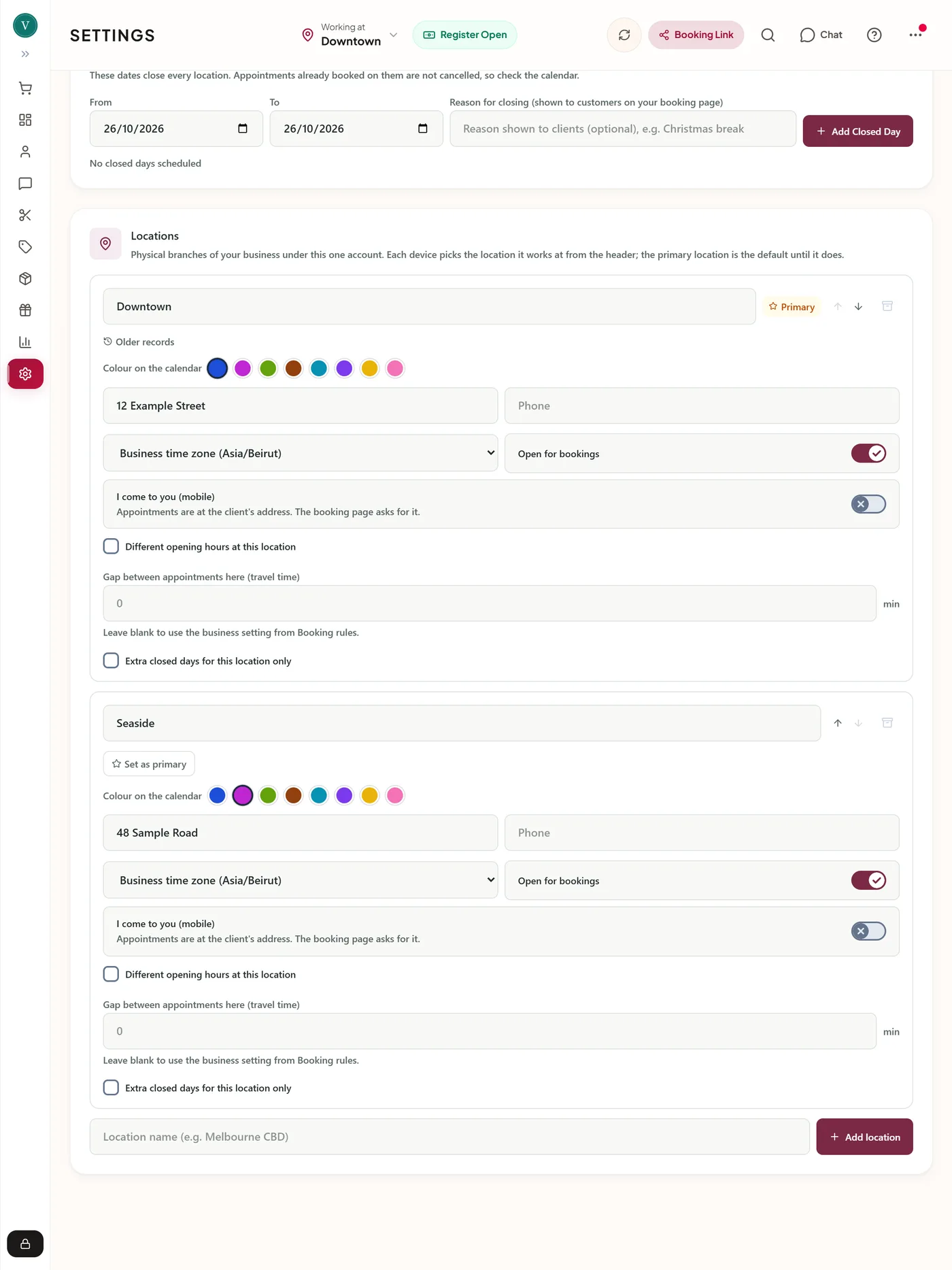
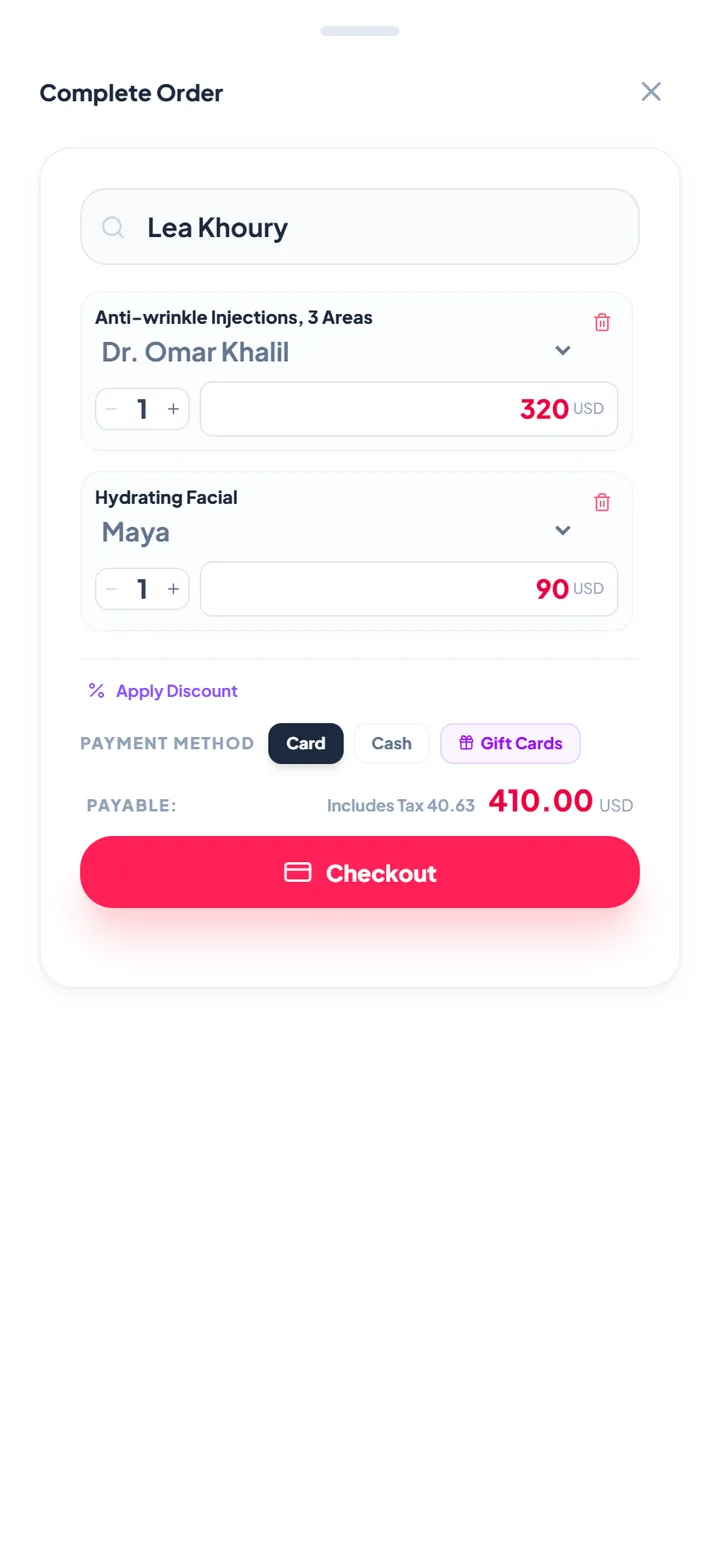
The doctor's price and the therapist's price
Give each practitioner a level such as Consultant or Specialist, then set a price per level on any treatment. Whoever does the treatment sets its price, at the till and on the booking page.
- The till lists only the practitioners who do that treatment, each at their own price
- The booking page shows the lowest price as "From" until the client picks someone
- Commission per service and a pay model for each person in the payroll report
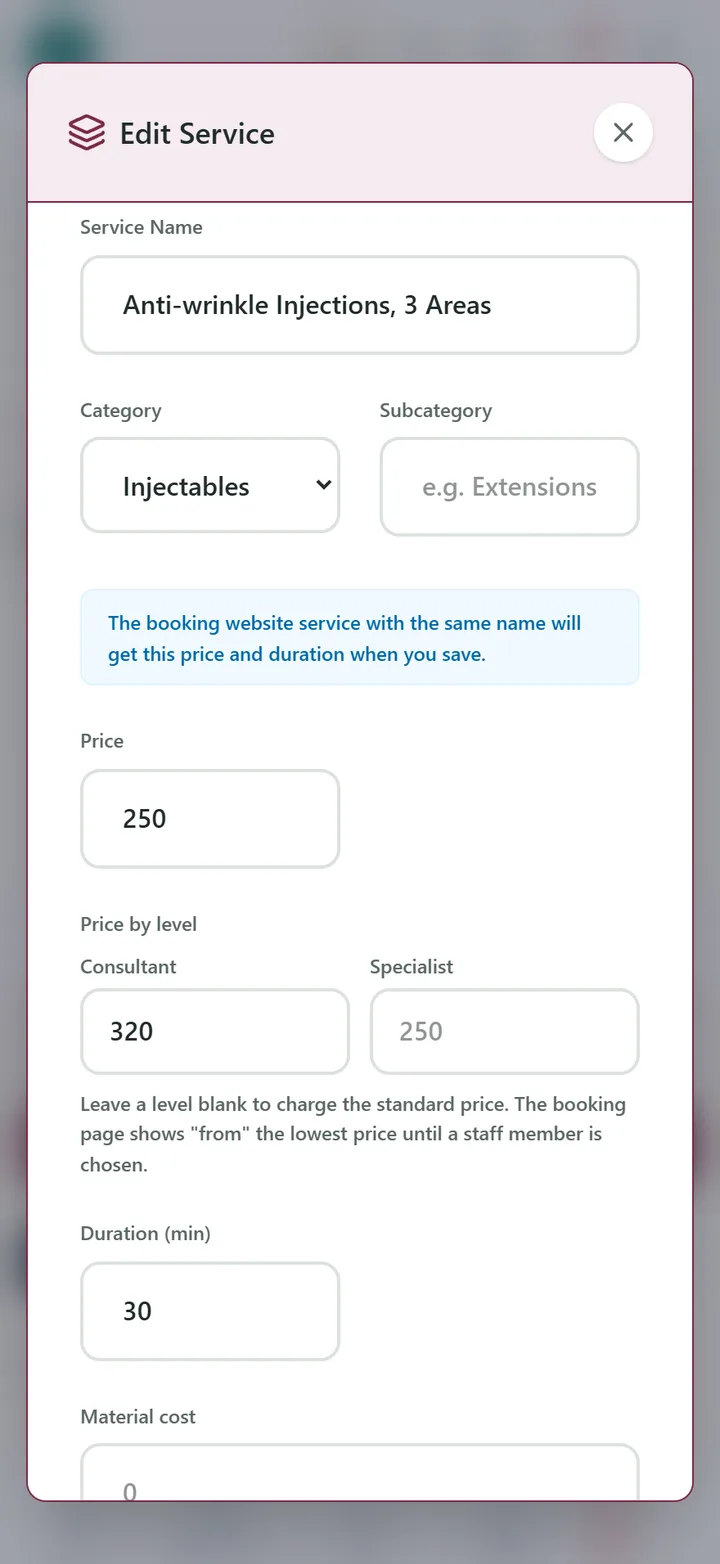
Forms done before the client arrives
The confirmation carries a secure link. New clients answer the health questionnaire, returning clients confirm nothing has changed, and every consent form the treatment needs is read and signed on their phone.
- Our consent templates or your own PDFs, linked to the treatments that need them
- Built-in forms in the language you choose for client messages
- A copy of each signed form emailed to the doctor or a records address if you want one
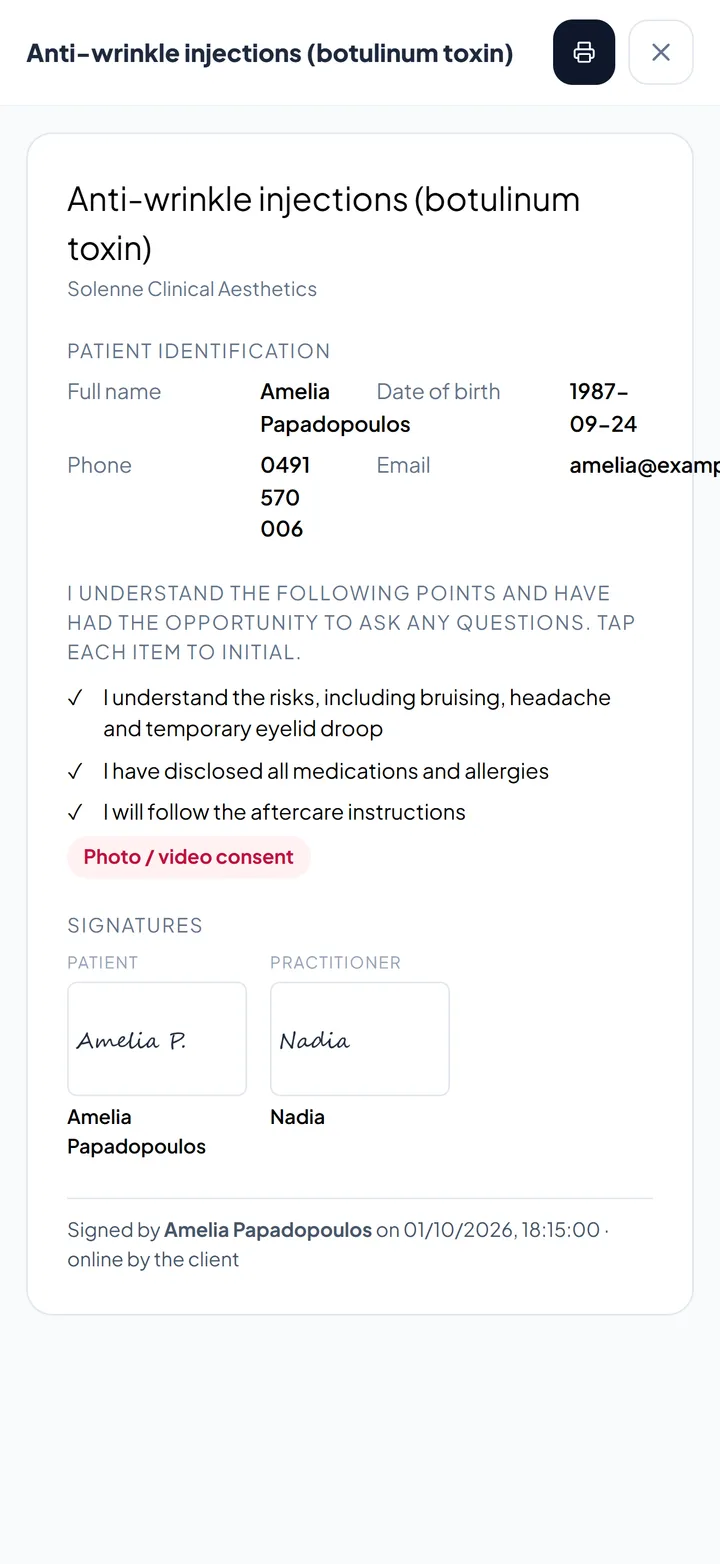
One record, every department
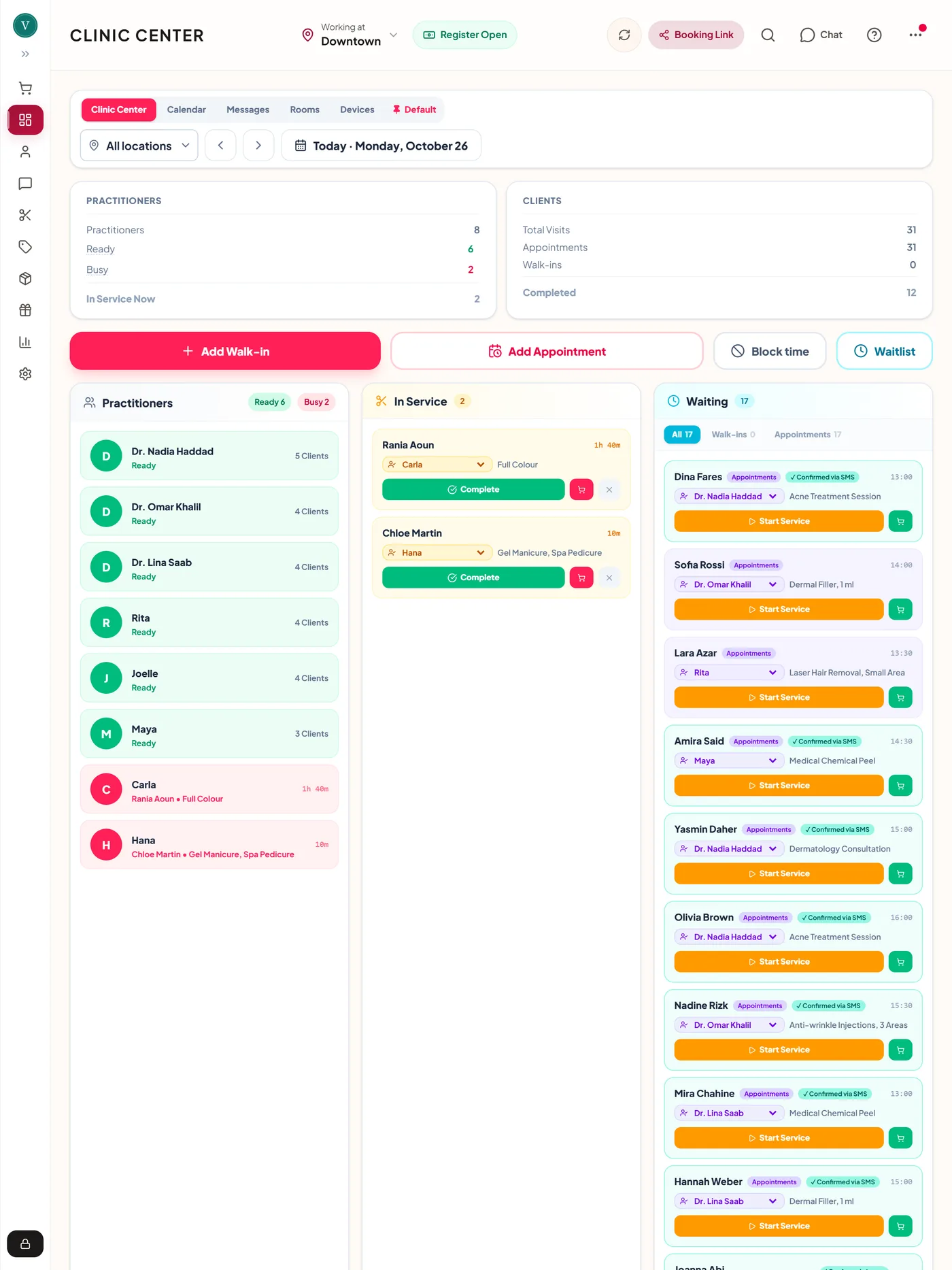
A client who sees the dermatologist in the morning and the lash artist in the afternoon has one record. Signed treatment notes, before and after photos, consents and every visit sit together, and the clinical parts are shown only to the roles you choose.
- Treatment notes signed by the practitioner, with earlier versions kept when one is edited
- Guided before and after photos, lined up by the eyes
- AI Assist drafts the note from a recording or a dictated summary for the practitioner to check and sign
Stock in every branch, with expiry dates
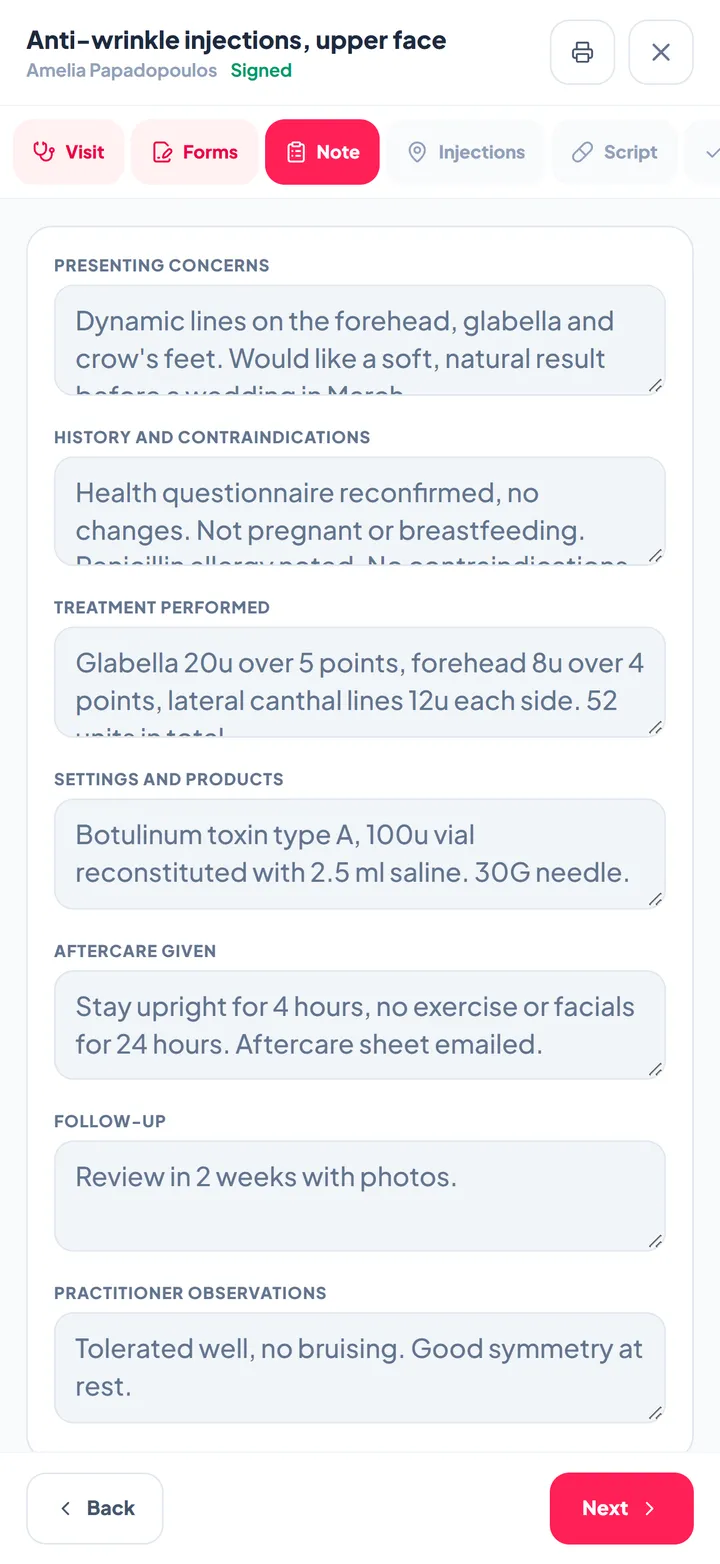
Record each product's date of issue and expiry date. The Product expiry report shows what has expired and what expires within 30, 60, 90 or 180 days, with the units on hand, across every branch or one at a time.
- Stock counted per branch, with transfers from one branch to another
- Professional products and retail products kept apart
- Export the list for the practice manager or the supplier
Each branch's figures, and the whole clinic's
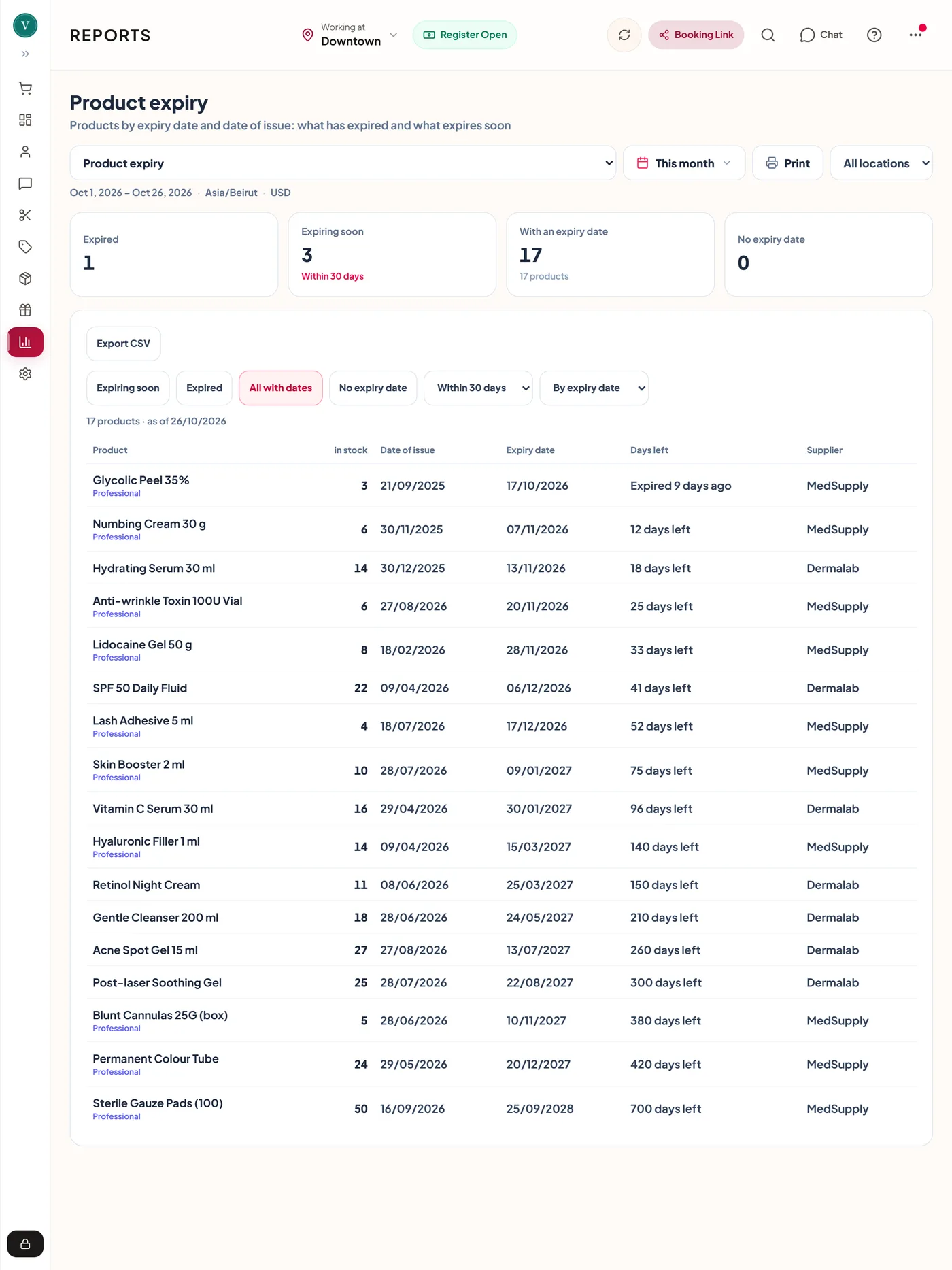
Net sales, payments, appointments, new and returning clients, rebooking and sales by practitioner, for one branch or all of them. Revenue by branch sits at the top of the overview.
- Payroll with commission, rent and the net for each person
- Daily sales sent to Xero
- Every report printable or saved as a PDF
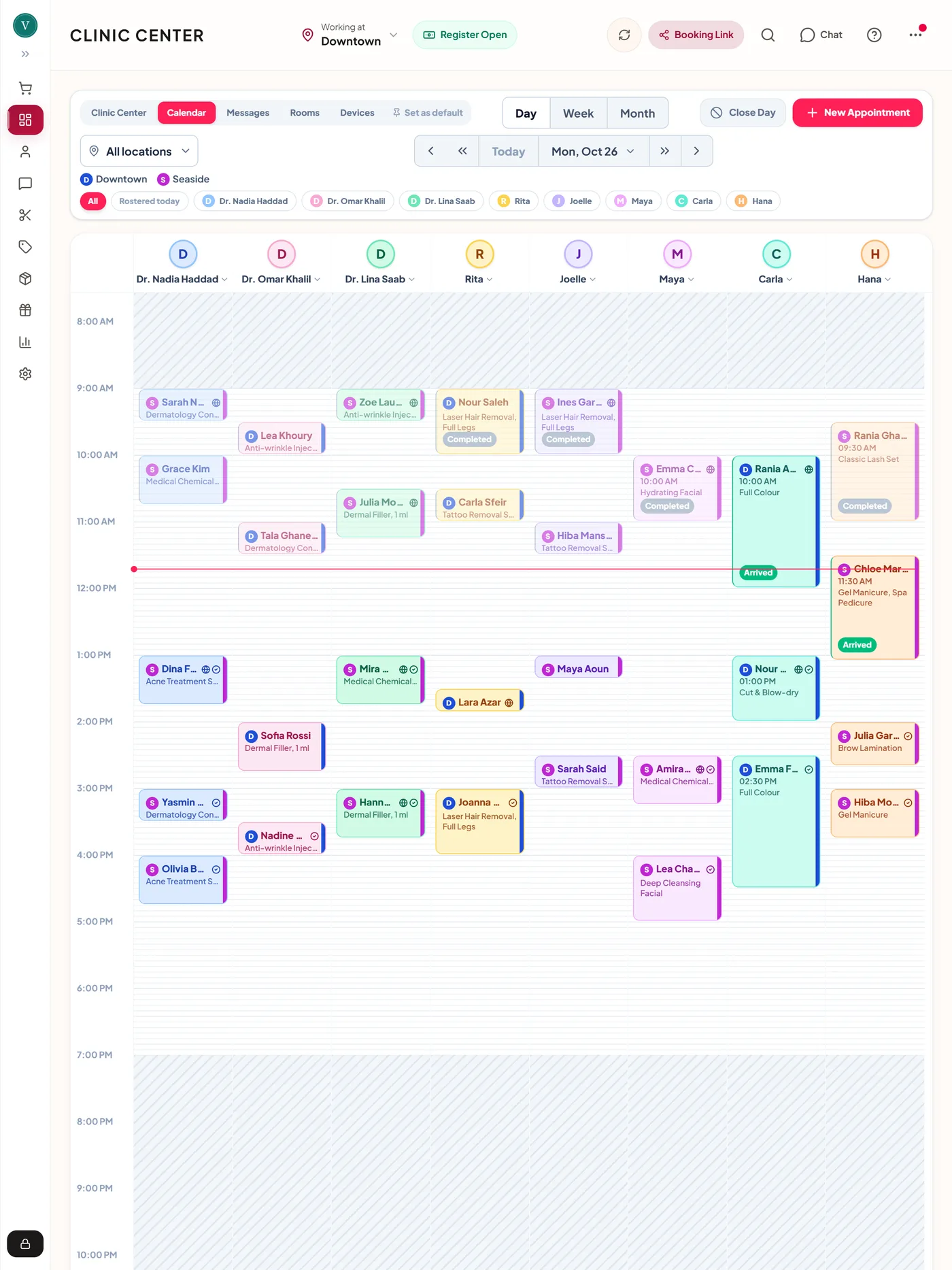
Every practitioner, room and device on one board
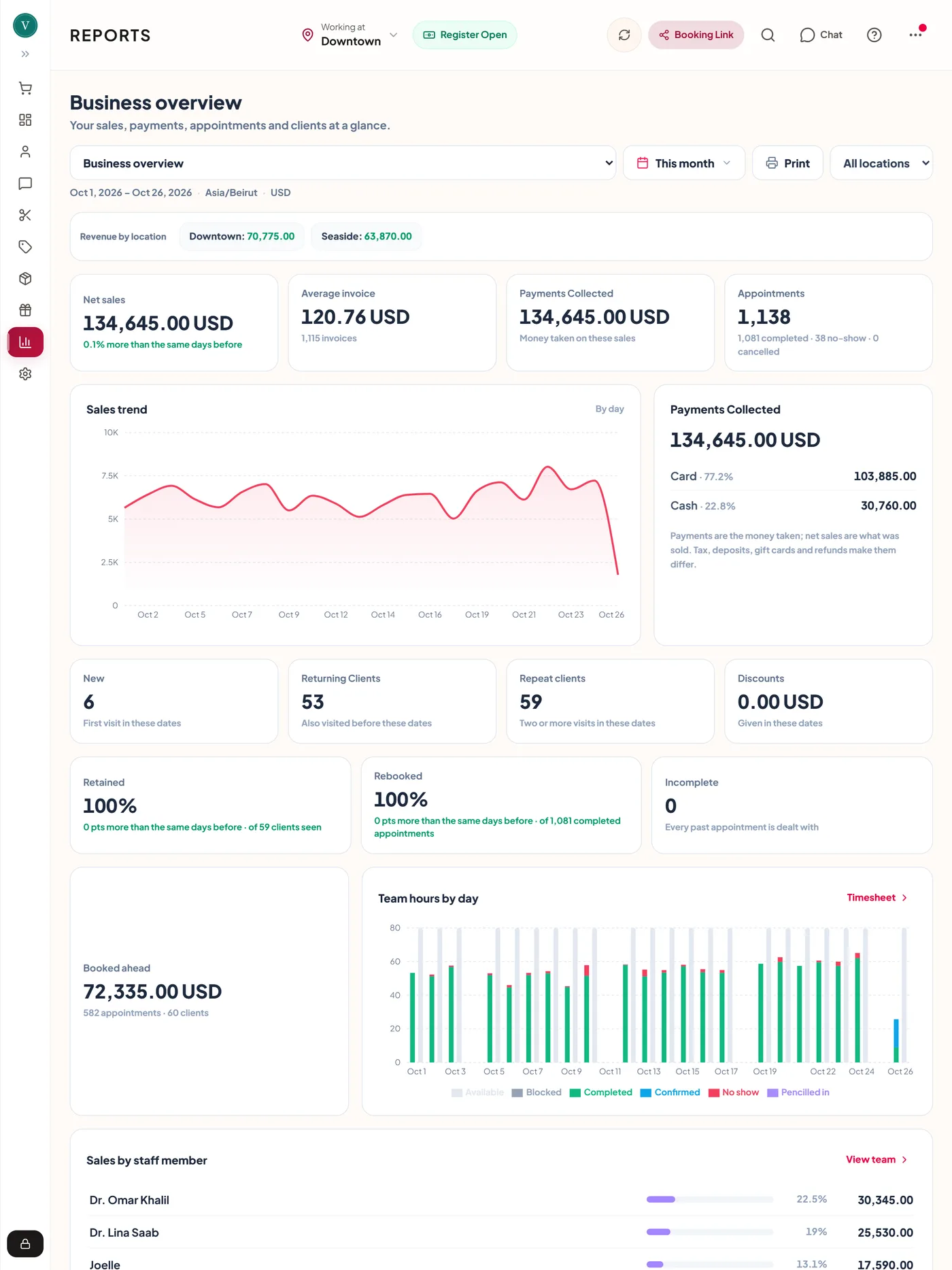
The Clinic Center shows who is free, who is with a client and who is waiting, across every branch at once or one branch at a time. Rooms and devices are booked with the appointment, and a laser that is already in use is flagged before it is double booked.
Set up for your country
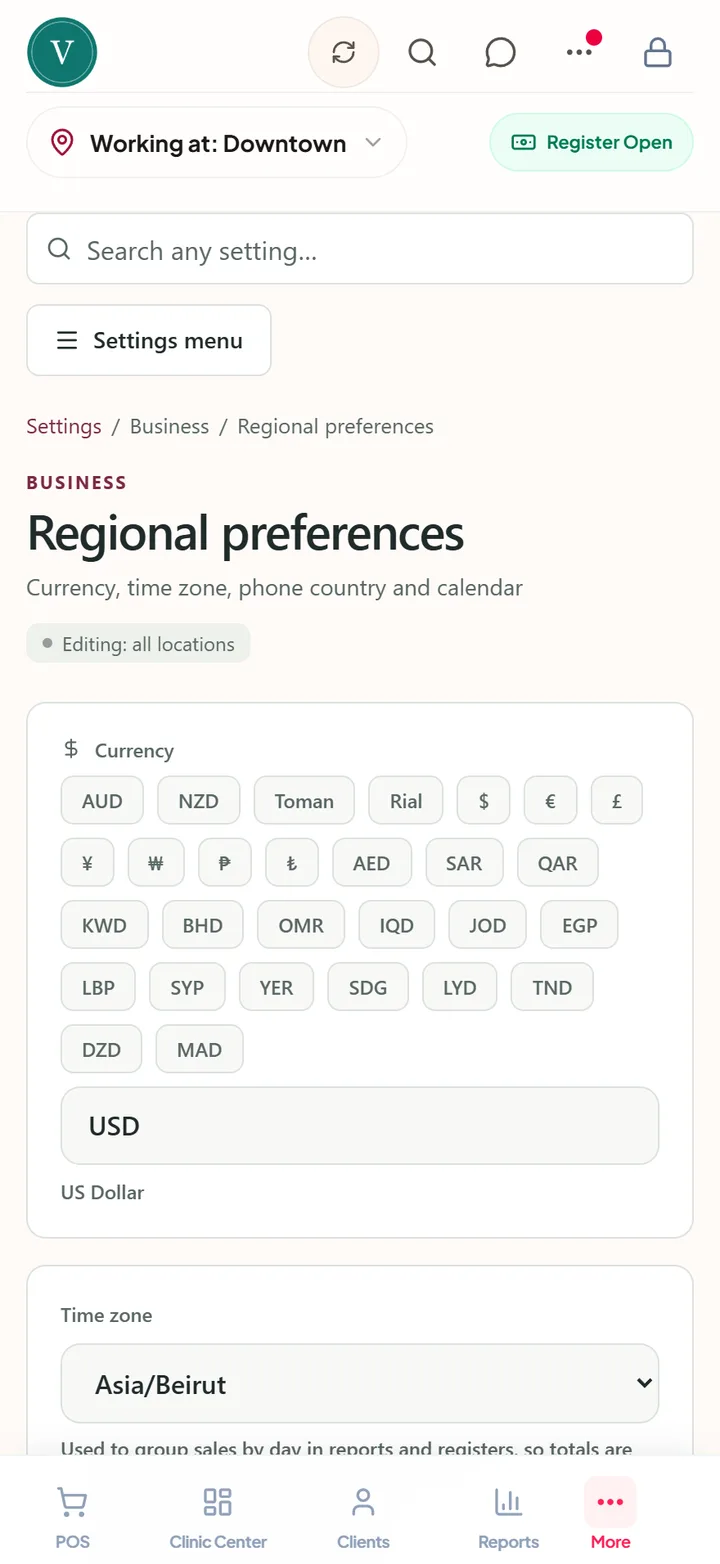
A polyclinic in Beirut, Dubai, Tehran, Manila or Madrid runs on the same app. Each clinic picks its own language, currency, tax, calendar and phone country, and its messages, receipts and reports follow them.
Eleven languages
English, Arabic, Persian, French, German, Spanish, Turkish, Vietnamese, Korean, Chinese and Filipino, with right-to-left screens for Arabic and Persian.
Any currency and tax
Charge in US dollars, dirhams, euros, toman or your own currency, with VAT or GST included in your prices or added at checkout.
Local time and calendar
Each branch has its own time zone, and the booking page shows times in the clinic's zone. Gregorian or Persian calendar, with dates in your country's order.
Messages in the client's language
Reminders and confirmations by SMS, WhatsApp or email, written in the language you choose for clients, whatever language your team uses in the app.
Payments that travel
Online deposits and card payments through Stripe, and Tap to Pay on iPhone and Android where Stripe offers it, alongside cash and your own payment methods.
On every device
The web, iPad, iPhone and Android, so the front desk, the treatment room and the owner on a trip see the same day.

Made for clinics with many specialists
A polyclinic runs on handovers: from the front desk to the doctor, from the doctor to the laser room, from one branch to the next. ZibaDesk keeps the client, the forms and the payment together all the way.
One app instead of a stack of apps
Each job done in one place, on the client's record.
How a visit runs in ZibaDesk
Every step leaves a record, so the next visit starts where the last one finished.
Books online
The client chooses a branch, a department, a treatment, a practitioner and a time. A deposit is taken if you ask for one.
Signs before the visit
The questionnaire and consent forms arrive with the confirmation, by SMS, WhatsApp or email.
Seen by each department
The Clinic Center shows who has arrived. Each practitioner opens the same record and adds a signed note.
Pays once
Every department's treatments and products go on one bill, each at the right practitioner's price.
Comes back
The next visit is booked at the desk, and reminders go out before it in the client's language.
Built for sensitive clinical data
Encrypted clinical files
Signed consent forms, signatures and before and after photos are stored encrypted, apart from the everyday booking data.
Role-restricted records
Front-desk logins see bookings and payments. The clinical record is shown only to the roles you trust with it.
Backed up every night
The clinic's data is backed up nightly, with an off-site copy kept as well.
A record of who did what
Consents show who signed and when, notes show who accepted and signed them off, and key actions are logged.
Made for
- Polyclinics and multi-specialty clinics
- Dermatology and skin clinics
- Aesthetic and cosmetic medicine
- Laser and tattoo removal centres
- Medical spas
- Clinics with a beauty salon
- Clinic groups with several branches
- Doctors, nurses and therapists
Frequently asked
What is polyclinic software?
Software that runs a clinic with several departments and specialists: one booking page and calendar for every department, one record per client, prices that depend on who does the treatment, and branches under one account. ZibaDesk adds consent forms, treatment notes, stock and payments to that.
Can dermatology, laser and beauty services share one booking page?
Yes. Each department is a category with its own treatments, prices and times. Clients pick the branch and the department, then a treatment, a practitioner and a time.
Can a doctor charge more than a therapist for the same treatment?
Yes. Give each person a price level and set a price per level on the treatment. The till and the booking page use the price of whoever does it, and the booking page shows the lowest price as "From" until the client chooses.
How many branches can I run?
The Ultra plan runs up to five branches under one account. Each has its own address, hours, closed days and time zone, and clients, stock and reports are shared.
Which languages and currencies does ZibaDesk support?
The app is in eleven languages, including Arabic and Persian with right-to-left screens. You can charge in any currency, with VAT or GST included in your prices or added at checkout.
Can clients get reminders on WhatsApp?
Yes. Confirmations and reminders go by SMS, WhatsApp or email, in the language you choose for client messages. The phone country you set adds the right country code to local numbers.
Who can see clinical notes?
You choose. Front-desk logins see bookings and payments, and the clinical record is shown only to the roles you trust with it. Signed forms, signatures and photos are stored encrypted.
Do you support Australian clinics locally?
Yes. ZibaDesk is built and supported in Australia, works out GST for you, and our support team is on Australian time.

